Day Solar Inverter Spare Parts 2026: 7 Parts That Fail Most (and How to Match the Right One)
Published on 7 November 2026. Updated on 7 November 2026. The parts that fail most in a Day Solar inverter are power MOSFETs, IGBTs, DC bus capacitors, cooling fans, the chopper transformer,…

Published on 7 November 2026. Updated on 7 November 2026.
The parts that fail most in a Day Solar inverter are power MOSFETs, IGBTs, DC bus capacitors, cooling fans, the chopper transformer, gate driver ICs, and fuses. Heat and dust cause most failures. Match the part number before you buy — a wrong part can kill a fresh repair.
Last week, a technician walked into our repair centre with a dead Day Solar inverter under his arm. His customer had no power in the day, and the shop had already lost two days of sun. We opened the case on the bench. One look told the story: two burnt MOSFETs, a swollen DC bus capacitor, and a fan clogged with dust. Three small parts had stopped a whole solar system. We fitted original replacements, and the inverter ran again the same day. That is the truth about Day Solar inverters. They rarely die all at once. One small part fails, and the whole system stops. This guide is for home users and technicians. It names the seven parts that fail most in a Day Solar inverter, shows the symptom of each one, and explains how to match the right part before you spend money.
Trust nudge: SunTech Mall makes Day Solar sine-wave inverters under its own name, and we sell complete Day Solar spare parts. We also run our own inverter and UPS repair service centre in Pakistan. Our technicians fit these same parts on the bench every day. This guide comes from that real repair work, not from guesswork.
What You Will Learn in This Guide
What a Day Solar inverter is, in words a 10-year-old can follow Why Day Solar inverter parts fail, and what heat and dust do to them The seven parts that fail most, with the symptom of each one A simple table: part, symptom, and first check How to match the right part before you buy A safe ten-minute check before you order a part A small spare-parts kit for your shop or home When to repair, and when to replace the whole inverter
What is a Day Solar inverter, in simple words?
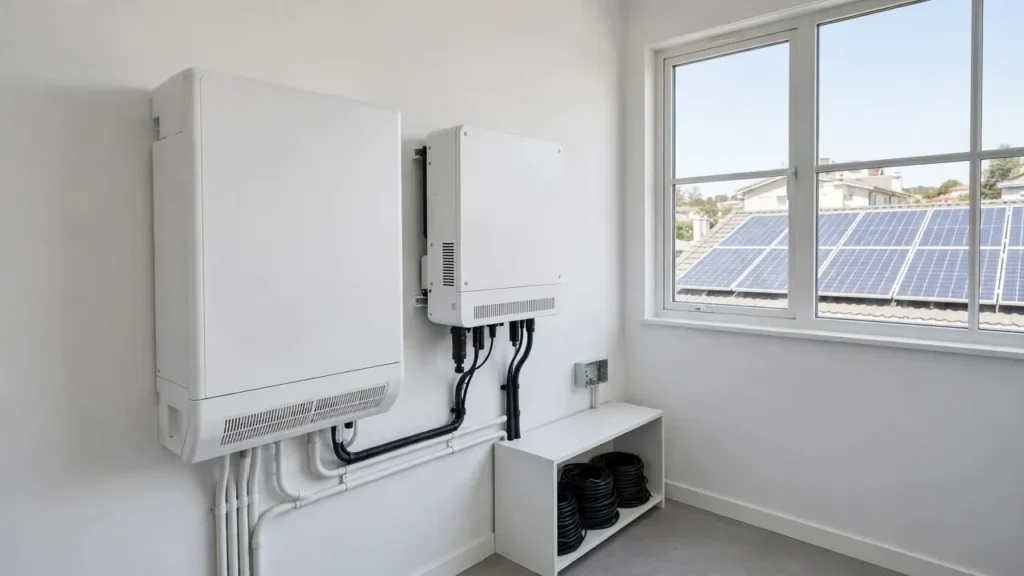
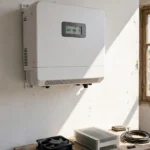
A Day Solar inverter is an inverter made for daytime use. It takes power from your solar panels and turns it into power for your home or shop, while the sun is shining. It does not need a battery to do this job. Our guide on what a Day Solar inverter is explains the full idea in simple words, with sizing steps and the five mistakes buyers make.
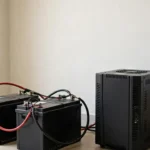
Think of it like a translator. Your panels make DC power. Your fans, lights, and fridge need AC power. The inverter changes DC into AC, so your daytime load can run on sunlight directly. There is no battery tank in the middle. Power is used as it is made.
SunTech Mall makes Day Solar sine-wave inverters under its own name. The Suntech HYB-10KW Powerful Off-Grid Solar Inverter is built for this exact daytime job. It works without WAPDA supply and without battery support, and it gives pure sine wave output at a fixed 50Hz. Its product page lists support for up to 450V DC solar input, with multiple panels in series, plus PV short circuit, overload, over-temperature, and low AC output protections. A smaller day-focused model is the Suntech HYB-8KW Powerful Off-Grid Solar Inverter, which also gives pure sine wave output, with overload and over-temperature protection, reverse polarity protection, and an automatic cooling fan. Check the live price on the website for each model, because prices change, and this article does not fix a price.
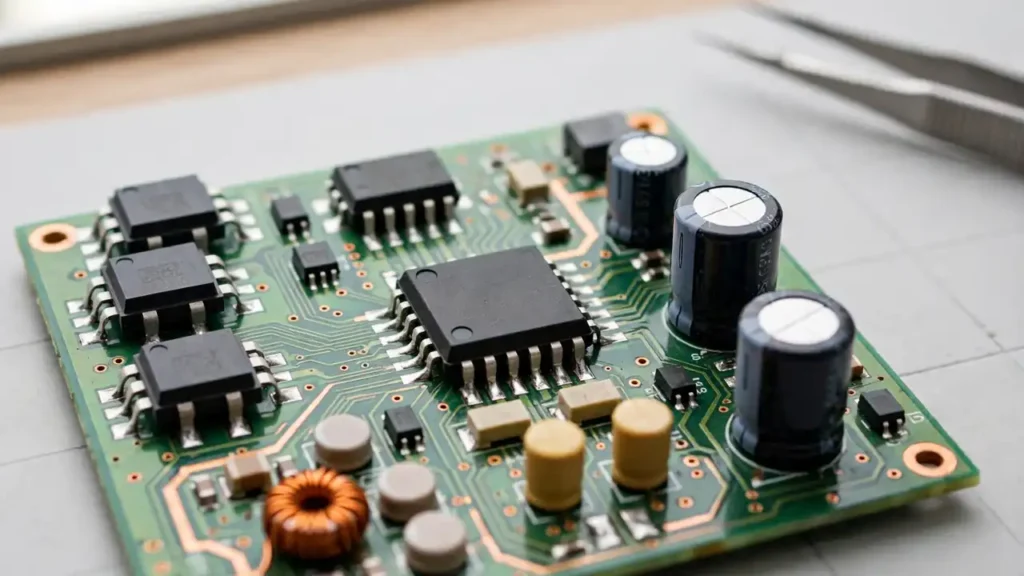
A Day Solar inverter has the same core parts as other solar inverters: a power stage that switches current, capacitors that smooth it, a fan that cools it, and a control board that thinks. That is why the parts below will look familiar to any technician. The difference is the job: a Day Solar inverter works hardest at noon, in the hottest part of the day, with no battery to share the load. Heat is its daily test.
Why do Day Solar inverter parts fail?
Parts fail for three main reasons, and all three are worse in a Day Solar inverter than in a night-backup system.
First, heat. A Day Solar inverter runs hardest when the sun is strongest, which is also when the air is hottest. Inside the case, the power parts switch current thousands of times per second, and switching makes heat. If the fan is slow, the vents are blocked, or the inverter sits in direct sun, that heat has nowhere to go. Heat ages capacitors, dries them out, and weakens solder joints a little every day.
Second, dust. Dust is everywhere in Pakistan, and a solar inverter breathes it in through its vents. Dust coats the fan blades, clogs the heatsink fins, and forms a blanket over the circuit board. A dusty inverter runs hotter, and a hotter inverter fails sooner. Our solar inverter overheating guide explains how heat builds up in summer, and our solar inverter maintenance guide gives a simple care routine for the year.
Third, voltage stress. Panels, grid swings, and sudden load changes all stress the power parts. A loose connection or a wrong-size part adds more stress. One weak part then takes the extra load, heats up, and fails. Then the next part in line takes the load, and it fails too. That is why a good technician never replaces only the burnt part. He checks what killed it first.
Note: Never open an inverter case yourself. Capacitors inside can hold a painful charge even after the power is off. Internal checks and fitting belong to a trained technician. The checks in this guide are safe outside checks only.
The 7 parts that fail most in a Day Solar inverter
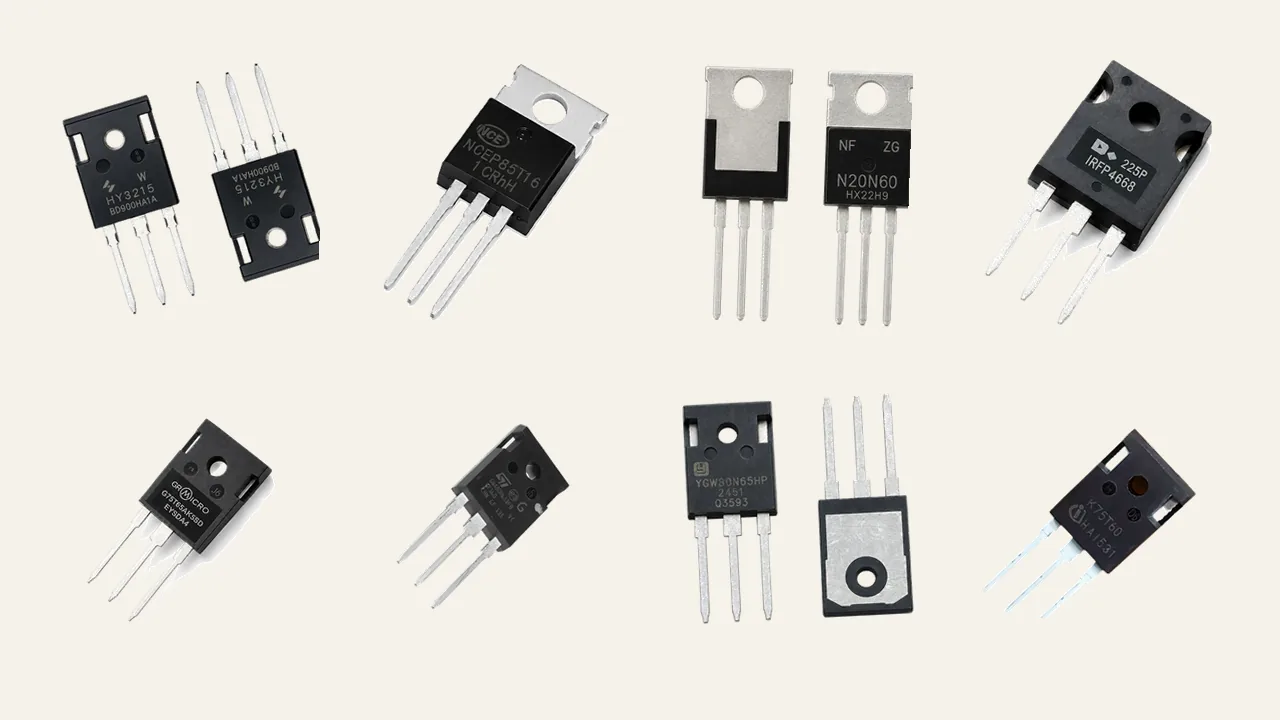
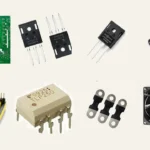
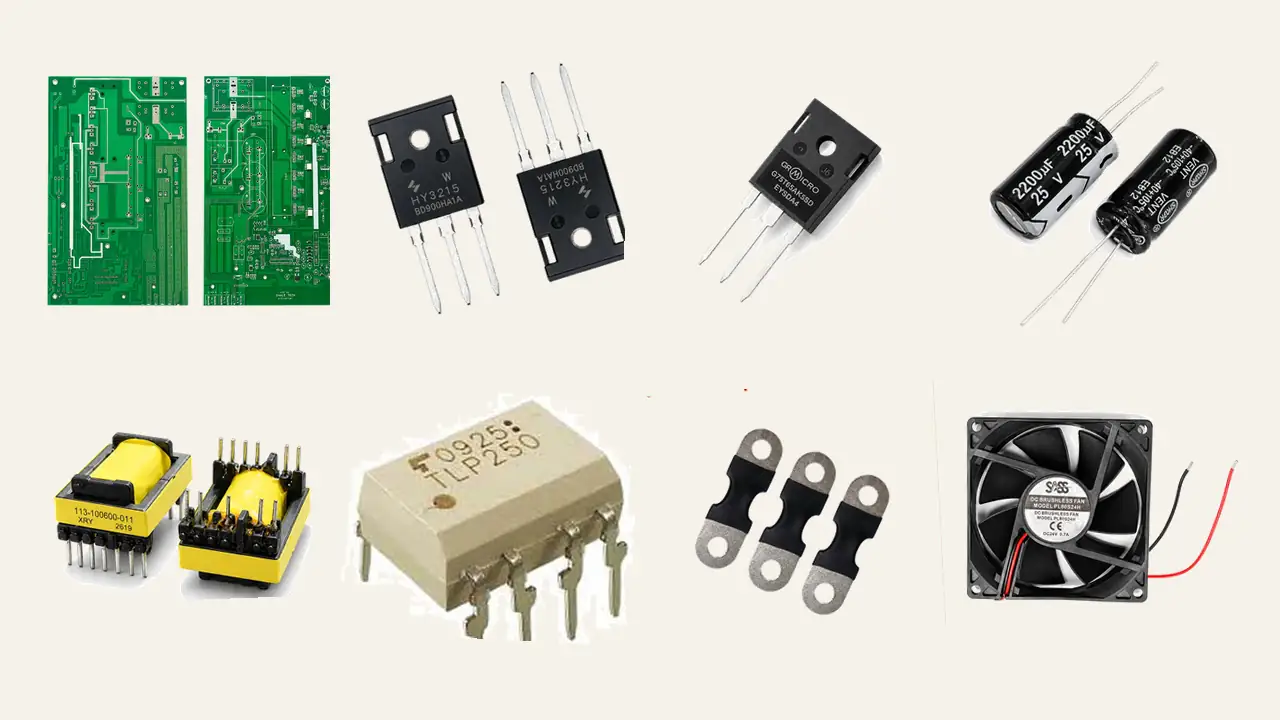
These seven parts cover the large majority of Day Solar inverter failures our repair centre sees. They match the seven components named in our Peshawar spare parts guide, which lists the same parts as the most common failures across Pakistan. Read them in order. The order is the order a technician checks on the bench.
- Power MOSFETs. MOSFETs do the fast switching work inside the inverter. They switch current thousands of times per second, and they handle serious current and serious heat. That is why they are the number one failure in solar inverters. A MOSFET fails when heat, overload, or a voltage spike breaks it down. The symptom is often a dead inverter, a burnt smell, or a fuse that blows again as soon as you fit a new one. When a MOSFET fails, a good technician checks the gate driver and the fan too, because a dead driver or a dead fan is often what killed it. Match the exact MOSFET number, voltage, current, and package before you buy. Two common original MOSFETs we stock are the HY3215 N Channel MOSFET TO-247 and the NCEP 85T16 N Channel MOSFET TO-220. If you want to understand how technicians test a MOSFET, read our guide on how to test a MOSFET with a multimeter.
- IGBTs. IGBTs are the heavy lifters. In larger inverters, they handle the high-power output stage, where the current is too big for a small MOSFET. They are expensive, and counterfeits are common, so buy them only from a trusted seller. An IGBT fails from heat, overload, or a shorted load, and it often takes a fuse and a MOSFET with it. The symptom is usually no output, or the inverter shutting down under load. Our guide on why an IGBT burns out explains the seven causes in simple words. You can browse original IGBTs in our IGBTs category, and you can check the live price on the product page.
- DC bus capacitors. The DC bus capacitors are the big cylindrical parts that smooth the power between the panels and the switching stage. They work in heat every day, and heat is what ages them. A simple rule from capacitor makers is that the life of an electrolytic capacitor halves for every 10°C rise in temperature. You can read the capacitor lifetime and temperature rule for the full explanation. A failing DC bus capacitor often bulges at the top, leaks, or makes the inverter restart again and again. In Pakistan summers, always choose 105°C rated capacitors, as our Mardan spare parts guide explains. A common DC bus value is the 450V 100uF capacitor for solar inverters. Our guide on inverter capacitor bulging signs shows the six signs that tell you a capacitor is failing before the inverter stops.
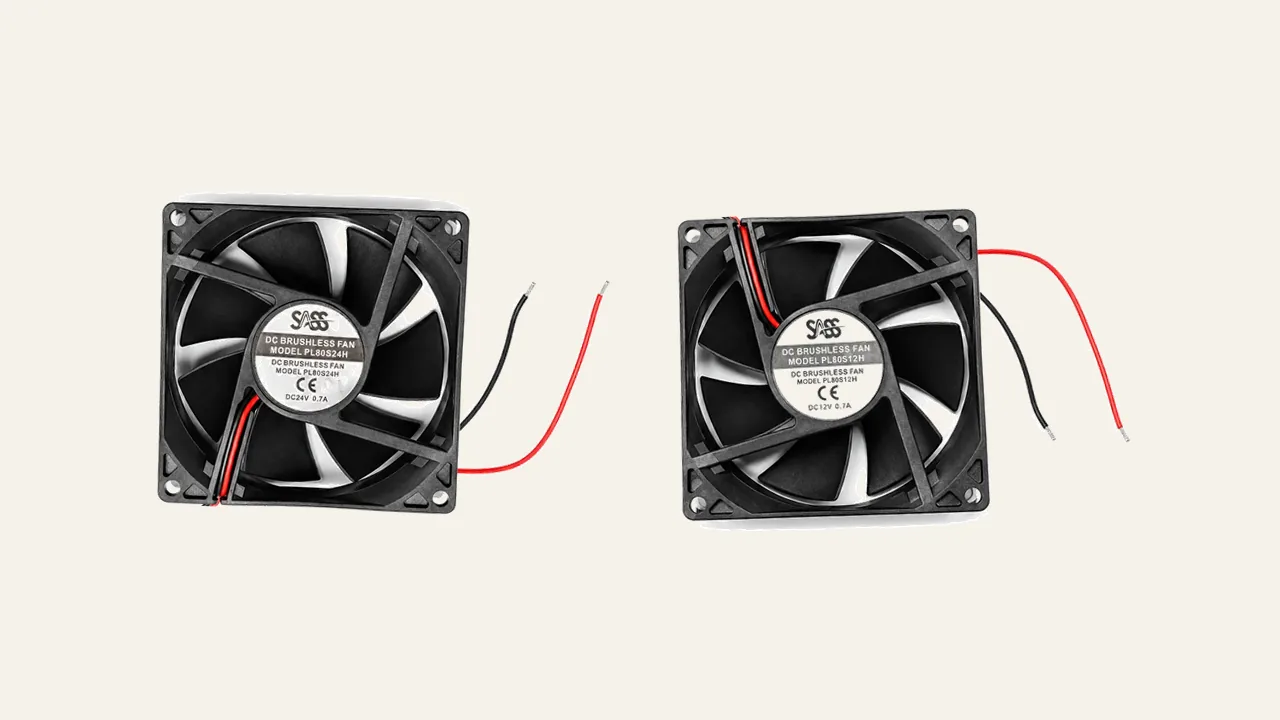
- Cooling fans. The cooling fan is the cheapest part that protects the most expensive parts. It pulls cool air over the heatsink and pushes hot air out. When a fan slows down, gets noisy, or stops, the MOSFETs and IGBTs cook in their own heat. The symptom is a fan that grinds, rattles, clicks, or runs loud all the time, or an inverter that shuts down on hot afternoons and works fine in the morning. Our guide on why an inverter fan makes noise explains what each sound means. Match the fan voltage and size exactly: a 12V fan in a 24V slot will burn, and a 24V fan in a 12V slot will spin too slowly. Common original fans we stock include the brushless 12V 0.40A DC fan for solar inverters and the SASS HD80S24H 24 volt DC fan.
- Chopper transformer. The chopper transformer is a small transformer in the SMPS section that powers the control circuits. When an inverter arrives completely dead, our Peshawar guide gives the check order: fuse first, then the chopper transformer and SMPS section, then the DC bus capacitors, then the power stage. A failed chopper often means no display, no click, and no sign of life at all. It is a small part with a big job. Always match the exact part number printed on the transformer, because the winding and pin layout must match the board. One original part we stock is the Chopper Transformer 113-100600-011, and you can check the live price on the product page.
- Gate driver ICs and optocouplers. The gate driver is the part that tells the MOSFETs when to switch on and off, thousands of times per second. If the driver is weak or dead, the MOSFETs switch at the wrong time, heat up, and burn. That is why a repair that only changes the MOSFETs often fails again in a week: the real fault was the driver. Gate driver optocouplers, such as the TLP350H type our repair centre sees, sit between the control board and the power stage and keep them safely apart. The symptom is MOSFETs that burn again and again, or an inverter that works for a few minutes and then dies. A technician tests the driver before fitting new MOSFETs. Never fit a new power stage on an untested driver.
- Fuses. A fuse is a small part with a simple job: break the circuit before a fault can burn the board. A blown fuse is a symptom, not a diagnosis. It means something else failed first, usually a MOSFET, an IGBT, or a shorted capacitor. The classic mistake is to fit a bigger fuse, or a wire, and switch on again. That turns a small repair into a burnt board. Fit the same fuse rating, then find what blew it. If the new fuse blows at once, the fault is still in the power stage, and the inverter needs a bench check. Keep spare fuses in the right ratings, and never bypass a fuse.
Part, symptom, and first check
Use this table before you order any part. Find the symptom, read the first check, and only then order. It is a guide, not a promise: real faults can have more than one cause.
| Part | Common symptom | First check before you order |
|---|---|---|
| Power MOSFETs | Dead inverter, burnt smell, fuse blows again | Check the gate driver and the fan first |
| IGBTs | No output, shuts down under load | Check for a shorted load and a hot heatsink |
| DC bus capacitors | Restarts again and again, bulging top | Look at the capacitor tops in daylight |
| Cooling fans | Grinding or loud fan, shutdown on hot afternoons | Check the vents and listen to the fan |
| Chopper transformer | No display, no click, no sign of life | Check the fuse, then the SMPS section |
| Gate driver ICs | MOSFETs burn again after a fresh repair | Test the driver before fitting new MOSFETs |
| Fuses | Fuse blown, inverter dead | Find what blew it, never fit a bigger fuse |
Read the table from the symptom side. If your inverter restarts again and again, look at the capacitors first. If it is dead with no display, check the fuse and the chopper section first. If a fresh repair burns again in a week, the driver is the prime suspect. The table saves money because it stops you from ordering the wrong part.
Bonus Tip: Take a clear photo of the part number on the old part before you remove it. A photo beats memory. The number, the package, and the board position are the three facts a seller needs to match the part.
How to match the right part before you buy
Matching is the whole skill of spare parts. A part that looks the same can still be wrong. Follow these rules, and your repair will last.
First, match the exact part number. The number is printed on the part itself, or on the board next to it. For a MOSFET, the number tells you the voltage, the current, and the package. For a capacitor, you need the capacitance, the voltage, and the temperature rating together. For a chopper transformer, the number tells you the winding and the pin layout. Never guess from a photo alone.
Second, match the package and the pins. A TO-220 MOSFET and a TO-247 MOSFET do the same job in different bodies. They do not fit in each other’s place. A capacitor that is too tall will hit the case lid. A fan with the wrong plug will not connect. Measure or photograph the old part next to a ruler if you are not sure.
Third, buy original, not fake. Fake parts are the most expensive parts in the end, because they fail early and often take the board with them. Our guide on original vs fake inverter spare parts shows eight hands-on checks you can do before you fit a part. SunTech Mall stocks original parts only, and the same parts are fitted by our own repair centre, so a part that fails on our bench does not reach your order.
Fourth, check the neighbours. When one MOSFET burns, check its driver, its fuse, and the fan. When a capacitor bulges, check the heat around it and the fan that cools it. A repair that fixes only the burnt part is a repair that will come back. If the board itself is cracked, burnt through, or has a dead control section, a single part will not save it. In that case, look at the system card options and read our guide on when a hybrid inverter system card should be replaced before you decide.
Fifth, ask before you pay. If you are not sure about a match, message the seller with the inverter model, the part number, and a photo of the board. A good seller will confirm the match or tell you it does not fit. That one message is cheaper than a wrong part and a second repair. You can reach SunTech Mall on WhatsApp at 0306-2244820 with your inverter model and the part number, and our team can help you check the match before you buy.
A 10-minute check before you order a part
Do these checks at home without opening any case. Never open the inverter case: the checks below are all outside the case, and internal work belongs to a trained technician.
- Look at the display in daylight. A fault code, a blank screen, or a dead display each point to a different part.
- Listen to the fan. A grinding, rattling, or clicking fan is a warning, and a fan that never runs is a bigger one.
- Feel the air near the vents, but do not touch anything inside. Hot air with a weak flow means the fan or the vents are blocked.
- Look at the vents. Dust packed in the vents is a common cause of heat failure, and a dry brush can clear it.
- Smell the air near the inverter from a safe distance. A burnt smell means a part has already failed, and the inverter needs a bench check.
- Think about the pattern. A fault that comes only on hot afternoons points to heat and the fan. A fault that comes at switch-on points to the power stage or the chopper section.
If two or more checks look bad, take the inverter to a repair centre before you order a part. A bench test takes only a few minutes and removes all guesswork. Ordering first and testing later is the expensive way round.
Keep a small spare-parts kit for your shop or home
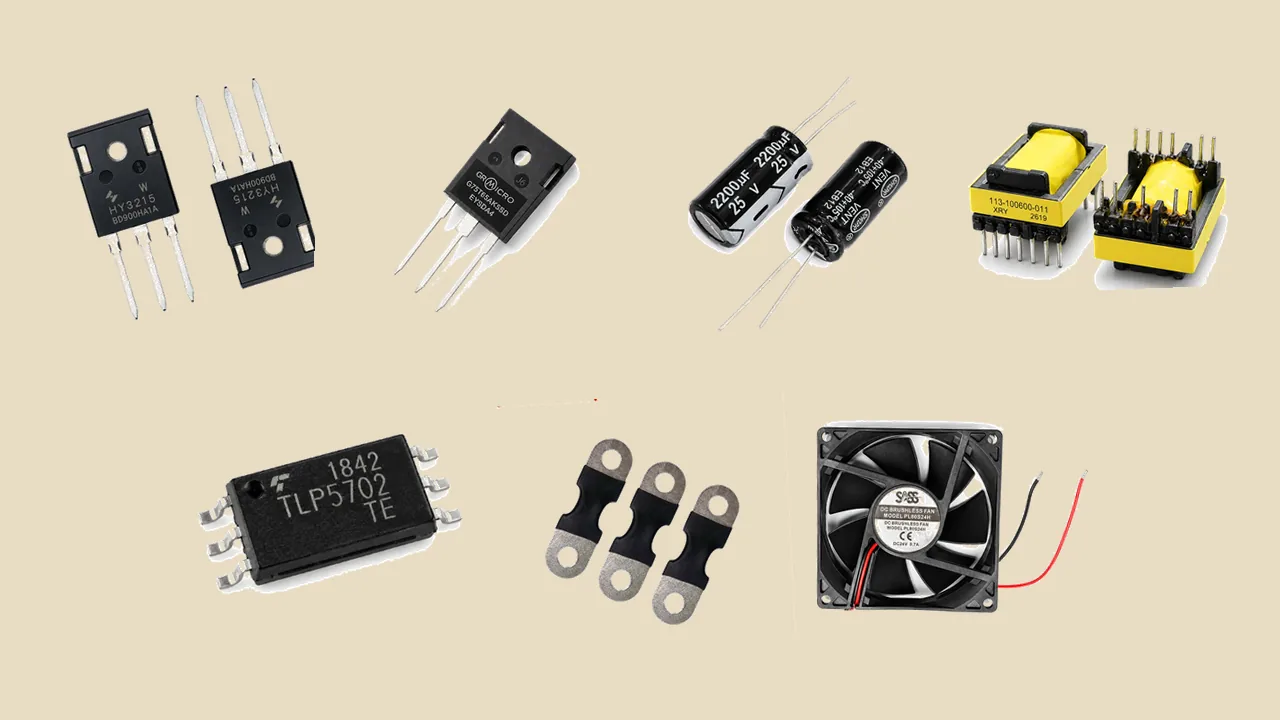
A repair shop that waits for parts loses customers. A small kit on the shelf turns a two-day wait into a same-day repair. Our Mardan guide suggests the same idea: build a small dead-inverter kit with the fast-moving parts, so the bench never stops for a common failure.
A useful Day Solar kit has a few common MOSFETs in the ratings your models use, an assortment of electrolytic capacitors in popular values with 105°C ratings, two cooling fans in the voltages your inverters use, a set of rectifier diodes and fuses in the right ratings, one spare gate driver IC, and one chopper transformer for the models you repair most. Keep the kit in a dry box, away from heat, and write the part numbers on the box so anyone in the shop can find the right one.
For a home user, the kit is smaller: one spare fan in the right voltage, a set of fuses in the right rating, and the phone number of a trusted repair centre. A home user should not fit power parts. The kit is for the technician you call, so the repair does not wait for a delivery.
Bonus Tip: When a part fails, order two: one for the repair, and one for the kit. The second one costs little, and the next failure will not catch you without a spare.
When to repair, and when to replace the whole inverter
Most Day Solar inverter faults are worth repairing. A MOSFET, a capacitor, a fan, a fuse, or a chopper transformer costs far less than a new inverter, and a good repair gives years of service. Repair is the smart answer when the fault is in one part or one section, and the rest of the board is healthy.
Replace the whole inverter when the board is burnt through, when the control section is dead and no card is available, or when the same inverter has failed three times in a short period. A third failure usually means the real cause was never found, or the board itself is tired. At that point, a new inverter is cheaper than another repair and another lost week of sun.
If you are unsure, ask a repair centre for a bench check before you decide. A bench check tells you the real fault, the real cost, and whether the repair is worth it. Never decide from a guess. For a wider view of spare parts buying in Pakistan, read our solar inverter spare parts Pakistan guide, and for the full range, browse our electronic parts.
Frequently Asked Questions
Which spare part fails most in a Day Solar inverter?
Power MOSFETs fail most, because they do the fast switching work in heat every day. After them come DC bus capacitors, cooling fans, and the chopper transformer. Our repair centre sees these four in most Day Solar repairs.
Can I use any MOSFET in my Day Solar inverter?
No. You must match the exact part number, voltage, current, and package. A MOSFET that looks the same but has a lower voltage or current rating will burn quickly. Ask the seller to confirm the match with your inverter model and the old part number.
Why does my Day Solar inverter shut down only on hot afternoons?
Heat is the most likely cause. A slow or dusty fan cannot cool the power parts at noon, so the inverter protects itself and shuts down. Clean the vents, check the fan, and read our fan noise guide to find what the sound means.
How do I know if the capacitor or the MOSFET is the fault?
A bulging or leaking capacitor top points to the capacitor. A burnt smell, a blown fuse, or a dead inverter with no display points more to the MOSFETs or the chopper section. A bench test is the sure way to know, and it takes only a few minutes at a repair centre.
Should I keep spare parts at home?
Keep a spare fan in the right voltage and fuses in the right rating, and keep the number of a trusted repair centre. Do not fit power parts yourself. Power parts belong on a technician’s bench, because the case holds dangerous voltage even after switch-off.
Is it better to repair my Day Solar inverter or buy a new one?
Repair it if the fault is in one part or one section, such as a MOSFET, a capacitor, a fan, or a fuse. A good repair costs far less than a new inverter. Replace it only if the board is burnt through, the control section is dead, or the same inverter has failed three times in a short period.
Final Thoughts
A Day Solar inverter rarely dies all at once. One small part fails, and the whole system stops. The seven parts in this guide — MOSFETs, IGBTs, DC bus capacitors, cooling fans, the chopper transformer, gate driver ICs, and fuses — cover most of those failures. Learn their symptoms, match the exact part number before you buy, and check what killed the part before you fit a new one.
Buy original parts from a trusted seller, keep a small kit on the shelf, and let a trained technician do the inside work. Your Day Solar inverter will then give you what it was made for: free daytime power, day after day.
If you need a part, browse the original spare parts in our electronic parts and check the live price on the product page. If you want help matching a part to your Day Solar inverter, message SunTech Mall on WhatsApp at 0306-2244820 with your inverter model and the old part number.