

Reliable Brushless 12v 0.40A DC Fan for Solar Inverter in Pakistan
Upgrade your solar inverter with a reliable brushless 12v 0.40A DC fan in Pakistan. Enjoy energy-efficient cooling, quiet operation, and durability tailored for local conditions. Learn key features, installation tips, and where…

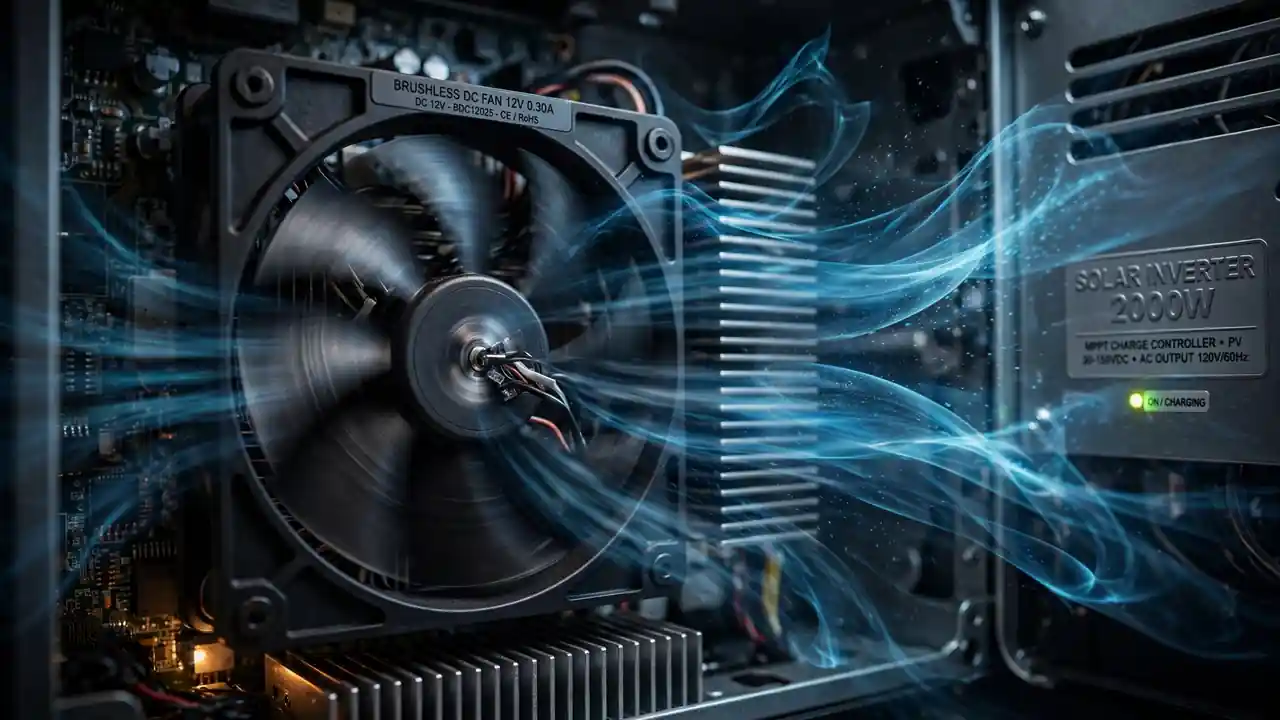
A solar inverter without a working cooling fan is a countdown timer. I have opened inverters where every power MOSFET was destroyed — hundreds of rupees in damage — because a small fan worth a fraction of that stopped spinning. The 12V 0.40A brushless DC fan is one of the most common cooling fans in solar inverters and UPS systems, and understanding it properly will save you from the most preventable failures in power electronics. In this guide, I will explain why brushless technology matters, what the 12V 0.40A rating means, how bearing types affect lifespan, when to replace your fan, and how to do it right.
My promise: After reading this, you will treat cooling fans with the respect they deserve — and your inverters will live longer because of it.
What You Will Learn in This Guide
- What “12V 0.40A brushless DC” actually means
- Why brushless fans outlast brushed fans by years
- Bearing types: the hidden factor in fan lifespan
- 7 signs your inverter fan needs replacement
- Step-by-step fan replacement guide
- How to buy a genuine fan (not a noisy fake)
Decoding the Specification: 12V 0.40A Brushless DC
Let me break down every part of that specification:
12V — the operating voltage. This fan runs on 12 volts DC, which is the standard auxiliary voltage inside most inverters and UPS systems. The inverter’s internal power supply (built around a chopper transformer) generates this 12V rail specifically for fans, relays, and control circuits.
0.40A — the current draw, 400 milliamps. Multiply by voltage: 12V × 0.40A = 4.8 watts of power consumption. This tells you the fan moves a meaningful amount of air — enough for serious cooling — while sipping power. When replacing a fan, match this current rating closely: a fan drawing much less current moves less air (inadequate cooling), while one drawing much more may overload the inverter’s 12V supply.
Brushless DC — the motor technology, and the most important word in the specification. Let me explain why.
DC — direct current, as opposed to AC mains fans. DC fans allow speed control, run quietly, and integrate easily with the inverter’s electronics.
Why Brushless Changes Everything
Old-fashioned DC motors use carbon brushes — small blocks of carbon that physically rub against a rotating commutator to switch current to the motor windings. It works, but the brushes wear down with every rotation. They create dust, electrical noise, and eventually fail. In a fan running 24/7 inside a hot inverter, brushed motors are a maintenance nightmare.
Brushless DC (BLDC) motors eliminate the brushes entirely. Instead of mechanical switching, electronic circuits — typically Hall effect sensors plus a driver IC — switch current to the windings at exactly the right moment. No physical contact means:
- No brush wear: Nothing rubs, so nothing wears out from friction. The motor itself can last decades.
- No carbon dust: Brushed motors shed conductive carbon dust inside equipment. In high-voltage inverters, that dust is a contamination risk. Brushless fans keep the interior clean.
- Less electrical noise: Brush arcing generates electromagnetic interference. Brushless switching is cleaner, which matters in equipment full of sensitive control circuits.
- Higher efficiency: Electronic commutation wastes less energy as heat, so more of the 4.8 watts goes into moving air.
- Speed control: Many brushless fans support PWM speed control, letting the inverter run them slow (quiet) when cool and fast when hot.
The bottom line: In a brushless fan, the motor is almost never the failure point. When these fans die, it is almost always the bearings. Which brings us to the real lifespan question.
Bearing Types: The Hidden Lifespan Factor
Two fans can look identical, cost nearly the same, and have wildly different lifespans — all because of what is inside the bearing. This is the specification most buyers ignore and most failures come down to:
Sleeve bearings
A simple design: the shaft rotates inside a lubricated sleeve. Cheap to manufacture and quiet when new. But the lubricant dries out, especially in heat. Typical lifespan: 30,000 to 50,000 hours under good conditions — less in hot, dusty Pakistani inverter cabinets. Sleeve bearings also perform poorly when mounted horizontally or in high-temperature orientations.
Ball bearings
Precision steel balls roll between inner and outer races. More expensive, slightly noisier when new, but dramatically more durable. Typical lifespan: 70,000+ hours, with quality industrial units rated far beyond that. Ball bearings handle heat, dust, and any mounting orientation far better than sleeve types.
What this means for you: A 0.40A fan running 24/7 accumulates 8,760 hours per year. A sleeve-bearing fan in a hot inverter might last 3–4 years; a ball-bearing fan can last 8+ years. When buying a replacement, ask about the bearing type — it is the single best predictor of how long your money lasts. For inverters that run continuously, ball bearing fans are worth every extra rupee.
Bonus Tip: If a fan starts making noise, the bearings are already failing. Do not wait — order a replacement immediately. A noisy fan is a dying fan, and a dead fan kills MOSFETs. The cost ratio is brutal: a fan costs little, the components it protects cost far more.
7 Signs Your Inverter Fan Needs Replacement
1. Unusual noise. Grinding, rattling, or clicking sounds mean bearing failure. A healthy brushless fan hums smoothly.
2. Slow or intermittent spinning. The fan should spin up immediately and steadily when the inverter powers on. Hesitation or pulsing indicates dying bearings or electronics.
3. Visible dust caking. Heavy dust buildup on blades reduces airflow dramatically even if the motor still runs. Clean first — but if performance does not recover, replace.
4. Inverter running hotter than usual. If the case feels significantly hotter or the inverter throws over-temperature warnings, check the fan before suspecting anything else.
5. Fan not spinning at all. Obvious, but verify: check that 12V reaches the fan connector before condemning the fan. Sometimes the problem is the supply, not the fan.
6. Age. If the fan is 4+ years old in continuous service (especially sleeve bearing), replace it proactively during any other maintenance. Preventive replacement is always cheaper than failure.
7. Physical damage. Cracked blades from debris or impact vibrate and cool poorly. Replace damaged fans immediately.
Step-by-Step Fan Replacement Guide
Safety first: Disconnect all power — solar panels, batteries, and AC input. Wait at least 10 minutes for internal capacitors to discharge. High-voltage DC inside an inverter can kill. If you are not comfortable working inside power electronics, take it to a technician.
- Document the original. Note the fan’s voltage (12V), current (0.40A), dimensions (common sizes: 80mm, 92mm, 120mm square), connector type (2-wire or 3-wire), and airflow direction (usually marked with an arrow).
- Remove the old fan. Typically held by four screws. Disconnect the power connector — note the polarity (red positive, black negative).
- Clean the area. While the fan is out, clean dust from heatsinks and vents with compressed air or a soft brush. This alone improves cooling significantly.
- Install the new fan. Match the airflow direction arrow to the original orientation. Getting this backwards is a surprisingly common mistake — the fan will spin but push air the wrong way.
- Connect with correct polarity. Red to positive, black to negative. Reversed polarity on a brushless fan usually just prevents startup (the electronics protect themselves), but verify anyway.
- Test before closing. Power up briefly and confirm the fan spins smoothly and quietly. Then close the case.
Note: Some inverters use temperature-controlled fan headers that vary speed with heat. If your replacement fan runs at full speed constantly, check whether the original had PWM control (usually a 3rd or 4th wire) and match accordingly.
How to Buy a Genuine Fan
Cooling fans are counterfeited less than semiconductors, but quality still varies enormously:
- Match all specifications: Voltage, current, dimensions, and connector must match. A 12V 0.25A fan in place of a 0.40A unit moves significantly less air.
- Ask about bearings: Prefer ball-bearing fans for continuous-duty inverter use. If the seller cannot tell you the bearing type, that tells you something about the seller.
- Check build quality: Blades should be rigid and balanced, the frame solid, wiring properly insulated with no exposed conductors.
- Buy from accountable sources: A supplier with a reputation to protect sells fans that last. Mystery-market fans are a lottery.
Get Reliable DC Fans from SunTech Mall
SunTech Mall stocks quality brushless DC cooling fans for solar inverters and UPS systems, alongside every component a cooling system protects:
- Correct specifications: Fans matched to real inverter requirements — proper voltage, current, and airflow.
- Complete cooling ecosystem: Pair your fan with the MOSFETs, gate drivers, and capacitors it protects.
- Five years serving repair shops: We know what fails and stock accordingly.
- Nationwide delivery: Order at info@suntechmall.com or call +92 306 2244820.
Also see our guides on preventing MOSFET burnout and chopper transformers for the full cooling-and-power picture.
Frequently Asked Questions
What does 12V 0.40A mean on a DC fan?
12V is the operating voltage (DC), and 0.40A (400mA) is the current the fan draws — about 4.8 watts of power. When replacing a fan, match both numbers closely to ensure adequate airflow without overloading the inverter’s power supply.
How long do brushless DC fans last?
The brushless motor itself can last decades — bearings determine lifespan. Sleeve-bearing fans typically last 30,000–50,000 hours; ball-bearing fans exceed 70,000 hours. In hot, dusty inverter environments, expect the lower end of these ranges.
Can I replace a 0.40A fan with a 0.25A fan?
Not recommended. The lower current rating means less airflow, which means inadequate cooling. Undersized fans lead to overheating and premature failure of far more expensive components. Always match or slightly exceed the original airflow specification.
Why is my inverter fan so noisy?
Almost always bearing wear, accelerated by dust and heat. Clean the fan first — dust on blades causes imbalance noise. If cleaning does not help, the bearings are failing and replacement is the only fix. Do not ignore it; a noisy fan is a dying fan.
Should the fan run all the time or only when hot?
Depends on the inverter design. Many inverters run fans continuously for simplicity; better designs use temperature-controlled variable speed. If your inverter’s fan behavior changed (always-on when it used to cycle, or vice versa), investigate — it may indicate a sensor or control issue.
Can I oil a noisy sleeve-bearing fan to extend its life?
As a temporary emergency measure, a tiny drop of light machine oil on the bearing can quiet a fan for weeks or months. But it is a bandage, not a cure — order a proper replacement (preferably ball bearing) immediately. The fan will fail again.
What size fan does my inverter need?
Measure the existing fan: common square sizes are 80mm, 92mm, and 120mm, with various thicknesses. Match the physical dimensions exactly — a fan that does not fit the mounting holes and airflow path is useless regardless of electrical specs.
Final Thoughts
The 12V 0.40A brushless DC fan is the unsung guardian of your solar inverter. It asks for nothing — a few watts of power, an occasional dusting — and in return it protects components worth many times its cost. The technicians who understand this replace fans proactively. The ones who do not, replace MOSFETs reactively.
Congratulations — you now understand fan specifications, bearing technology, failure signs, and replacement procedure. That is more cooling knowledge than most inverter owners will ever have, and it will save you real money.
For quality brushless DC fans and every component they protect, visit SunTech Mall. Cool inverters live long — make sure yours does.