

Expert Voltronic Schematic Diagram PDF Guide For Hybrid Solar Inverter
Unlock the power of Voltronic hybrid solar inverters with expert schematic diagrams and guides. SunTech Mall offers reliable Voltronic inverter PDFs, wiring diagrams, and troubleshooting tips to ensure seamless setup and performance.…

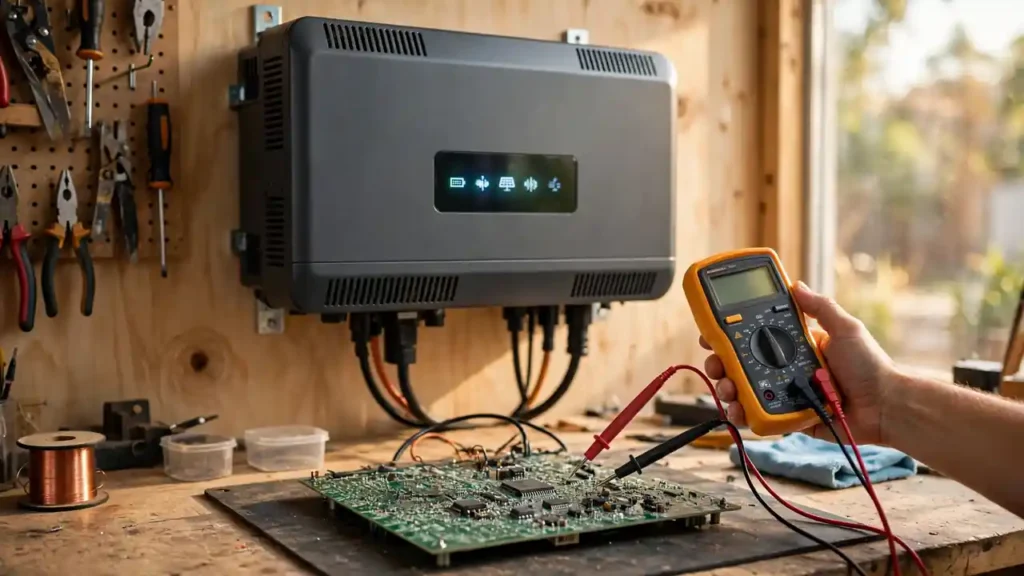
Last month, a repair shop owner from Lahore called me with a dead hybrid inverter on his bench. He had the schematic PDF open but couldn’t make sense of it. “I see a hundred pages of lines and symbols,” he said. “Where do I even start?” I walked him through it, and within an hour he’d found the burnt MOSFET stage causing the fault. That call is why this guide exists.
I’ve spent years working with hybrid solar inverters — the kind made by Voltronic and sold as Axpert and InfiniSolar. Their schematics look intimidating until someone explains the logic. This guide shows you how to read a Voltronic schematic diagram PDF: the block diagram, designators like R, C, Q, and D, the power path from solar input to AC output, and how to turn it all into a real repair skill. By the end, you’ll open any hybrid inverter schematic and know exactly where to look first.
One honest note: this guide teaches concepts — how inverters are built and how to read their drawings. It doesn’t reproduce any copyrighted schematic or manual. Get your official PDF from the inverter brand or an authorized source, and use this guide as the key that unlocks it.
What You’ll Learn in This Guide
- Know the 5 building blocks inside every hybrid inverter before you open any diagram
- Read the block diagram first — see the whole machine on one page
- Decode designators — learn what R, C, Q, D, U, L, and T mean
- Trace the power path — follow electricity from panels to your home’s sockets
- Diagnose real faults — find burnt MOSFETs, dead capacitors, and broken sensors
- Work safely — the habits that keep high voltage from hurting you
Know the 5 Building Blocks Before You Open Any Diagram
The first time I opened a hybrid inverter, I expected one circuit board. Instead I found three boards, big magnetic parts, heatsinks, and wires everywhere. Then a senior technician told me: “Every hybrid inverter is just five machines in one box.” Once I saw those five machines, everything clicked.
1. The MPPT solar charger. It takes raw DC from your panels and converts it for the battery. MPPT (Maximum Power Point Tracking) constantly adjusts to pull the most power as sunlight changes — find it near the PV input terminals on a schematic.
2. The DC-AC power stage. The muscle — converts DC from the battery into 230V AC for your home: big power MOSFETs or IGBTs on heatsinks, plus an output filter smoothing the waveform into clean sine-wave AC.
3. The battery charger and AC input section. When grid or generator power is available, this charges the battery and can pass grid power straight to your loads — including the relays that switch between sources.
4. The control board. The brain — usually a smaller PCB with a microcontroller or DSP chip reading sensors, driving the display, and running protection logic. Error codes on the screen? The control board is involved.
5. The auxiliary power supply. A small section making low-voltage power (12V, 5V) for the control board, fans, and sensors. Inverter completely dead — no display, no fan, nothing? This little section is often the culprit.
Bonus Tip: Don’t read a schematic PDF like a book. Jump to the block diagram first — usually near the front. That page is your map; the rest is detail.
Start With the Block Diagram, Not the Full Schematic
The biggest beginner mistake is diving straight into the detailed circuit pages — hundreds of components, nets crossing everywhere. I once spent a whole evening on one such page and understood nothing. The next day someone showed me the block diagram, and in five minutes I understood the entire inverter.
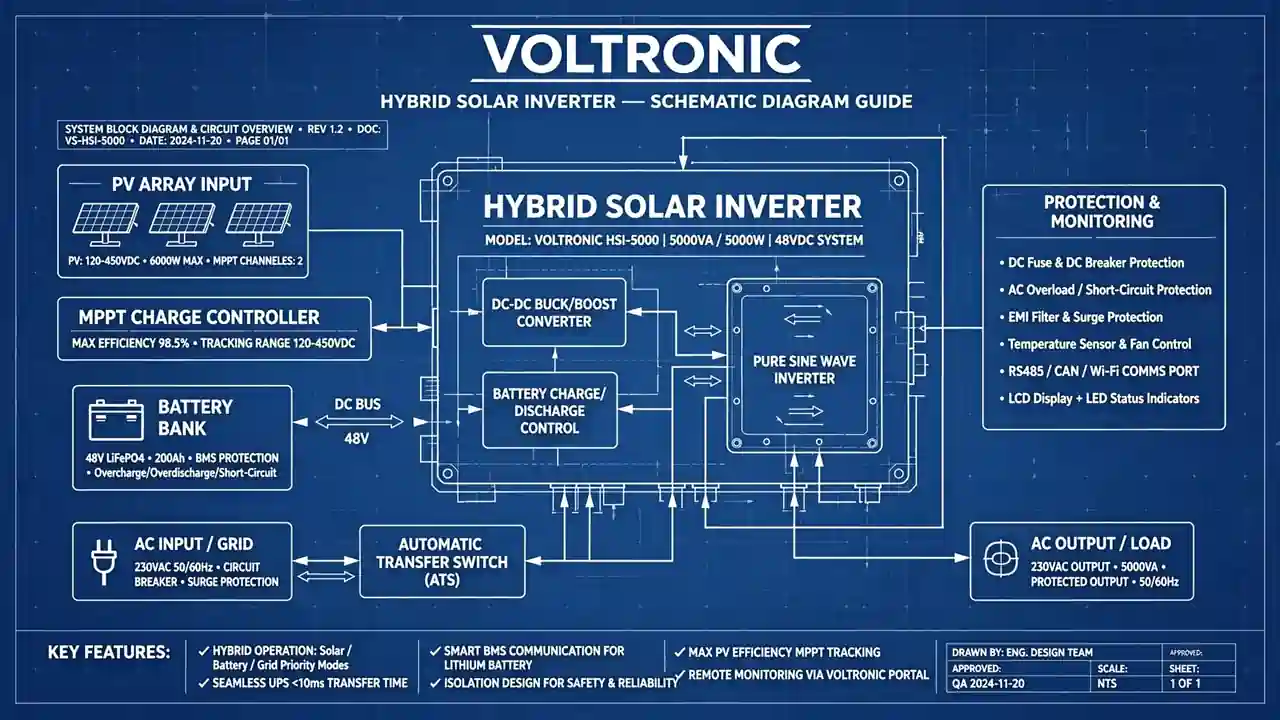
A block diagram draws each section as a single box — “MPPT charger,” “DC-AC inverter,” “control board” — with arrows showing power and signal flow. No individual resistors. Just the big picture, in four steps:
Step 1: Find the inputs on the left. Energy sources sit on the left — PV input, battery terminals, AC grid input. Ask: where does the energy come from?
Step 2: Follow the arrows right. Trace each arrow from an input through the boxes to the AC output — you’re following the electricity’s journey.
Step 3: Notice the control lines. Thin or dashed lines mean control signals, not power — the brain telling the muscle what to do.
Step 4: Use the page references. Good schematics label each block with its detail page — the block diagram becomes your index: MPPT on page 12, control board on page 20.
Note: Voltronic-based inverters (Axpert, InfiniSolar, and rebrands) share similar internal architecture from the same design family. Learn one, and you can navigate the others.
Decode Component Designators Like a Language
Every component on a schematic has a designator — R15, C42, Q7. They looked like random serial numbers until a technician explained: the letter is the component’s family name. Suddenly the diagram started talking.
- R — Resistor. Controls current, sets voltages. Small ones on the control board; bigger power resistors near the power stage.
- C — Capacitor. Stores charge, filters noise. Big electrolytics sit on the DC bus; small ceramics sit near chips.
- D — Diode. Current flows one way only. Includes rectifiers and Zener diodes for voltage reference.
- Q — Transistor. In inverters this mostly means power MOSFETs and IGBTs — the switching devices doing the heavy lifting. Prime suspects in any repair.
- U — Integrated circuit. Chips: the microcontroller, gate driver ICs that switch the MOSFETs, op-amps for sensing.
- L — Inductor. Coils of wire, found in the MPPT section and the AC output filter.
- T — Transformer. The big magnetic part in the auxiliary supply.
- F — Fuse. Protection devices. Always check these first in a dead unit — they sacrifice themselves by design.
- RLY / K — Relay. Switches connecting grid, battery, and loads.
The number is just a counter — R15 is the 15th resistor in that section. The value sits next to it (“10k”, “100nF”).
Bonus Tip: When tracing a fault, search the PDF for the designator — Ctrl+F, type “Q7”, and jump to every place that MOSFET appears. That’s how professional techs work: ten times faster than scanning pages by eye.
Trace the Power Path: From Panels to Your Home
This is where the diagram comes alive. Tracing the power path means starting at an energy source and following the conductors through every stage to the output. Once you can trace the path, you can find any fault.
The solar path: Start at the PV input terminals, where lines run into the MPPT section — an inductor (L), switching MOSFETs (Q), and a diode (D) in a buck-converter pattern feeding the DC bus: thick positive and negative lines with big filter capacitors (C). The DC bus is the inverter’s main highway.
The battery path: Battery terminals connect to the DC bus through fuses (F) and sometimes a relay — that’s how solar charges the battery and the battery feeds the inverter.
The DC-to-AC path: From the DC bus, thick traces run to the power stage — a bridge of MOSFETs/IGBTs (Q) switching thousands of times per second. An LC filter (L + C) smooths the output into clean 230V sine-wave AC for your home.
The grid path: AC input arrives through relays (RLY/K) the control board switches. In bypass mode, grid power goes straight to the output; in charging mode, it feeds a rectifier/charger that charges the battery via the DC bus.
The control lines: Thin lines run from sensors (current sensors, resistor voltage dividers) back to the control board (U) — the inverter’s eyes. A broken sensor line means wrong readings and error codes.
Note: Power traces are drawn thicker than signal lines, and the DC bus is often labeled (“BUS+”, “400V”). Spot the DC bus first — everything else hangs off it.
Turn the Schematic Into a Repair Tool
Reading a schematic is a nice skill. Using it to fix a dead inverter is a profession. Here’s the bench method repair shops across Pakistan use daily.
Start with the symptom, not the diagram. “No output at all” points to the auxiliary supply and DC bus; “charges but no AC output” to the power stage; “error code” to the sensor or section it relates to. The symptom tells you which block to open first.
Check the usual suspects in order. The most common failures on Voltronic-style inverters: burnt power MOSFETs/IGBTs (Q designators on heatsinks), dried-out DC bus capacitors (bulging tops give them away), blown fuses (F), and failed gate driver ICs (U). The schematic tells you exactly which designators to test.
Test in-circuit, then confirm. Find test points on the schematic — a MOSFET’s drain, source, and gate pins, or the voltage across a capacitor. A shorted MOSFET (near-zero resistance drain-to-source) is a classic find. Our power MOSFET guide explains these parts in depth.
Replace with the right part. The schematic lists each component’s ratings — voltage, current, wattage. A 200V MOSFET won’t survive on a 400V DC bus. Match or exceed the original specs; the wrong replacement dies within days.
Bonus Tip: Photograph the board before desoldering. Schematics show the circuit, not the physical layout — your photo bridges the diagram and the real board.
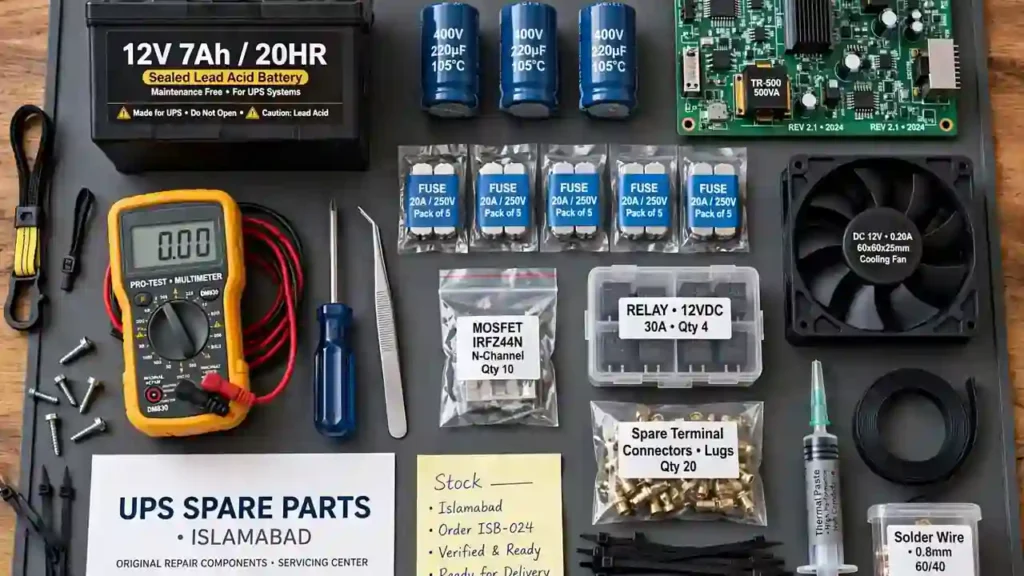
When you find the faulty part, you’ll need a genuine replacement. SunTech Mall stocks the components inverter repairs demand: power MOSFETs, IGBTs, high-voltage capacitors, gate driver ICs, and cooling fans. A counterfeit MOSFET can blow a freshly repaired inverter in a week — genuine parts are part of the repair. Write to info@suntechmall.com or call +92 306 2244820 for repair-shop pricing. Also see our guide on genuine hybrid solar inverter parts in Pakistan.
Stay Safe: Schematics Don’t Protect You — Habits Do
Let me be direct. A hybrid inverter holds voltages that can kill — the DC bus can sit at several hundred volts, and big capacitors keep their charge for minutes after unplugging. Respect the machine every time:
- Disconnect all three sources — solar, battery, and grid AC — before opening the case.
- Wait, then verify with a properly rated multimeter. Never trust; always measure.
- Discharge capacitors with a proper discharge resistor — not a screwdriver across the terminals.
- One-hand rule: when live probing is unavoidable, keep one hand in your pocket.
- Know your limit. If you’re not trained for high-voltage work, take it to a qualified technician. That’s the professional choice.
Frequently Asked Questions
What is a Voltronic schematic diagram?
A detailed electrical drawing of the inverter’s circuits — every component, every connection, and how power and signals flow. Technicians use it for troubleshooting and component-level repair.
Where can I get an official schematic PDF?
From the manufacturer or the brand that sold you the inverter — many publish manuals with block and wiring diagrams on their websites. Avoid random PDFs from unknown upload sites; they may be for the wrong model.
What’s the difference between a block diagram and a schematic?
A block diagram shows sections as boxes with arrows — the overview. A schematic shows every component and connection — the full detail. Start with the block diagram.
What do R, C, Q, D mean on a schematic?
Component designators: R = resistor, C = capacitor, Q = transistor (usually a MOSFET/IGBT in inverters), D = diode. Also common: U (IC), L (inductor), T (transformer), F (fuse), RLY/K (relay).
Can I repair my inverter myself with the schematic?
With electronics training and high-voltage safety knowledge, yes. Without it, use a qualified repair shop — inverters store dangerous voltages even unplugged.
Why does my inverter show an error code when wiring looks fine?
Error codes come from the control board reacting to sensor readings — over-voltage, over-temperature, or a power-stage fault. The schematic shows which sensor or section each code relates to, so you test the right part instead of guessing.
What tools do I need on the bench?
A multimeter rated for high DC voltage, the searchable schematic PDF on a screen, and basic hand tools. An oscilloscope helps for deeper work on the power stage’s switching waveforms.
Final Thoughts
When I started, schematics looked like spaghetti. Today I open a Voltronic diagram and see a story: energy enters from the panels, the MPPT shapes it, the DC bus carries it, the power stage transforms it, and clean AC flows to a home. Same story in every hybrid inverter — only the details change.
You now know the five building blocks, how to read a block diagram, what every designator means, how to trace the power path, and how to turn it into real repairs. That’s further than most people ever get — congratulations. Open any hybrid inverter schematic and you’ll know where to look first. That’s a skill that pays.
If this guide helped, here’s my invitation: next time a dead inverter is on your bench, fit a genuine replacement — a proper repair deserves proper parts. Browse our electronic parts or electrical and solar categories, or write to info@suntechmall.com. Stuck tracing a fault? Call +92 306 2244820 — we work with repair shops every day.