


Many Solar Inverters Fail Early Solar Inverter Maintenance in Pakistan – Simple Care Can Save Money
Experts say most solar inverter failures in Pakistan happen because users ignore basic care. Simple steps can save money and time.

Every week, repair shops across Pakistan receive dead solar inverters. Most of them did not die from bad luck. They died from neglect. I work with SunTech Mall, where we supply original spare parts to repair technicians and shops across the country. We see the same story again and again. An inverter that could have worked for ten years dies in three. The owner faces a heavy repair bill in the middle of summer. The painful part is this: a few simple habits could have prevented it. This guide shows you exactly how to care for your solar inverter. You need no technical degree. Just simple steps that take a few minutes each month. Let us start with the biggest killer of inverters in Pakistan.
Here is the truth: inverter maintenance is not technical work. If you can wipe dust off a shelf and hear when a fan sounds wrong, you already have the skills you need.
What You Will Learn in This Guide
- Stop dust from slowly killing your inverter
- Keep the cooling fan spinning strong
- Check wires before they cause serious damage
- Protect your inverter with the right batteries
- Install your inverter in a cool, open place
- Know exactly when to call a technician
Stop Dust From Slowly Killing Your Inverter
Open any dead inverter in a Pakistani repair shop and you will find the same thing inside. Thick, heavy dust covering every part. Dust is the number one enemy of solar inverters in our country. It enters through the small cooling vents and settles on the circuit board, the heat sinks, and the fan blades.
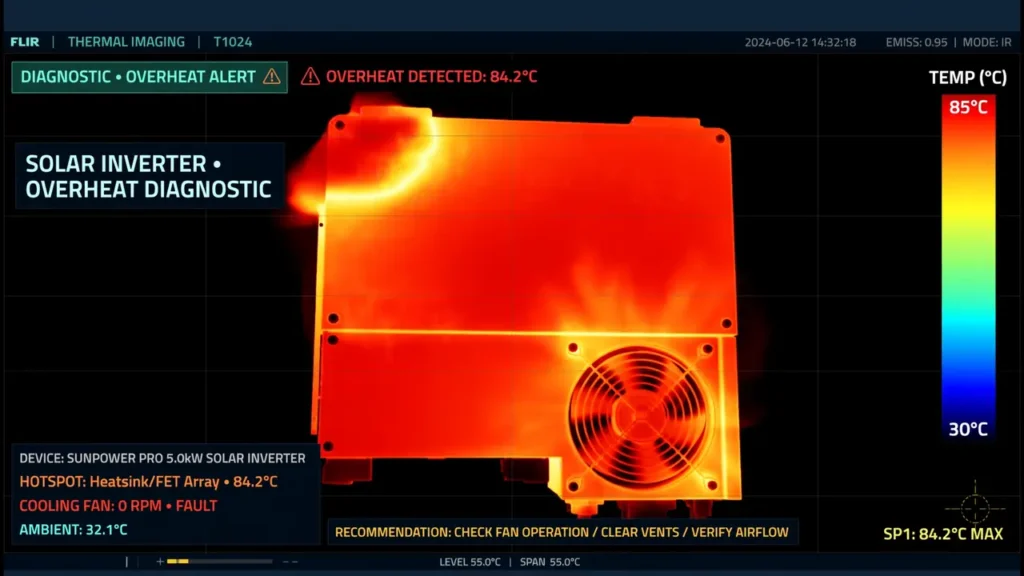
When dust builds up, air cannot move freely through the inverter. Heat gets trapped inside. Electronic parts hate heat. Capacitors dry out faster. Solder joints weaken. The control board ages years in a matter of months. This damage happens silently. Your inverter keeps working while the harm grows inside.
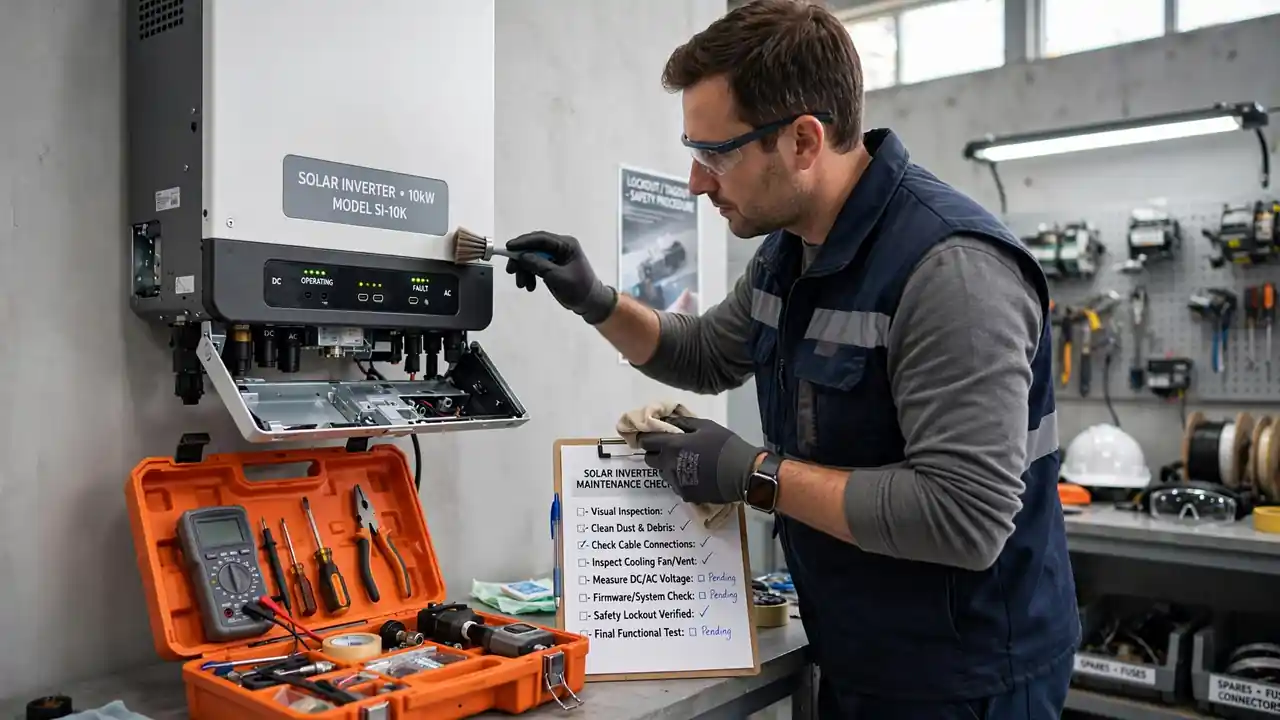
The fix is almost embarrassingly simple. Wipe the outer vents with a dry cloth every month. Keep the room or area around the inverter clean. Do not place cartons, clothes, or plastic sheets near the vents. These block airflow just like dust does. If you live in a very dusty area, check the vents every two weeks instead of monthly.
Bonus Tip: Never use water or a wet cloth on the inverter vents. Moisture inside an inverter causes rust and short circuits. A dry cloth or a soft brush is all you need.
Technicians tell us that a large share of the burned MOSFET cases they see started with blocked airflow. Heat had nowhere to go, so the power parts cooked themselves. A monthly wipe could have saved those inverters.
Keep the Cooling Fan Spinning Strong
That small humming sound from your inverter is the cooling fan doing its job. It pushes hot air out and pulls cool air in. Without it, the inverter would overheat within hours on a summer day. The fan is one of the hardest-working parts in your whole solar system.
Fans wear out over time. Dust makes them slower. Bearings dry up and the blades spin weakly. The warning signs are easy to notice. The fan becomes unusually loud. Or it goes silent when it should be running. Or it makes a grinding noise that was not there before. Any change in fan sound is a warning. Do not ignore it.
A weak fan is cheap to replace. A burned control board is not. When you hear something wrong, call your technician early. Keep a spare cooling fan that matches your inverter model if you want to be extra safe. Replacing a fan takes minutes. Replacing a board takes days and costs many times more.
Note: Some inverters have temperature-controlled fans that only run when needed. Check your inverter manual to know what is normal for your model before worrying about a silent fan.
Check Wires Before They Cause Serious Damage
Loose wires are silent killers. Every connection point in your solar system carries current. When a wire is loose, the connection point heats up. This heat spreads to nearby parts. Over months, it can melt insulation, damage terminals, and even start a fire.
You do not need tools to do a basic wire check. Look at the visible connections every few months. Check for discoloration around terminals, which means overheating. Smell for any burning odor near the inverter. Gently check that cable lugs feel tight, not wobbly. If you see blackened copper or melted plastic, stop using the system and call a technician at once.
Also check that wires are the right thickness for your load. Thin wires on a heavy system heat up even when connections are tight. If your system was installed years ago and you added more appliances since then, the wiring may no longer be enough. A technician can confirm this in one visit.
Good wiring protects more than the inverter. It protects your home. For reliable solar wiring accessories and connectors, always choose quality parts over the cheapest option.
Protect Your Inverter With the Right Batteries
Your inverter and batteries work as a team. When batteries are weak, old, or wrongly connected, the inverter suffers. It works harder to pull power from struggling batteries. This extra stress shortens its life.
The most common battery mistakes are easy to avoid. Do not mix old and new batteries in one bank. Do not mix different brands or types. Make sure the total battery voltage matches what your inverter expects. A 48-volt inverter with a wrongly wired 24-volt bank will fail, and it will fail fast. Read our detailed guide on wrong battery setup mistakes to learn every detail.
Keep battery terminals clean. White or green buildup on terminals means corrosion, which blocks power flow. Clean it with a dry brush and make sure connections are tight. Check battery water levels if you use flooded lead-acid batteries. Weak batteries force the inverter to work overtime. Replace dying batteries on time instead of squeezing extra months out of them.
Bonus Tip: If your backup time keeps shrinking even after a full sunny day of charging, your batteries are likely the problem, not the inverter. Test the batteries before blaming the inverter.
Install Your Inverter in a Cool, Open Place
Where your inverter sits matters more than most people think. We have seen inverters installed inside closed storerooms, next to kitchen stoves, and in direct sunlight on rooftops. Every one of these placements shortens inverter life.
An inverter needs three things from its location. Fresh air so heat can escape. Shade so the sun does not bake it. Space around it, at least a hand’s width on all sides, so air can flow. A wall-mounted inverter in a shaded, ventilated room will outlast one stuffed in a hot corner by years.
If your inverter is already installed in a bad spot, moving it is worth the effort. The cost of relocating is small compared to a board replacement. Keep it away from direct rain as well. Water and electronics never mix. Our guide on wrong installation mistakes covers every placement error in detail.
Watch the Display for Early Warnings
Your inverter talks to you through its display screen. Most users never look at it until something breaks. That is a missed opportunity. The display shows warnings long before a failure happens.
Learn what the normal readings look like on your inverter. Check the display once a week. Look for error codes, warning symbols, or unusual voltage readings. If a code appears, write it down exactly as shown. Then check our solar inverter error codes guide to understand what it means. Many codes point to simple issues you can fix before they grow.
Some inverters beep when something is wrong. Do not just silence the beep. Find out why it beeped. That sound is your inverter asking for help.
Know Exactly When to Call a Technician
Basic care is your job. Internal repairs are a technician’s job. Knowing the line between them keeps you safe and saves money. Call a technician when you notice any of these signs.
- The inverter shuts down randomly or restarts on its own
- You smell burning near the inverter or batteries
- The display shows an error code you do not understand
- The inverter body feels burning hot to touch
- Backup time drops sharply without explanation
- You hear sparking or crackling sounds
Never open the inverter yourself unless you are trained. Capacitors inside can hold a deadly charge even when the inverter is switched off. Let professionals handle internal repairs. Your job is to catch problems early and call for help fast.
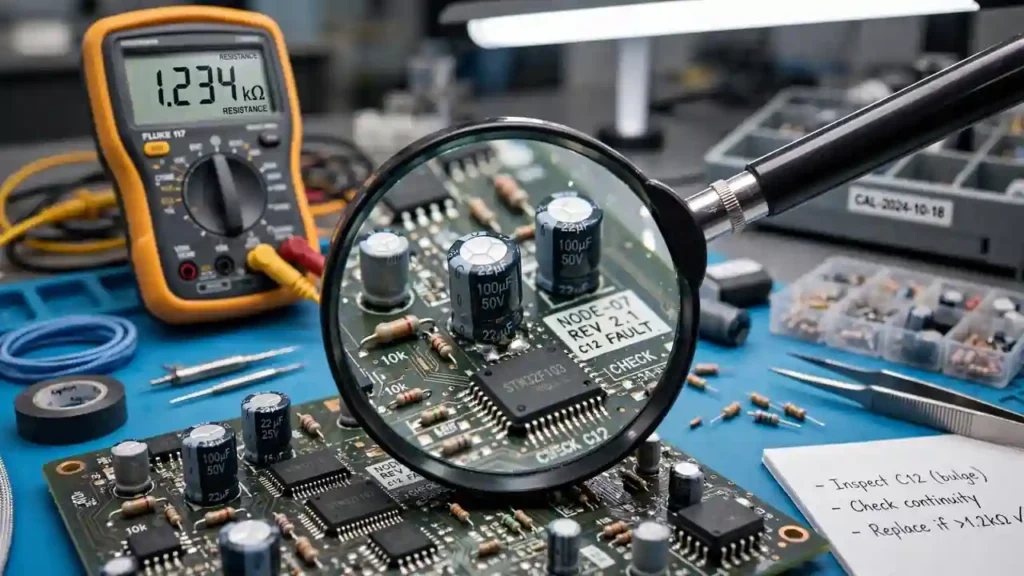
When repairs are needed, insist on original spare parts. Cheap copy parts fail quickly and can damage other components. Learn how to identify faulty parts so you know what your technician is replacing and why.
Your Simple Monthly Maintenance Routine
Here is a five-minute routine. Do it on the first day of every month.
- Wipe dust from the inverter vents with a dry cloth
- Listen to the cooling fan for unusual sounds
- Glance at the display for warnings or error codes
- Feel the inverter body; warm is fine, burning hot is not
- Look at visible wires for looseness or discoloration
- Make sure nothing is blocking airflow around the unit
That is it. Five minutes, once a month. This habit prevents most early inverter failures. If you find anything unusual, act the same day. Small problems are cheap. Big problems are expensive.
Bonus Tip: Set a monthly phone reminder for inverter check day. Most people forget maintenance simply because life gets busy, not because they do not care.
Why Maintenance Matters More in Pakistan
Our conditions are tough on inverters. Summer temperatures cross 45 degrees in many cities. Dust storms coat everything in fine powder. Load shedding forces batteries and inverters to cycle hard every single day. Pakistani inverters need more frequent care, not less. Monthly checks are the minimum here, not overkill.
Frequently Asked Questions
How often should I clean my solar inverter?
Clean dust from vents and fans every month. In very dusty areas, check every two weeks. A quick visual check takes less than a minute. Deep cleaning with the unit switched off can be done every few months, but let a technician handle anything inside the case.
Can poor maintenance void my inverter warranty?
Some manufacturers require basic maintenance for warranty claims. Even when it is not required, a neglected unit shows clear signs of dust damage and overheating. These signs can complicate warranty claims. Regular care protects both your inverter and your warranty rights.
What spare parts should I keep at home?
Keep spare fuses and a cooling fan that matches your model. These are the two parts most likely to need quick replacement. For anything else, having a trusted technician’s number and a reliable parts supplier matters more than stocking parts yourself. Browse the most-used spare parts to know what to ask for.
Why does my inverter get so hot in summer?
Heat comes from power conversion, and summer adds outside heat on top. Poor ventilation makes it worse. Make sure vents are clean and the fan works properly. If the inverter feels burning hot even with clean vents, the load may be too high or a part may be failing. Read our overheating guide for the full picture.
Is it safe to clean the inverter myself?
Yes, as long as you only clean the outside. Wipe vents with a dry cloth while the inverter is running or switched off, both are fine for outer cleaning. Never open the case. Never use water. Never poke anything into the vents. Internal cleaning is a technician’s job.
How do I know if my fan needs replacement?
Listen for changes. A healthy fan hums steadily. A dying fan gets loud, grinds, rattles, or goes silent. If airflow from the vents feels weak, the fan is struggling. Replace it early. A new fan costs little, but the heat damage from a dead fan costs a lot.
Does maintenance really extend inverter life?
Yes. Heat and dust are the two biggest killers of electronic parts, and both are controlled by basic maintenance. Technicians consistently report that maintained inverters last years longer than neglected ones. The five-minute monthly routine in this guide is the single best investment you can make in your solar system.
Final Thoughts
Your solar inverter works hard for you every day. It keeps your lights on during load shedding and runs your fans in deadly summer heat. All it asks in return is a few minutes of care each month.
Do not wait for a breakdown to take maintenance seriously. Start this month. Wipe the vents. Listen to the fan. Look at the display. These tiny actions stand between you and a repair bill that could ruin your month.
And when you need genuine spare parts, remember that SunTech Mall is Pakistan’s trusted source for original solar inverter and UPS spare parts. We supply the same repair shops that fix inverters every day, with nationwide delivery to your doorstep. Browse our shop or explore the spare parts collection to keep your system running strong for years.