

Solar Inverter Overheating in Pakistan Linked to Fan Failure and Dust – Technicians Issue Serious Warning
Technicians across Pakistan warn that cooling fan failure and dust buildup are major reasons behind increasing solar inverter overheating cases.

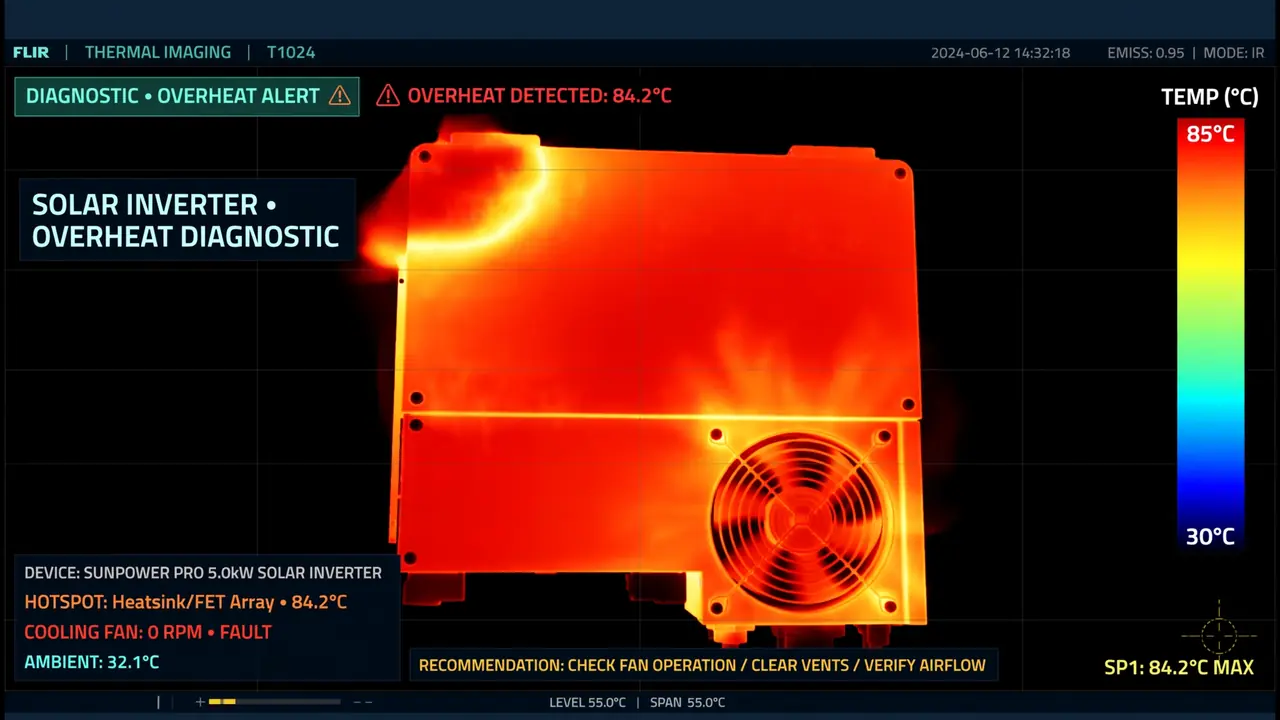
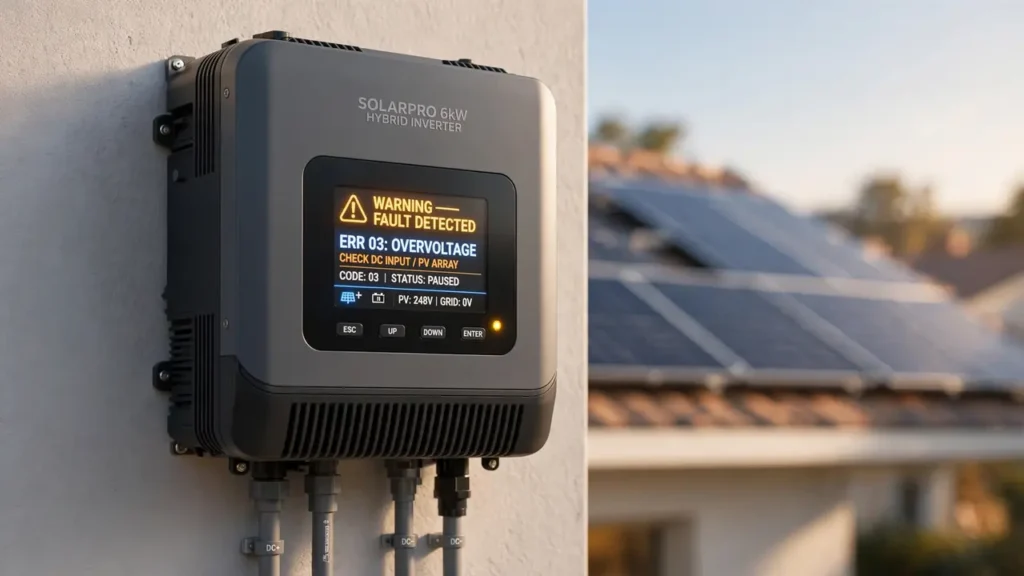
It is 2 PM in July. Your solar inverter has been running all morning, and suddenly everything goes dark. You check the inverter — the case is burning hot, the fan is silent, and an error code blinks on the display. By evening, the technician gives you the news: overheating has damaged multiple parts inside.
I write repair guides for SunTech Mall, where we supply parts to inverter repair shops across Pakistan. Every summer, technicians tell us the same story: overheating cases flood their workshops, and most of them trace back to two simple causes — a failed cooling fan and dust-choked vents. Both are cheap to prevent. Both are expensive to ignore.
Here is the fear every inverter owner should take seriously: overheating does not announce itself loudly. It cooks your inverter slowly, day after day, until something critical gives up. This guide explains why inverters overheat, how to spot it early, and exactly what to do — in simple words anyone can follow.
Let us start with why temperature control matters so much.
Note: This guide covers understanding and prevention. Internal repairs involve high voltage — always use a trained technician for anything inside the case.
What You Will Learn in This Guide
- Why every inverter generates heat — and how it is supposed to escape
- How a small fan failure leads to big damage
- Why dust is the silent partner in overheating
- Exactly which parts heat destroys first
- Warning signs you should never ignore
- What overheating costs homes and businesses
- How to place and maintain your inverter correctly
- Why quality replacement fans matter
Why Temperature Control Is Critical
Every solar inverter generates heat during normal operation. Converting DC to AC, regulating voltage, switching power thousands of times per second — all of this produces thermal energy. Heat is not a malfunction. It is a byproduct of doing the job.
To survive this heat, inverters rely on a cooling system: fans that push hot air out, heatsinks (those finned metal blocks) that spread heat away from sensitive parts, and ventilation paths that let fresh air in. When all three work, temperatures stay in the safe zone.
The problem starts when any part of this system weakens. Airflow drops, heat accumulates, and temperatures climb past what the internal components can tolerate. From there, damage begins — silently at first, then all at once.
The Small Fan With a Huge Job
Hold your hand near the inverter’s exhaust vent while it runs. That steady stream of warm air is the cooling fan doing the most underappreciated job in the entire system.
Fans fail for simple reasons. Dust cakes onto the blades, making them heavy and slow. Bearings wear out after years of spinning, especially in heat. Cheap replacement fans — fitted during a previous repair — give up quickly under summer stress. Sometimes the fan’s power supply on the board fails, so a perfectly good fan never receives power.
Once the fan slows or stops, internal temperatures rise sharply — even under normal load. The inverter does not need to be overloaded to overheat. It just needs its cooling taken away. This is why technicians say fan failure is the most preventable cause of inverter death they see.
Bonus Tip: Once a month, listen to your inverter for 10 seconds. A healthy fan hums smoothly. Grinding, rattling, or silence when the unit is hot are all warning signs. Your ears are a free diagnostic tool — use them.
Dust: The Silent Partner in Overheating
If the fan is the lungs, dust is the disease that chokes them. Pakistan’s environment — road dust, construction, dry winds — puts inverters under constant assault.
Dust settles on fan blades, vent grills, and heatsink fins. Each layer is thin, but layers accumulate into a blanket. This blanket does two terrible things: it blocks airflow, so less cool air reaches the hot parts, and it insulates components, trapping heat exactly where it does the most harm.
Technicians who open overheated inverters routinely find internals coated in dust — sometimes so thick they must clean before they can even diagnose. In workshops, showrooms, and roadside shops, this buildup happens faster than owners expect.
The fix is almost embarrassingly simple: regular cleaning. Wipe vents, clear the area around the inverter, and make sure nothing blocks airflow. A few minutes every couple of months prevents the slow suffocation that kills so many units.
How Heat Destroys Parts From the Inside
Excessive heat does not damage one part — it attacks everything. Here is what technicians typically find inside a heat-damaged inverter.
MOSFETs degrade and burn. These power switches already run hot. Extra ambient heat pushes them past their limits, and they fail — sometimes explosively. Learn why MOSFETs burn to understand this failure.
Capacitors dry out and swell. Heat evaporates their internal electrolyte faster. Weak capacitors then destabilize the power section, creating a chain reaction. Read our guide on capacitor failure from heat.
Control boards become unstable. Heat affects the tiny chips and solder joints on the control card. Symptoms are erratic — random errors, strange behavior, sudden death.
Solder joints weaken. Repeated heating and cooling cycles stress the solder holding components to the board. Joints crack, connections go intermittent, and faults appear and disappear maddeningly.
Once multiple parts are heat-damaged, replacing the fan alone is no longer enough. The repair becomes a board-level job — complex, time-consuming, and costly.
Note: Heat damage is cumulative. Every overheating episode weakens components a little more, even if the inverter “recovers” after cooling down. There is no such thing as harmless overheating.
Warning Signs You Must Not Ignore
Overheating almost always warns you first. Here is what to watch for.
The case feels unusually hot. Warm is normal. Too hot to touch comfortably is not. If the case is hotter than you remember, something changed inside.
Fan noise changes or disappears. A fan that used to hum and now rattles, grinds, or stays silent while the unit is hot is a fan asking for replacement.
Frequent thermal shutdowns. The inverter protects itself by shutting down when too hot. If this happens repeatedly — especially on hot afternoons — the cooling system is failing.
Reduced performance at peak hours. The inverter works fine in the morning but struggles midday. That pattern points directly at heat.
New smells. Hot dust has a distinctive smell. Burning plastic or a sharp chemical odor means something is already overheating badly — switch off and call a technician immediately.
What Overheating Costs Homes and Businesses
For homes, overheating strikes hardest in summer — exactly when backup power matters most. Frequent shutdowns disrupt daily life, force reliance on expensive grid power, and the repair bill eats into solar savings.
For businesses — shops, clinics, offices — the cost multiplies. Downtime means lost sales, frustrated customers, and idle staff. Many business owners now treat cooling maintenance as a scheduled business expense, because one prevented failure pays for years of maintenance.
The cruelest part: overheating damage is usually not covered by warranty when caused by blocked vents, dirty fans, or poor installation. Manufacturers consider basic maintenance the owner’s responsibility.
Placement: Half the Battle Is Where You Put It
Many overheating cases begin on installation day. The inverter gets mounted where it is convenient, not where it can breathe.
Never install in closed cabinets or tight corners. The inverter needs open space on all sides for air to circulate. A beautiful wooden cabinet that traps heat is an inverter killer.
Keep away from heat sources. Kitchens, direct sunlight through windows, and walls that bake in afternoon sun all raise the starting temperature. Every extra degree of ambient heat is one less degree of safety margin.
Leave clearance. Do not stack boxes against the inverter or hang things over its vents. Air must flow freely in and out. Learn more about installation mistakes that cause damage.
Mount at the right height. Floor level collects the most dust. A wall-mounted position at a reasonable height stays cleaner and cooler.
Why Quality Replacement Fans Matter
When a fan fails, the replacement you choose decides whether the problem is solved or merely postponed. Cheap fans are a false economy that technicians see fail repeatedly.
Low-quality fans use weaker motors and cheaper bearings. They may spin fine on day one, but under continuous summer heat and dust, they slow down within months. The inverter then overheats again — and the owner pays for another repair visit plus whatever heat damage occurred in between.
A quality fan matches the original size, voltage (usually 12V or 24V), airflow rating, and direction. Airflow direction matters enormously — a fan blowing inward when the design expects outward disrupts the entire cooling path.
SunTech Mall stocks quality cooling fans and inverter spare parts with clear specifications, so technicians can match exactly what the inverter needs. Using the right fan once beats replacing a cheap one three times.
Bonus Tip: When your technician replaces a fan, ask to keep the old one and compare. Check that the new fan’s voltage and size match. A two-minute check prevents the wrong-fan problem entirely.
Your Preventive Maintenance Routine
Preventing overheating costs almost nothing. Here is a simple routine any inverter owner can follow.
Monthly: Listen to the fan. Look at the vents — are they dusty? Is anything blocking airflow around the unit?
Every few months: Clean vents and the surrounding area. Wipe dust off the case. In dusty locations, do this monthly.
Before summer: Schedule a professional inspection. A technician can check fan health, clean internals safely, and spot early capacitor swelling — all in one visit.
Year-round: Do not overload the inverter continuously, keep the installation area clear, and act immediately on warning signs. Early action is always the cheapest action.
These steps cost very little compared to repairing a heat-damaged board. Make them a habit, not an afterthought.
Frequently Asked Questions
How do I know if my inverter is overheating?
Signs include a very hot case, fan noise changes, frequent shutdowns on hot days, reduced midday performance, and thermal error codes. If the inverter works fine in the morning but struggles in the afternoon, heat is the likely cause.
Can I clean the inside of my inverter myself?
Clean only the outside vents and surrounding area. Never open the case yourself — capacitors inside can hold dangerous charge even when switched off. Internal cleaning is a technician’s job.
Will a bigger fan cool my inverter better?
Not necessarily. The cooling system is designed as a balanced path — wrong size or direction can disrupt airflow. Always match the original fan’s size, voltage, and airflow direction, or use the manufacturer’s specified replacement.
Does overheating void my warranty?
Overheating from blocked vents, dirty fans, or poor installation is usually considered owner negligence and may not be covered. Manufacturers expect basic maintenance. Keep vents clean and installation proper to protect your warranty.
How often should the cooling fan be replaced?
There is no fixed schedule — it depends on dust, heat, and running hours. Instead of replacing on a timer, monitor it: listen monthly, and replace at the first sign of noise change, slowing, or failure to spin when hot.
Can overheating damage a brand new inverter?
Yes. A new inverter installed in a closed, hot space with blocked vents can overheat within days. Proper installation and ventilation matter from day one, regardless of the inverter’s age or brand.
Where can I buy a quality replacement fan in Pakistan?
SunTech Mall offers quality inverter cooling fans and spare parts with nationwide delivery. Visit the SunTech Mall shop or browse electronic parts to find the right match.
Final Thoughts
Overheating is the quietest killer in the solar world. It does not break in with a bang — it creeps in through a dusty vent and a tired fan, one hot day at a time, until your inverter gives up in the middle of summer.
But here is the hopeful truth: this is one of the most preventable failures you will ever face. Clean vents, a listening ear, proper placement, and a quality fan when replacement time comes — that is the entire formula. No expertise required, no big spending, just attention.
Your inverter works hard for you every day. Give its cooling system a few minutes of your attention, and it will return the favor for years. And when parts are needed, SunTech Mall is here — original fans, honest guidance, delivered anywhere in Pakistan.