Skip to content

Solar Inverter Error Codes in Pakistan 2026 – Complete Troubleshooting Guide

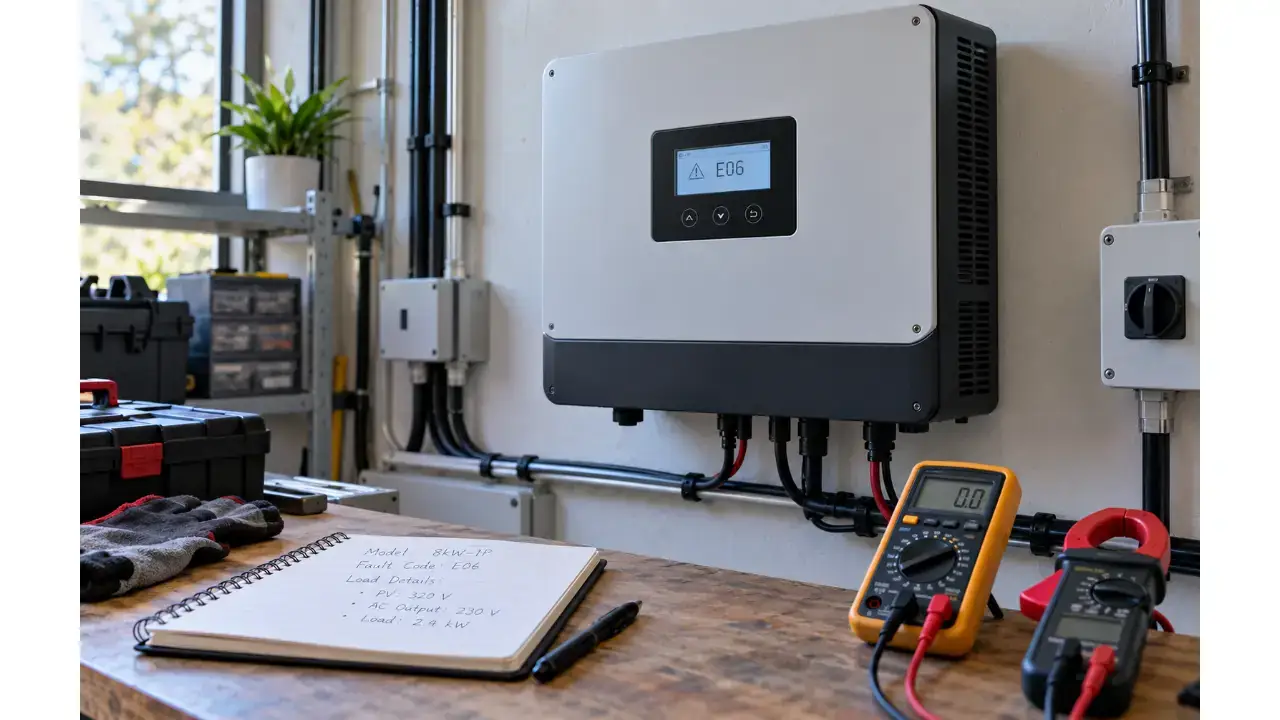
Solar inverter showing an error or warning? This complete Pakistan-focused guide explains common fault categories, safe troubleshooting steps, Fronus code examples, repair decisions, and the inverter parts most often checked by technicians.

suntechmall suntechmall 17 min read 0 comments
Shop Parts
solar inverter error codes in Pakistan

SEO Publishing Data

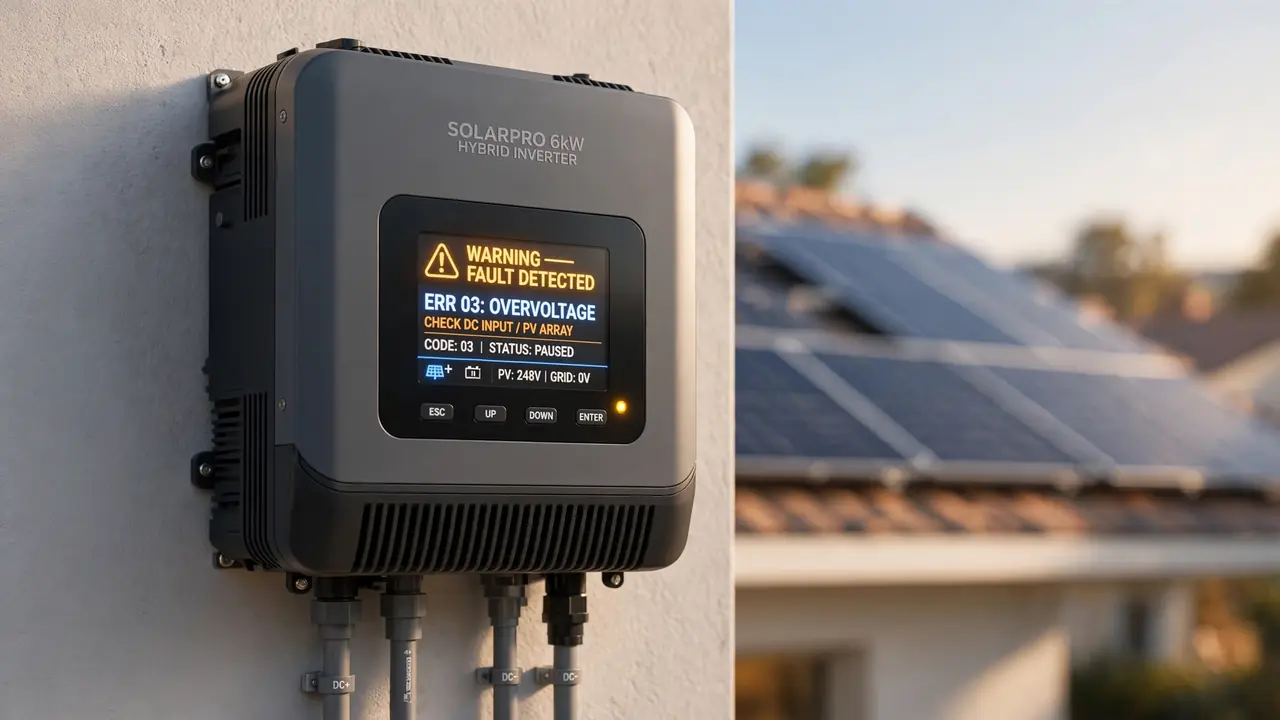
A solar inverter error code is not just a random number on the display. It is the inverter’s way of telling you that something in the power, battery, solar input, cooling, grid, communication, or internal control system needs attention. solar inverter error codes in Pakistan.

For solar users in Pakistan, understanding that message can save time, prevent unnecessary part replacement, and help you decide whether the problem is a simple user-level issue or a fault that needs a qualified repair technician. This matters even more during hot weather, dusty conditions, voltage fluctuations, heavy household loads, and battery problems, because all of these can contribute to inverter warnings or shutdowns.

This guide explains how to read solar inverter error codes safely, what the most common fault categories mean, which basic checks you can perform without opening the inverter, and which components technicians commonly inspect during repair.

Important: Error codes are model-specific. The same number can mean different things on different inverter families. Always check the exact model’s official user manual before replacing a part.

Quick Answer: What Should You Do When a Solar Inverter Shows an Error?

If your inverter suddenly displays an error code, follow this order:

  1. Note the exact error code and warning message.
  2. Record the inverter brand, model, battery voltage, load and time of failure.
  3. Check whether the problem happened after adding a heavy load, during extreme heat, after a battery warning, or during unstable grid conditions.
  4. Inspect only external and user-accessible items such as vents, visible fan obstruction, breakers, battery indicators and cable connections that the manufacturer allows the user to inspect.
  5. Follow the shutdown/restart procedure in the official manual.
  6. If the error returns, stop repeated restarting and arrange proper diagnosis.
  7. Never open a live inverter or touch internal capacitors, power boards, busbars or switching devices unless you are trained to work safely on high-voltage power electronics.

A restart can clear a temporary protection event, but a code that repeatedly returns usually needs the cause to be found rather than repeatedly reset.

Why Solar Inverters Use Error and Warning Codes

A modern inverter constantly monitors electrical and thermal conditions. Depending on the model, it may monitor:

  • PV input voltage and current
  • Battery voltage and battery communication
  • AC grid voltage and frequency
  • Output voltage
  • Output current and overload
  • Internal DC bus voltage
  • Heat sink or component temperature
  • Cooling fan operation
  • Current sensors
  • Relays and contactors
  • Ground leakage or insulation
  • Meter, CT and BMS communication
  • Internal control-board communication

When a measured condition moves outside the allowed range, the inverter may show a warning, reduce output power, disconnect from the grid, switch operating mode, or shut down completely.

A warning does not always mean the inverter is damaged. It may indicate low solar energy, a battery condition, a temporary overload, derating, or a communication issue. A fault usually requires more attention because the inverter has detected a condition that can affect safe operation. Solar Inverter Error Codes in Pakistan 2026

The Most Important Rule: Error Codes Are Not Universal

One of the biggest mistakes in inverter troubleshooting is searching only the code number and assuming the first answer applies to your machine.

For example, Fronus itself uses different code systems across product families. In the Fronus Platinum PV 2200/PV 5200 family, codes such as 01, 02, 03, 04, 08, 09, 51 and 52 refer to fan, temperature, battery, DC bus and current-related faults. Newer Fronus X1 Genki manuals use a much larger diagnostic system with codes such as 215 for an internal fan failure and 249 for loss of BMS communication.

That difference proves why the model number matters as much as the error code.

Before acting on any internet guide, confirm: Solar Inverter Error Codes in Pakistan

  • Brand
  • Exact model
  • Power rating
  • Single-phase or three-phase
  • Hybrid, off-grid or on-grid type
  • Battery system, if installed
  • Firmware version, if the manual requires it

This guide helps you understand the fault category, but the official model manual remains the final reference.

Common Solar Inverter Error Categories and What They Usually Mean

Fault categoryWhat it can indicateSafe first checksTechnician may inspect
Fan / cooling faultFan blocked, fan failure, dust, connector issueExternal vents, abnormal fan noise, safe visible obstructionFan, fan supply, connector, control signal
Over-temperaturePoor airflow, hot room, overloaded inverter, cooling failureVentilation, ambient heat, blocked vents, load levelFan, thermal sensor, heat sink, power stage
Battery low/high voltageDischarged battery, wrong settings, charger/BMS issueBattery status, configured battery type, approved terminalsBattery bank, BMS, charger stage, sensing circuit
OverloadLoad above rating, large startup surgeRemove heavy loads and retry per manualOutput stage, current sensing, damaged switching devices
Short circuitLoad/wiring fault or internal output-stage problemDisconnect loads according to manualOutput MOSFET/IGBT, relays, PCB damage
Bus voltage faultDC bus too high/low, soft-start problem, power-stage issueRestart only as permitted by manualCapacitors, pre-charge/soft-start circuit, power switches
PV overvoltagePV string voltage exceeds allowed rangeStop and verify array design/specificationsPV input stage, SPD/varistor, sensing circuit
Grid voltage/frequencyUtility grid outside inverter limitsCheck whether grid is present/stableGrid relay, sensing circuit, AC wiring
Current/surge faultSudden heavy load, short, power-stage problemRemove heavy loadsMOSFET/IGBT, current sensor, drivers
BMS/communicationLost communication cable, settings or protocol issueBattery/BMS status and approved communication cableBMS cable, ports, control board, firmware
Meter/CT faultMeter or current transformer missing/wrong directionExternal CT/meter connection as manual allowsCT, meter wiring, communication board
Relay faultRelay cannot open/close correctlyUsually no internal user repairRelay, driver circuit, grid/output board

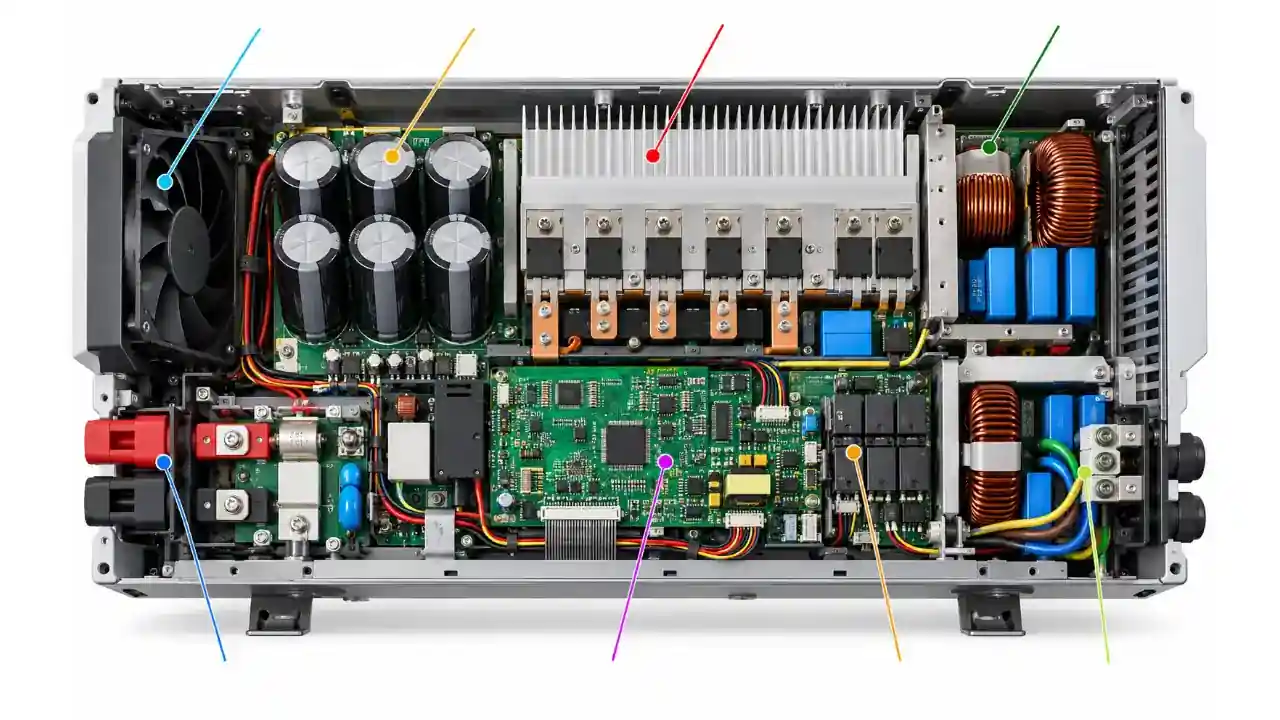
The important point is that an error code tells you where to start diagnosing. It does not automatically identify a single replacement part. Solar Inverter Error Codes in Pakistan 2026

solar-inverter-internal-components-fault-zones.webp

Verified Fronus Error Code Examples

Fronus is widely used in Pakistan, so it is useful to show what a real manufacturer code table looks like. The examples below are based on official Fronus user manuals, but they should only be applied to the matching family.

Fronus Platinum / Infineon Reborn PV-Series Examples

Official manuals for Fronus PV 2200 and related PV-series models list these fault events:

CodeFault event in the manualWhat it tells the user
01Fan locked when inverter is offCooling system needs inspection
02Over temperatureInverter temperature is above the allowed range
03Battery voltage too highBattery/charging voltage requires checking
04Battery voltage too lowBattery state, connection or settings require checking
05Output short circuit or internal converter over-temperature detectedOutput/load and internal power stage need diagnosis
06Output voltage too highOutput regulation fault requires attention
07Overload time outLoad has remained above allowed limit
08Bus voltage too highInternal DC bus is above expected range
09Bus soft start failedInternal startup process failed
51Over current or surgeExcess current or surge detected
52Bus voltage too lowInternal DC bus is below expected range
53Inverter soft start failedInverter startup did not complete
55Excess DC voltage in AC outputProfessional diagnosis is required
57Current sensor failedCurrent-sensing path requires service
58Output voltage too lowOutput regulation/power stage needs checking
59PV voltage over limitationPV array voltage must be verified immediately

Do not treat this table as a universal Fronus list. Fronus X1 Genki models use a different diagnostic system.

Newer Fronus X1 Genki Examples

Official X1 Genki manuals include codes such as: Solar Inverter Error Codes in Pakistan 2026

  • 215 – Internal fan failure: the manual advises checking whether foreign material is affecting the fan.
  • 240/241/242 – External fan failure: the respective external fan may be damaged or blocked.
  • 246 – Meter loss: the meter connection or communication line needs checking.
  • 247 – CT loss: the current transformer connection needs checking.
  • 248 – NTC loss: the temperature-sensor connection needs checking.
  • 249 – BMS lost: communication between the inverter and battery management system has been lost.

This is a good example of why you should search using the full phrase:

“Brand + exact model + error code + official manual”

instead of searching only the number.

For current Fronus models and official manuals, use the Fronus download center. SunTech Mall also carries Fronus inverter products and repair-related components for customers in Pakistan.

What Different Fault Types Can Mean in Practice

1. Fan Error or Cooling Fan Failure

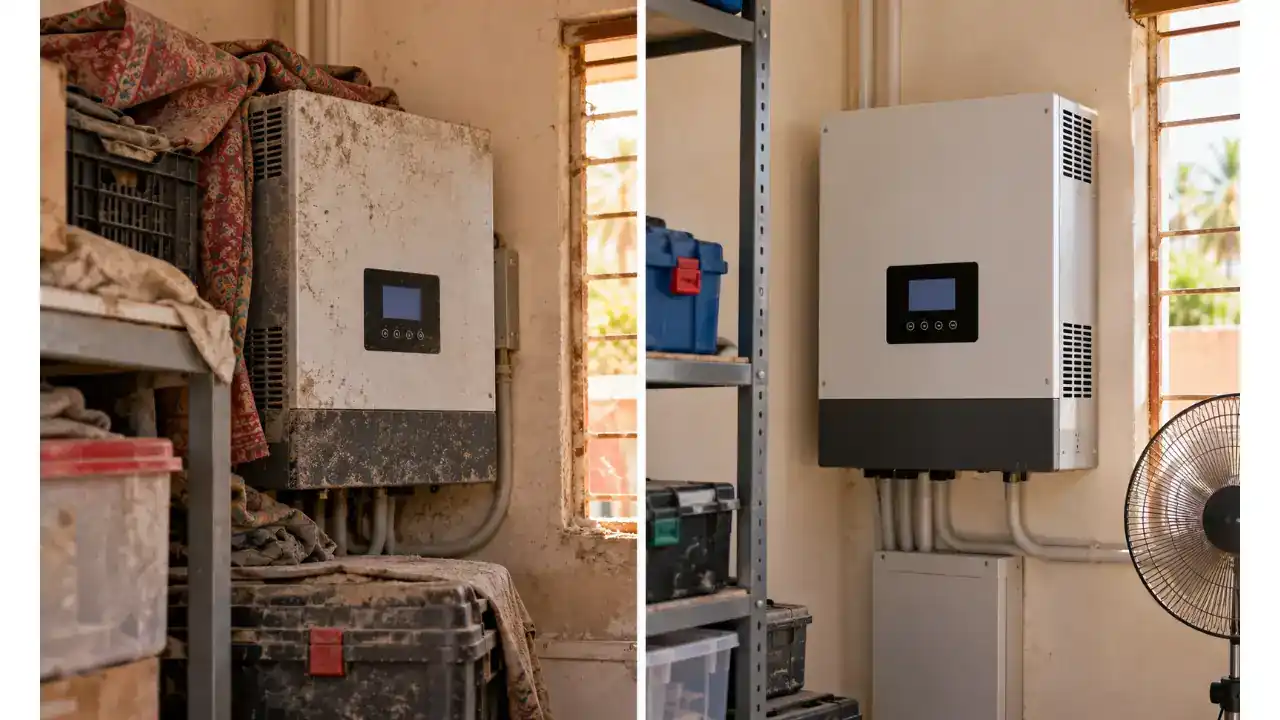
Cooling faults are among the easiest faults to understand but should not be ignored. A failed or blocked fan can cause the inverter temperature to rise, which may then trigger over-temperature protection or power derating.

Common clues include: Solar Inverter Error Codes in Pakistan 2026

  • Fan does not start when expected
  • Fan makes grinding or abnormal noise
  • Inverter becomes unusually hot
  • Error appears during heavy load or hot weather
  • Airflow is weak
  • Dust is visible around ventilation openings

User-level action should be limited to safe external cleaning and checks recommended by the manufacturer. If the fan requires replacement, match the correct voltage, current rating, dimensions, connector, number of wires and airflow direction.

SunTech Mall stocks multiple brushless DC fan types, but you should never choose a replacement only because it physically fits. The electrical specification and connector arrangement must also match.

2. Over-Temperature Error

An over-temperature code does not automatically mean the temperature sensor is faulty. The inverter may genuinely be too hot.

Possible causes include:

  • Blocked ventilation
  • Dust buildup
  • Failed fan
  • Inverter installed in direct sun
  • Insufficient space around the unit
  • Continuous operation near maximum load
  • High ambient temperature
  • Loose thermal contact between power devices and heat sink
  • Internal power-stage fault generating abnormal heat

If the inverter cools down and then works normally, investigate why it became hot before assuming the fault has disappeared.

Solar inverter overheating caused by dust and restricted airflow

3. Battery Voltage Too Low

A low-battery code can be caused by more than an old battery.

Check:

  • Battery state of charge
  • Battery breaker or fuse
  • Loose or damaged battery cable
  • Incorrect battery-voltage selection
  • Wrong charging parameters
  • Weak battery cells
  • BMS protection on lithium batteries
  • Excessive load causing voltage sag
  • Cable size and voltage drop

On lithium systems, battery communication can matter as much as measured voltage. If the battery BMS has entered protection or communication is lost, the inverter may limit charging/discharging or show a battery-related fault.

4. Battery Voltage Too High

High battery voltage can occur because of incorrect charging settings, a charger/control problem, incompatible battery configuration, or BMS-related issues.

Do not keep forcing restarts if the inverter repeatedly reports excessive battery voltage. Over-voltage can damage equipment and may be dangerous to the battery system.

5. Overload and Surge Error

An inverter has a continuous output rating and often a separate short-duration surge capability. Motors, pumps, refrigerators, compressors and some power tools can draw much more current during startup than during normal running.

If an overload code appears:

  • Turn off the inverter according to the manual
  • Disconnect unnecessary heavy loads
  • Restart only when the manufacturer procedure permits it
  • Add loads gradually
  • Observe which device triggers the fault

If a light, normal load still causes over-current or overload errors, the problem may be internal and needs technician diagnosis.

6. Output Short-Circuit Fault

A short-circuit warning can be caused by:

  • Faulty connected appliance
  • Damaged AC wiring
  • Moisture or burned connector
  • Output relay issue
  • Failed MOSFET or IGBT
  • Gate-driver damage
  • PCB carbonization after a previous failure

Do not repeatedly reset a short-circuit fault. Repeated energizing can turn a repairable fault into larger PCB and power-stage damage.

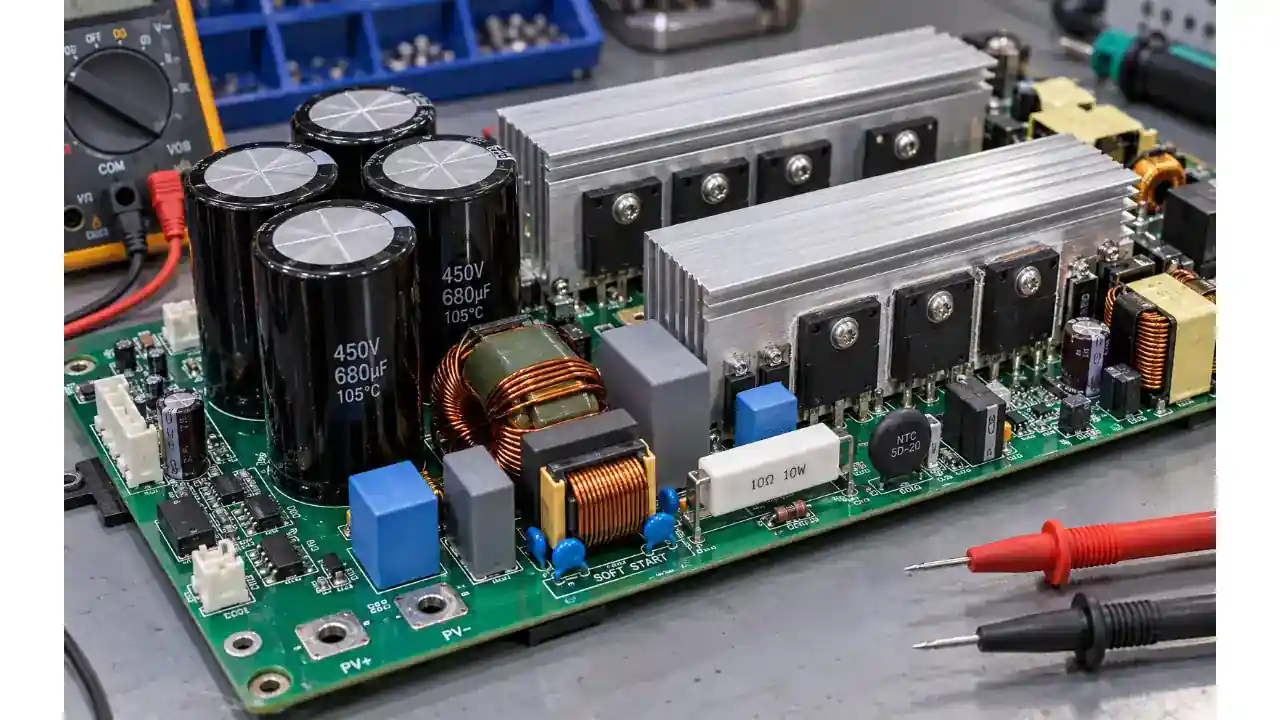
7. DC Bus High, DC Bus Low or Soft-Start Failure

The internal DC bus is one of the most important high-voltage sections of many inverters. Bus-related faults can involve:

  • Weak or damaged electrolytic capacitors
  • Pre-charge or soft-start circuit
  • Power MOSFETs or IGBTs
  • Driver circuit
  • Voltage sensing
  • Battery/PV supply conditions
  • Internal connectors
  • Control-board commands

These are technician-level faults. Internal capacitors can retain dangerous voltage even after the inverter is switched off.

Solar inverter DC bus capacitors and power stage inspected during repair

8. PV Voltage Too High

PV overvoltage is a serious design or configuration issue. Solar-panel open-circuit voltage changes with temperature, and a string that appears acceptable under one condition may exceed the inverter input limit under another.

A qualified solar installer should verify:

  • Number of panels in series
  • Panel Voc
  • Cold-condition Voc
  • Inverter maximum PV input voltage
  • MPPT operating range
  • String configuration
  • Polarity

Do not solve a PV overvoltage warning by simply restarting the inverter.

9. Grid Voltage or Frequency Error

On-grid and hybrid inverters monitor the utility grid. They may disconnect if voltage or frequency moves outside the allowed operating window.

Possible causes include:

  • Utility voltage too high or low
  • Loose AC connection
  • Incorrect wiring
  • Long undersized cable causing voltage rise/drop
  • Grid outage
  • Incorrect country/grid profile
  • Sensing or relay problem

If the same fault appears across several nearby solar systems, grid conditions may be involved. If only one system is affected, the installation should be checked.

10. BMS Communication Error

Lithium-battery systems often use CAN or RS485 communication between the battery and inverter.

A BMS communication error can result from:

  • Wrong communication cable
  • Cable connected to wrong port
  • Incorrect pinout
  • Unsupported battery protocol
  • Wrong inverter battery setting
  • Battery BMS turned off
  • Loose connector
  • Firmware compatibility issue

Do not substitute an ordinary network cable just because the connector looks similar. Pinouts can differ.

11. Meter or CT Error

Some hybrid and on-grid systems use a smart meter or CT to measure import/export power.

A CT/meter fault can happen when:

  • CT is not installed
  • CT direction is reversed
  • CT is connected to the wrong conductor
  • Meter address/settings are incorrect
  • Communication wiring is faulty
  • Meter loses power
  • Cable is connected to the wrong port

These faults can affect zero-export control, load measurements and energy data.

Which Inverter Parts Are Commonly Checked During Repair?

An error code should guide diagnosis, not encourage random replacement. Depending on the fault, a technician may test:

Cooling Fans

Used for forced-air cooling. Check exact:

  • Voltage
  • Current
  • Size
  • Connector
  • Wire count
  • Airflow direction

MOSFETs

MOSFETs are high-speed semiconductor switches used in many DC-DC and inverter power stages. A failed MOSFET may short internally and can damage gate drivers, resistors, fuses or related devices.

IGBTs

IGBTs are also power-switching devices and are common in higher-voltage/high-power stages. Correct part number, voltage/current rating and switching characteristics matter.

Electrolytic Capacitors

Capacitors help smooth and stabilize DC rails. Heat, age, ripple current or electrical stress can reduce their performance. A capacitor can be faulty even when it is not visibly swollen.

Current Sensors

A bad current sensor or its surrounding circuit can make the controller detect incorrect current and trigger protection.

Relays

Relays connect or isolate grid/output paths in many inverter designs. Worn contacts, welded contacts or control faults can cause startup or grid-connection errors.

NTC Thermistors and Temperature Sensors

These monitor temperature or limit inrush current depending on circuit position. Incorrect readings can produce thermal or startup problems.

Varistors and Surge-Protection Components

MOV varistors and related protection components help manage voltage surges. After a severe surge, they may require testing or replacement.

Control Boards and System Cards

Some faults come from communication, control, DSP/MCU, sensing or firmware sections rather than the power devices themselves.

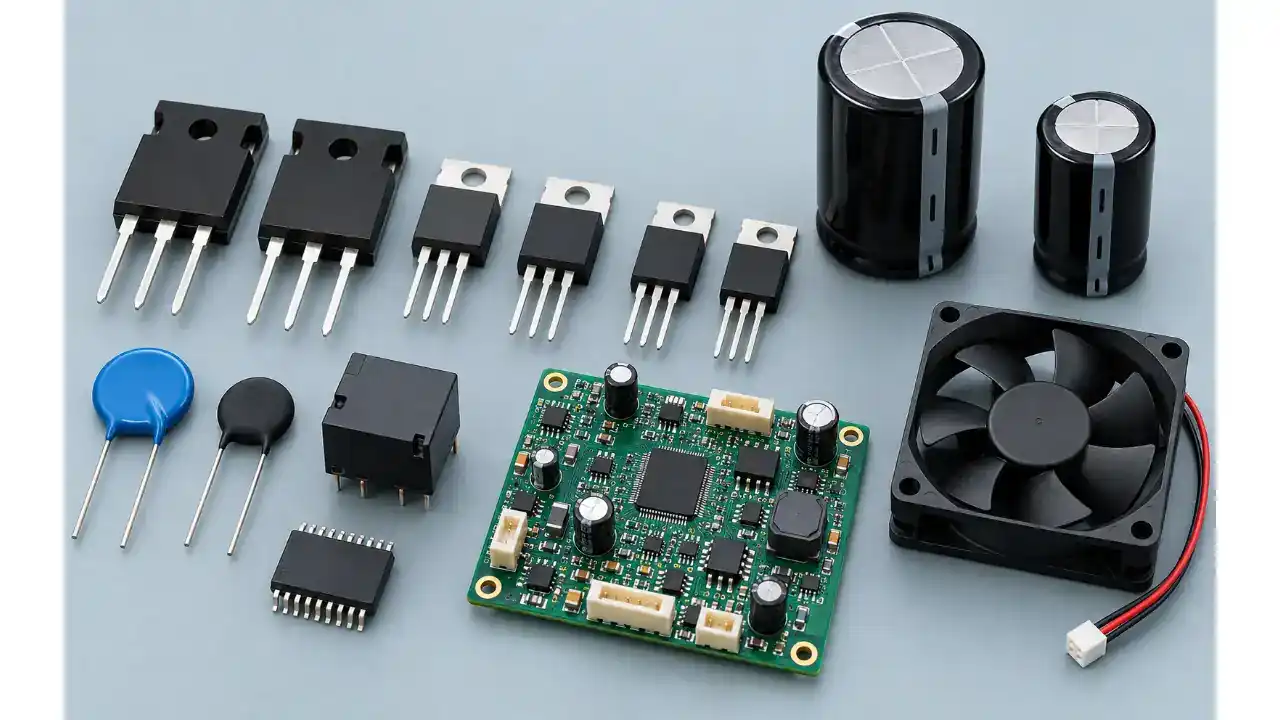
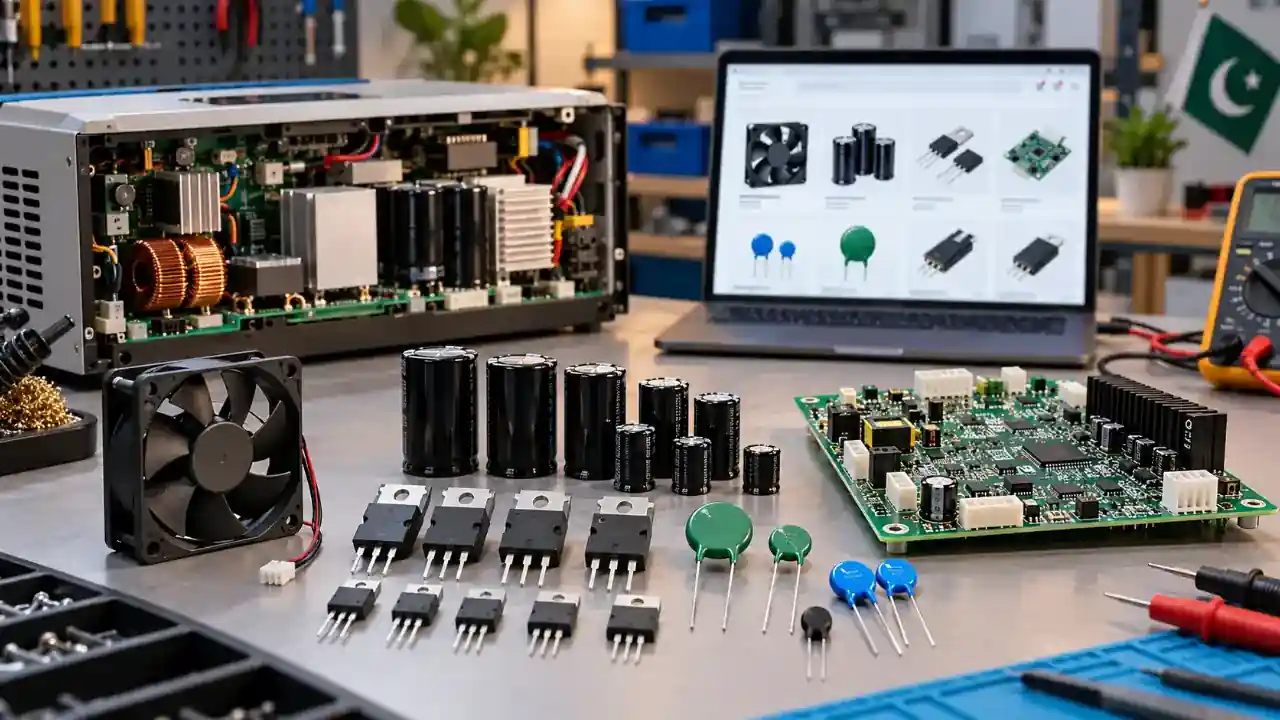
SunTech Mall currently lists a broad range of electronic parts and inverter-related products, including MOSFETs, IGBTs, capacitors, brushless fans, thermistors, varistors, ICs, microcontrollers and inverter system cards.

Solar inverter spare parts including MOSFET IGBT fan and capacitors

Safe Troubleshooting Checklist Before Calling a Technician

You can collect useful information without opening the inverter.

Step 1: Photograph the Display

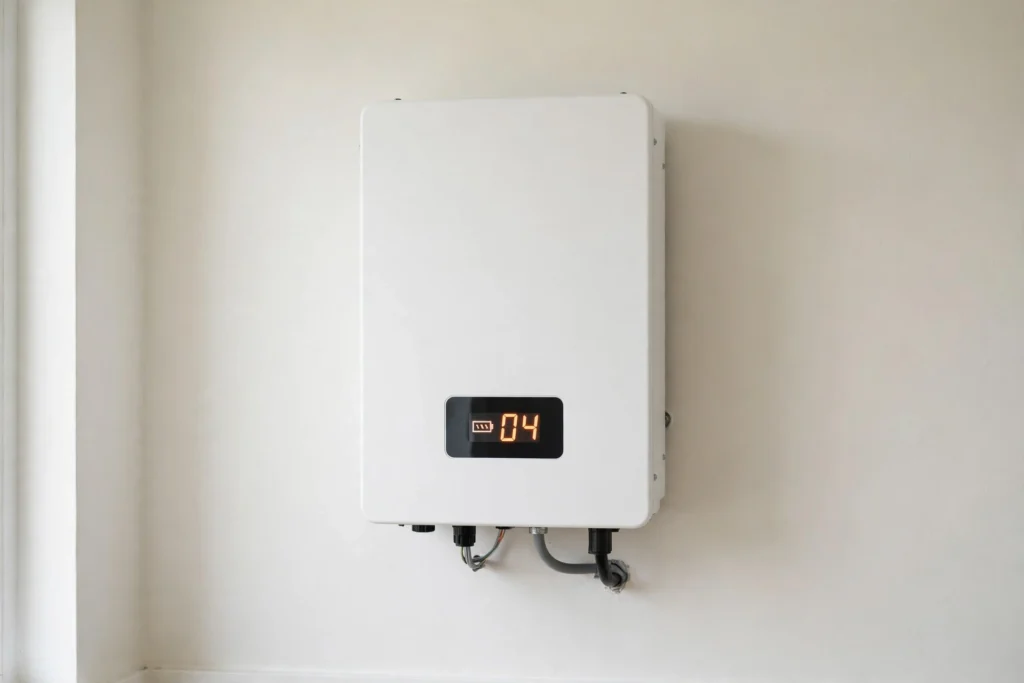
Take a clear photo showing the error code and any warning icon.

Step 2: Write Down the Exact Model

Do not write only “Fronus” or “Inverex.” Record the complete model and power rating.

Step 3: Note What Happened Before the Fault

Examples:

  • Grid returned after outage
  • Water pump started
  • Battery reached low charge
  • Solar production became high at midday
  • Inverter was very hot
  • New panels were added
  • Battery was replaced
  • Fault appeared after maintenance

This information can shorten diagnostic time.

Step 4: Check External Airflow

Make sure the inverter is not covered and ventilation paths are not blocked.

Step 5: Reduce the Load

If the error is overload/current related and the manual permits restart, remove heavy loads before testing again.

Step 6: Check External Breakers and Indicators

Only inspect items that are safely accessible and intended for the user. Do not remove inverter covers.

Step 7: Use the Official Manual

Search the manufacturer’s official downloads page for the exact model.

Step 8: Stop If the Error Returns

A repeating fault needs diagnosis. Repeated restart attempts can hide an intermittent problem or increase damage.

When You Should Stop Troubleshooting Immediately

Turn the equipment off using the approved shutdown procedure and call a qualified technician if you notice:

  • Burning smell
  • Smoke
  • Melted connector
  • Repeated breaker trip
  • Loud electrical arcing sound
  • Water inside or around the inverter
  • Visible damaged cable insulation
  • Battery swelling or abnormal heat
  • A short-circuit code that immediately returns
  • Bus, relay or internal power-stage fault that repeats
  • Error after lightning or severe surge

Do not open the inverter to “look for the burned part” while it is connected to PV, battery or AC.

Why Random Part Replacement Is a Bad Repair Method

Suppose an inverter shows a fan fault. Replacing the fan might solve it — but not if the actual problem is the fan supply, connector, driver transistor or control signal.

Similarly:

  • A bus-voltage fault is not automatically a capacitor fault.
  • An over-current fault is not automatically a MOSFET fault.
  • A battery warning is not automatically a bad battery.
  • A grid fault is not automatically an inverter fault.
  • A BMS error is not automatically a control-board fault.

Professional repair uses measurements and circuit diagnosis to identify the failed section before parts are replaced.

This saves money and reduces repeat failures.

How to Choose the Correct Replacement Part

Before ordering any solar inverter spare part, compare:

  1. Exact part number
  2. Package/type
  3. Voltage rating
  4. Current rating
  5. Power rating
  6. Pinout
  7. Capacitance/resistance value where applicable
  8. Temperature rating
  9. Connector type
  10. Physical dimensions
  11. Original circuit position
  12. Inverter model compatibility

For semiconductors such as MOSFETs and IGBTs, “higher amps” alone does not make a replacement suitable. Gate characteristics, switching speed, voltage rating, package, thermal performance and circuit design all matter.

For capacitors, capacitance and voltage are only part of the specification. Ripple-current capability, ESR, temperature rating and physical size can also matter in inverter applications.

SunTech Mall Useful Pages.

Frequently Asked Questions

What does a solar inverter error code mean?

It means the inverter has detected a condition outside its normal operating rules or has identified a problem in a monitored system such as the battery, PV input, output, grid, cooling or internal electronics. The exact meaning depends on the brand and model.

Are solar inverter error codes the same for all brands?

No. Error codes are not universal. Even two inverter families from the same brand can use different code systems. Always use the manual for the exact model.

Can I reset an inverter error myself?

You can follow the manufacturer’s user-level shutdown/restart procedure for faults where the manual recommends it. If the error returns, do not keep resetting it. Find the cause or contact a qualified technician.

What causes a solar inverter fan error?

Possible causes include dust, foreign material, worn fan bearings, a failed fan motor, a loose connector, incorrect fan supply voltage or a problem in the fan-control circuit.

What causes solar inverter over-temperature faults?

Common causes include blocked ventilation, high ambient temperature, failed cooling fan, heavy continuous load, poor installation clearance or an internal power-stage problem producing abnormal heat.

What does bus voltage error mean on an inverter?

It refers to the inverter’s internal DC bus being outside its expected operating range or failing during startup. Diagnosis may involve the soft-start/pre-charge circuit, capacitors, power switches, sensing or the power source. It is generally a technician-level fault.

Can a bad battery cause inverter error codes?

Yes. Low voltage, high voltage, weak cells, voltage sag, incorrect settings, BMS protection or lost battery communication can all lead to battery-related warnings and, depending on the inverter design, other operating faults.

Can wrong solar-panel wiring cause an inverter fault?

Yes. Incorrect polarity, excessive string voltage, wrong series configuration, poor connectors or PV insulation problems can trigger protection and can damage equipment. PV string design should be checked against the inverter’s official limits.

Should I replace the MOSFET when the inverter shows over-current?

Not automatically. Over-current can come from a heavy load, short circuit, current-sensing problem, driver problem, IGBT/MOSFET failure or other circuit faults. The power stage should be tested before replacing components.

Where can I buy solar inverter spare parts in Pakistan?

SunTech Mall supplies electronic components and inverter-related products in Pakistan, including MOSFETs, IGBTs, capacitors, brushless fans, ICs, thermistors, varistors and selected inverter system cards. Always match the exact component specifications before ordering.

Final Advice

Solar inverter error codes are useful because they narrow the search area, but they are not a complete diagnosis by themselves.

The safest and most effective process is:

identify the exact model → record the exact code → check the official manual → perform safe external checks → diagnose the actual cause → replace only the confirmed faulty part.

For Pakistan’s solar users and repair technicians, this approach is especially valuable because it helps avoid unnecessary part replacement, repeat faults and larger power-board damage.

If your inverter needs a repair component, compare the old component’s complete part number and specifications before ordering. SunTech Mall offers a growing range of inverter-related electronics and solar products with delivery options across Pakistan.

Solar inverter spare parts for professional repair in Pakistan

Editorial Source Notes – Keep for Author/Reviewer, Optional on Published Page

  1. Fronus PV 2200 Platinum official manual – Fault Reference Code section.
  2. Fronus PV 5200 Platinum official manual – Fault Reference Code section.
  3. Fronus X1 Genki official user manuals – Troubleshooting and Maintenance section.
  4. SunTech Mall product catalogue and current brand/category pages.

Technical accuracy note: Re-check manufacturer manuals if this article is materially updated in the future. Error codes can differ between product families and firmware generations.

Social Profile: Follow us on Facebook

Tags: battery fault capacitor Fronus inverter IGBT Inverex inverter inverter fan inverter fault codes inverter repair Pakistan mosfet solar inverter error codes solar inverter spare parts Solar inverter troubleshooting solar repair guide
Written by suntechmall
Website

Our goal is to provide high-quality electronic components, circuit guides, and technical resources for engineers, students, and hobbyists.
We stay updated with the latest industry trends to ensure accurate and reliable information. Whether you need microcontrollers, sensors, resistors, or other components, suntechmall.com is your go-to source.

Leave a Reply

Need Help?
Ask Here