




25V 1500uF Capacitor: What It Does, How to Test It, and When to Replace It
In 2009, a friend brought a dead desktop PC to my bench. It would power on, show the logo, then reboot in a loop. He had already bought new RAM and was…

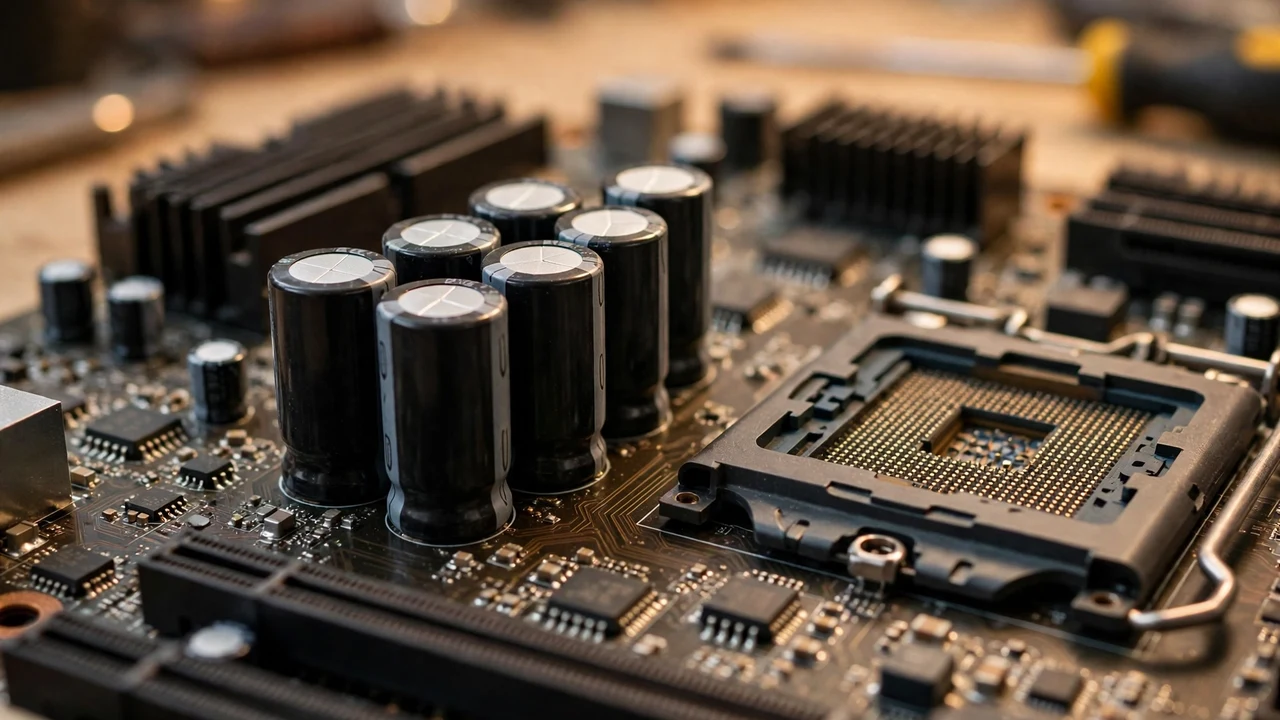
In 2009, a friend brought a dead desktop PC to my bench. It would power on, show the logo, then reboot in a loop. He had already bought new RAM and was about to buy a new motherboard. I opened the case and saw five capacitors with bulged tops, each a 1500uF part on the processor’s power circuit. Twenty minutes of soldering later, his PC ran for three more years.
At SunTech Mall, we supply original electronic components to technicians across Pakistan, and the 25V 1500uF aluminum electrolytic capacitor is one of the parts I recommend most often. It sits inside power supplies, motherboards, audio amplifiers, and LED drivers, smoothing power and absorbing ripple. When it is healthy, you never notice it. When it dies, the symptoms look like everything else.
Key takeaways
- 1500uF is a large charge store for smoothing power, and 25V is the maximum ceiling, not the daily voltage.
- Keep the working voltage comfortably below 25V, ideally at or below 20V.
- The stripe marks the negative terminal, and heat plus ripple current are what kill this part.
- A bulged top means replace it at once, no meter needed.
- Always test with capacitance and ESR, and pick a 105°C low-ESR replacement for power circuits.
What do the numbers 25V and 1500uF actually mean?
Every number on a capacitor sleeve is both a capability and a limit. Here is how to read them like a professional.
1500uF is the capacitance. That is a large value, which makes this part a bulk reservoir. It stores enough charge to smooth out dips in the power rail when the circuit suddenly demands more current. Think of it as a water tank next to a pump.
25V is the maximum DC voltage rating, not a target. The professional rule is voltage derating: keep the working voltage comfortably below the rating, ideally at or below 20V for a 25V part. Running a part near its maximum rating shortens its life.
Aluminum electrolytic means it is polarized. The dark stripe down the side marks the negative terminal, and the longer lead is positive on a new part. Reverse it, and the capacitor can fail violently. Always verify polarity against the board’s markings before you solder.
Temperature rating matters enormously. These parts come in 85°C and 105°C versions. Inside a warm power supply or inverter enclosure, the 105°C part lasts far longer, because heat is what dries out the electrolyte and ages the part.
Standard tolerance is ±20%. A 1500uF part may measure anywhere from roughly 1200uF to 1800uF and still be within spec. One distributor listing for a 1500uF 25V radial part confirms ±20% tolerance (measured at 20°C, 120 Hz) and a −40°C to +105°C range. Figures vary by series, so always check your own part’s datasheet rather than assuming these numbers.
| Marking on the sleeve | What it means | What you should do |
|---|---|---|
| 1500uF (also written 1.5 mF) | Large charge storage | Match it exactly when you replace the part |
| 25V | Maximum DC voltage ceiling | Keep working voltage at or below about 20V |
| Stripe | Negative terminal | Line it up with the negative mark on the board |
| 105°C or 85°C | Maximum temperature rating | Pick 105°C for power circuits |
| ±20% | Allowed capacitance range | Expect roughly 1200uF to 1800uF on a meter |
Bonus tip: check the physical size too: diameter, height, and lead spacing. A replacement must fit the existing footprint. An electrically perfect capacitor that does not fit the holes is useless.
Where does the 25V 1500uF do its heavy lifting?
I have found this capacitor in more places than I can count, but four applications dominate.
Computer power supplies and motherboards. On motherboards, clusters of 1500uF capacitors sit around the processor socket, filtering the output of the voltage regulator module that feeds the CPU. In ATX power supplies, they smooth the low-voltage output rails. This is exactly where my friend’s PC failed in 2009.
Audio amplifiers. Amplifiers draw current in sharp bursts with every bass note. A bank of high-capacitance electrolytics on the power rails supplies those bursts without letting the rail voltage sag, keeping the sound clean at high volume.
LED drivers and lighting power supplies. In LED drivers, these capacitors smooth the rectified output so LEDs receive steady current. A failing output capacitor is a classic cause of LED flicker and early driver failure.
Industrial control boards and telecom equipment. Any board with sensitive logic and switching regulators needs clean local power. The 25V 1500uF often sits at the input or output of DC-DC converters, decoupling noise and steadying the rail.
Note: if you work on solar equipment, you will meet larger relatives of this part: high-voltage bus capacitors in inverters. Our 250V 47uF capacitor guide covers those.
Why is ripple current the silent killer?
Here is the spec most beginners ignore, and it is the one that actually kills capacitors: ripple current.
Ripple current is the AC part of the current flowing through the capacitor as it charges and discharges thousands of times per second. Because the part has internal resistance, called ESR (equivalent series resistance), ripple current makes heat inside it, the same way a thin wire heats up under current.
Heat dries out the electrolyte. Dried electrolyte raises the ESR. Higher ESR makes more heat. That is the death spiral, and it runs silently for months. A capacitor can still test fine on a basic capacitance meter while its ESR has already doubled.
This is why temperature rating and ripple current rating matter more than brand names. A genuine 105°C low-ESR 1500uF part will outlast a cheap no-name part by years in the same circuit. When you replace one, match or beat the original’s ripple current and temperature ratings, not just capacitance and voltage.
I could not source a single universal ripple current figure for all 25V 1500uF parts, because ripple ratings vary by series and case size. Do not trust a generic number here. Check the datasheet for your exact series, or ask the seller for it.
Bonus tip: if you repair the same model of power supply again and again, note which capacitors fail first. They are almost always the ones closest to the heat sinks. Replacing them proactively with 105°C low-ESR parts prevents the next failure.
What symptoms point to a dying 1500uF capacitor?
Learning the signature of a dying 1500uF capacitor saves hours of wrong-direction troubleshooting.
Intermittent operation is the classic sign. A PC that reboots randomly, an amplifier that cuts out at high volume, or a supply that works when cold and fails when warm. As ESR rises with temperature, the capacitor stops smoothing exactly when the circuit needs it most.
Bulging or leaking tops are the visual giveaway. The top of the aluminum can has a scored vent. When internal pressure builds from failing electrolyte, the top domes upward. Any bulge, crusty residue around the base, or discoloured sleeve means replacement, with no meter needed.
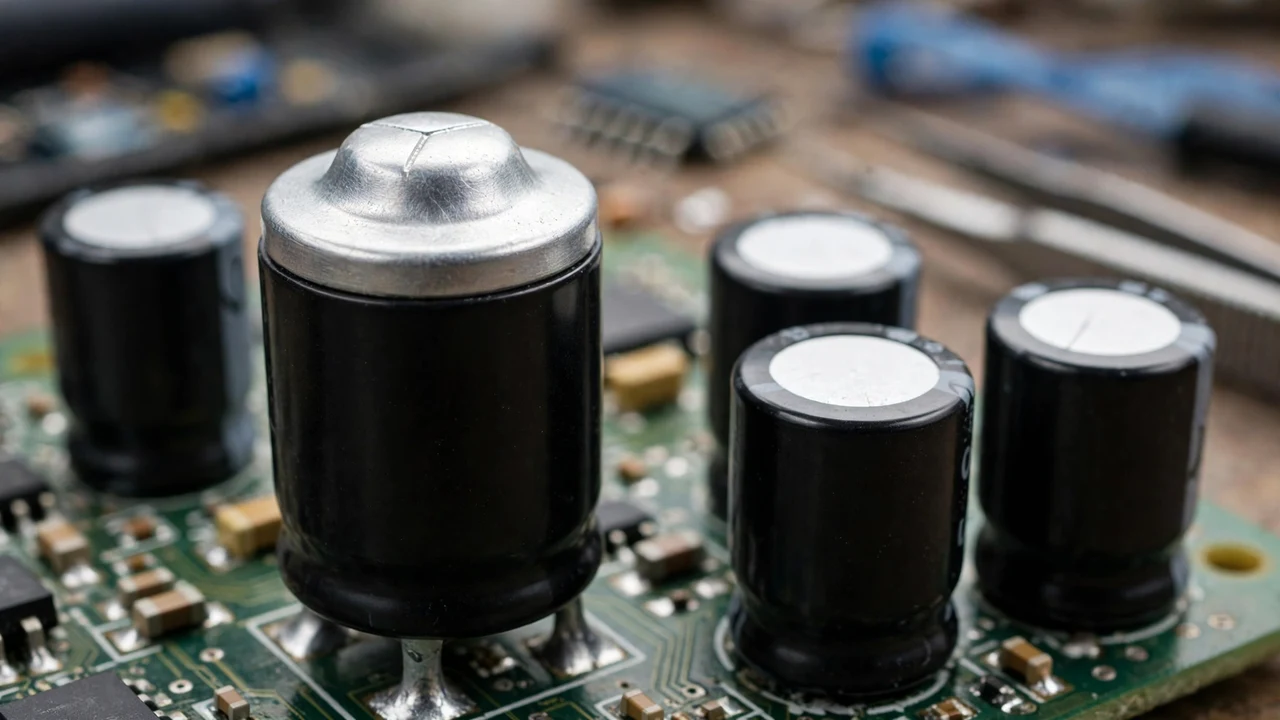
Instability under load is the subtle one. The device works at idle but misbehaves when working hard: the CPU crashes under load, or the amplifier distorts on bass hits. The capacitor can no longer supply the current bursts the load demands.
High-pitched whining from the supply area can mean the switching circuit is compensating for degraded capacitors. It is not proof alone, but combined with the symptoms above, it points firmly at the electrolytics.
How do you test it before you spend money?
Test before you replace. This discipline separates professionals from parts-swappers.
Safety first: discharge it. Bridge the terminals with a 1K ohm resistor for a few seconds, then verify zero volts with your meter before handling. Never short the terminals directly with a wire.
Visual inspection. Flat top, clean base, intact sleeve. Bulging, leaking, or heat damage condemns it, regardless of what any meter says.
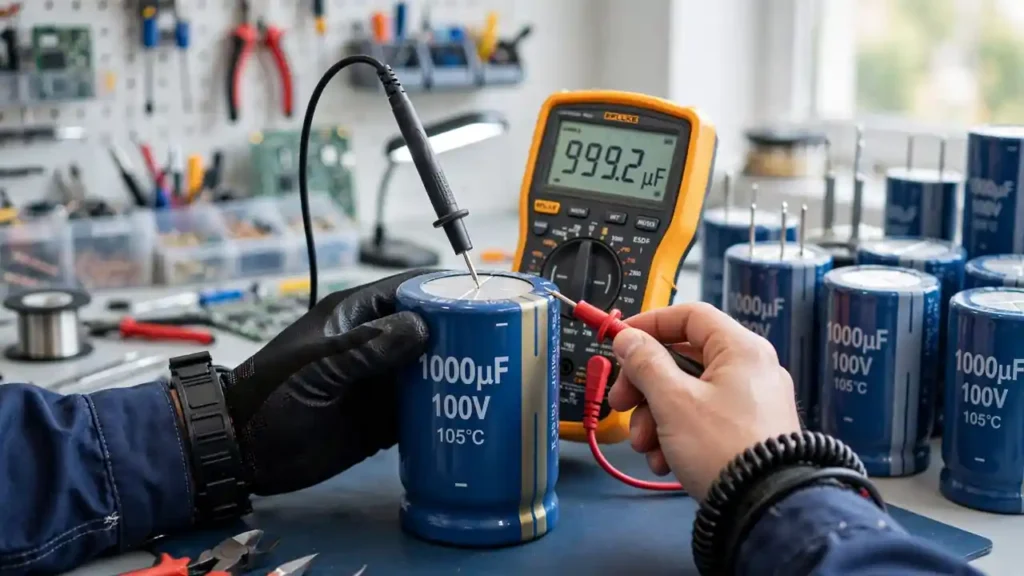
Capacitance check. Set your multimeter to capacitance mode and measure across the leads. Standard tolerance is ±20%, so expect roughly 1200uF to 1800uF. A reading far below 1200uF means dried electrolyte. A reading near zero means internal failure.
ESR check: the real test. An ESR meter measures internal resistance directly. A healthy 1500uF low-ESR part reads a fraction of an ohm. If it reads high against a known-good part of the same rating, it is dying even if capacitance still looks fine. For regular power-supply repair, an ESR meter pays for itself within weeks.
In-circuit caution: measuring capacitance in-circuit can mislead, because nearby parts affect the reading. For a definitive test, desolder one lead and measure the part on its own.
What are the five rules for a safe replacement?
Replacing an electrolytic capacitor is simple soldering, but five rules separate a lasting repair from a repeat failure.
- Match capacitance and meet or beat voltage. Replace 1500uF with 1500uF. You may use a higher voltage rating (35V instead of 25V) if it fits physically, since that only adds safety margin. Never use a lower voltage rating.
- Use 105°C low-ESR parts in power circuits. This is non-negotiable for power supplies, motherboards, and inverters. The small difference buys multiples of service life.
- Respect polarity absolutely. The stripe marks negative. Double-check against the board markings before you solder. A reversed electrolytic can vent violently.
- Match the physical footprint. Same diameter, same or smaller height, same lead spacing. A part that does not sit flush on the board is a mechanical failure waiting to happen.
- Work on a powered-off, unplugged board. Keep your soldering joints quick. Prolonged heat damages both the capacitor and the board.
Note: if one capacitor in a parallel bank has failed, consider replacing the whole bank. Its neighbours have lived the same hot life and are likely close behind. Replacing all of them in one session is cheaper than a second repair visit.
How do you buy a genuine 25V 1500uF capacitor in Pakistan?
The Pakistani market has genuine parts and counterfeits side by side, and a fake looks identical to a real one until it fails in a few months. Here is how to protect yourself.
Buy from a specialist, not a general trader. Component specialists stake their reputation on every part. Check the live price and availability in the electronic parts category at SunTech Mall or on the SunTech Mall homepage.
Inspect what arrives. Genuine parts have crisp sleeve printing, a cleanly formed vent on top, and consistent dimensions. Blurry printing or crooked sleeves are warning signs.
Buy the temperature rating you need, not the cheapest option. If a seller offers a suspiciously cheap 1500uF, ask whether it is 85°C or 105°C and low-ESR. An honest seller answers at once.
Keep spares. These parts fail in predictable places. Repair shops keep 25V 1500uF in stock, because power supplies and boards keep needing them.
Related reading: our 250V 47uF capacitor selection guide and our 20D561K varistor guide.
Frequently asked questions
Can I replace a 25V 1500uF capacitor with a 35V 1500uF?
Yes. Using a higher voltage rating is safe and often wise, as long as the capacitance matches and the physical size fits the board. Never go to a lower voltage rating than the original.
What does the stripe on the capacitor mean?
The stripe marks the negative terminal. The positive lead is usually longer on a new part. Always match the stripe to the board’s negative marking before you solder.
How long does a 25V 1500uF capacitor last?
It depends on heat and ripple current. In a cool circuit, a quality 105°C part can last a decade or more. In a hot supply running near its limits, it may last only a few years. Heat is the main enemy.
Can I test the capacitor without removing it from the board?
You can do a visual check and a rough capacitance measurement in-circuit, but nearby parts can distort the reading. For a reliable result, desolder one lead and test the part on its own.
Why do these capacitors bulge?
As the electrolyte degrades, gases build up inside the sealed can. Pressure pushes the scored vent on top upward, causing the visible bulge. A bulged capacitor has failed and must be replaced.
Is 1500uF the same as 1.5 mF?
Yes. One millifarad equals 1000 microfarads, so 1500uF is 1.5 mF. You may see either marking. They describe the same value.
Should I replace the whole bank if one capacitor fails?
It is usually wise. The neighbours shared the same heat and ripple stress, so they are often close to failing too. Replacing the bank together avoids a second repair visit.
Verdict: is the 25V 1500uF worth learning properly?
Yes, without question. This humble electrolytic decides whether expensive equipment lives or dies far more often than the fancy chips do. Learning to read it, test it, and replace it properly is one of the highest-value skills a technician can own.
Next time a device reboots mysteriously or a rail sags under load, you will know where to look. If this guide saved you a wrong purchase or a repeat repair, share it with a fellow technician. When you need genuine 25V 1500uF capacitors, check the live price on the website in the electronic parts section at SunTech Mall. Questions? Reach us through SunTech Mall and chat with us on WhatsApp through the website.

2 Comments
[…] related reading, see our 25V 1500uF capacitor guide for power supply filtering and our 250V 47uF capacitor guide for high-voltage […]
[…] related reading, see our 25V 1500uF capacitor guide for low-voltage filtering and our 20D561K varistor guide for surge […]