



How To Repair Faulty Solar Inverter Components At Home
Discover how repair faulty solar inverter components at home with this guide. Follow step-by-step instructions to troubleshoot, repair, and maintain your solar inverter, saving costs while ensuring efficiency. Shop quality parts at…

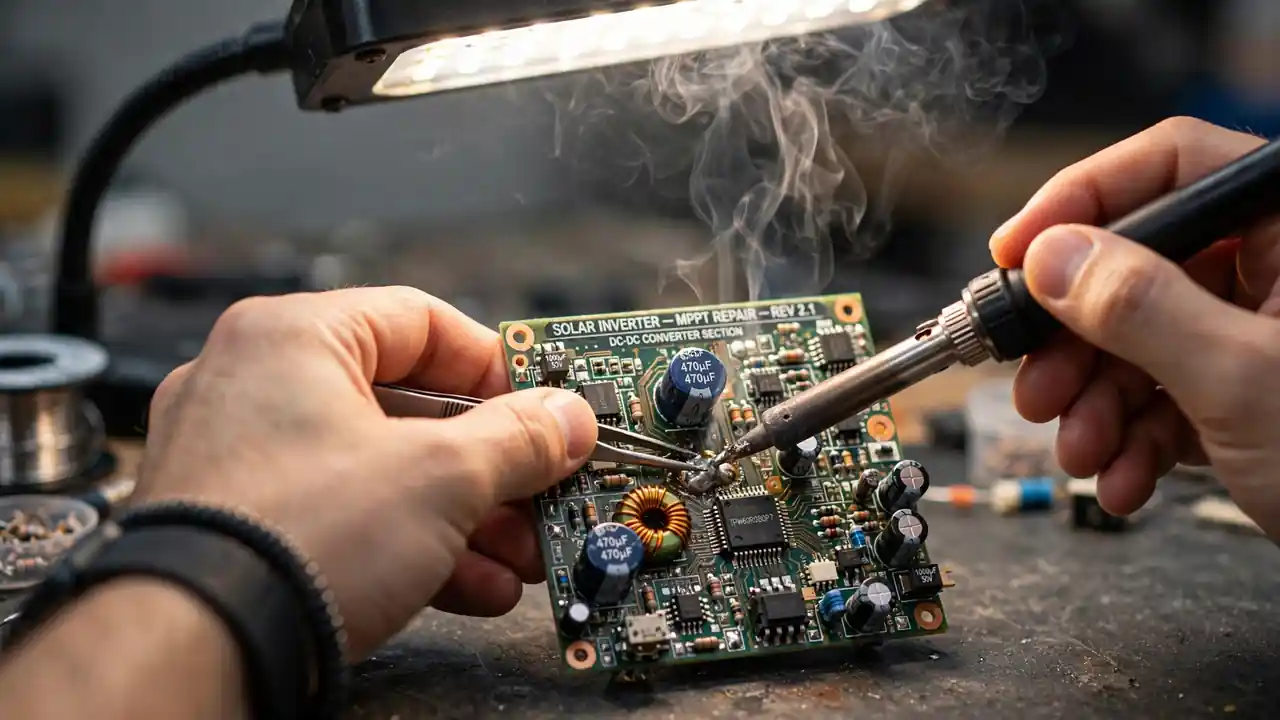
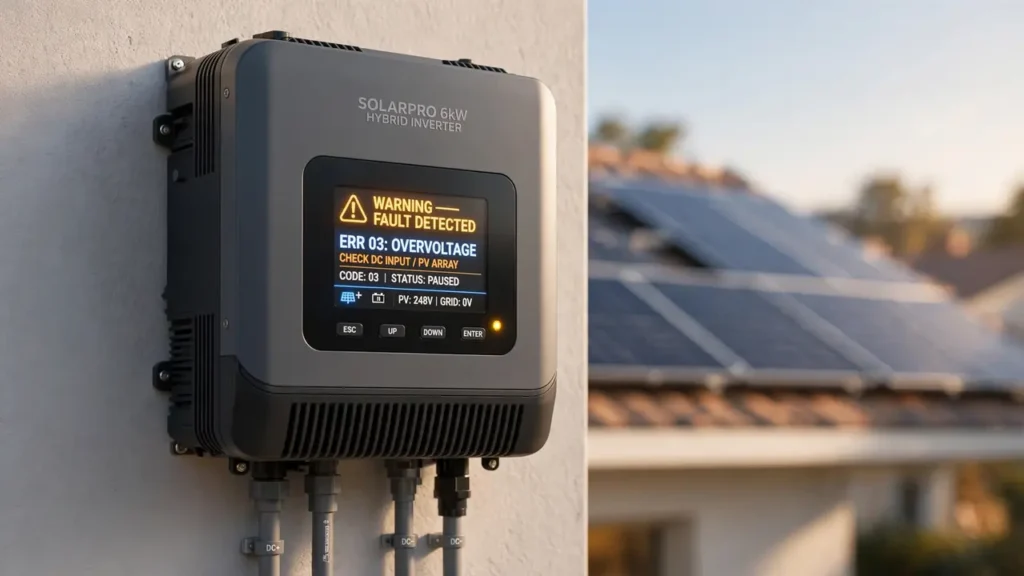
You wake up to a dead house. The fans are silent, the lights are off, and your solar inverter blinks red at you.
If you run a repair shop, this is your Tuesday: a customer with a dead inverter and a tight budget. If you are a DIY person, it is your own inverter — and the technician’s quote just hurt.
SunTech Mall has supplied original inverter parts to Pakistani repair shops for 5 years. Every customer voices the same fear: “What if I get shocked? What if I make it worse?” That fear is healthy. This guide is built around it.
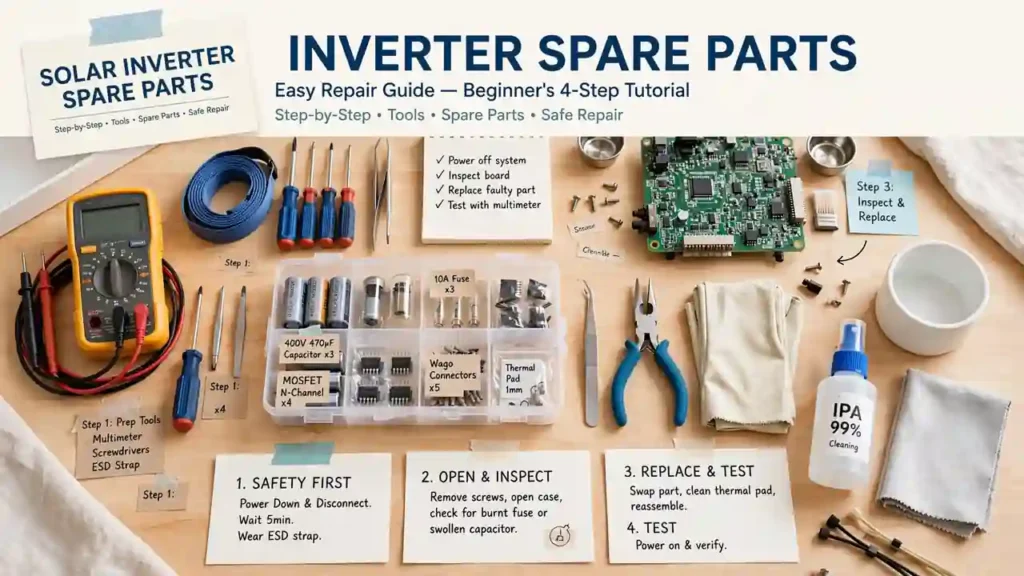
By the end, you will know how to diagnose a faulty inverter, safely replace capacitors, fuses, and MOSFETs, test your repair, and know exactly when to call a professional.
Here is the thing: none of this is magic. It is a sequence — and it starts with the step that protects your life.
You might be thinking: “I could electrocute myself.” Now the good part: every shocking story in this trade comes from skipping the safety sequence. Disconnect all power, discharge the capacitors, verify zero voltage with a multimeter — do that, and the risk drops to near zero. If any step confuses you, call a technician. Safety beats savings, every single time.
Table of Contents
- Stay Safe First: The Rules That Protect Your Life
- Read the Clues: Diagnose Your Inverter’s Fault
- Gather the Right Tools Before You Start
- Replace a Dead Capacitor Step by Step
- Replace a Blown Fuse the Right Way
- Replace a Faulty MOSFET Without Guessing
- Test Your Repair Before You Trust It
- Prevent Future Faults With Simple Maintenance
- Know When to Stop and Call a Professional
- Frequently Asked Questions
- Final Thoughts
Stay Safe First: The Rules That Protect Your Life
You open the inverter’s cover and stare at copper coils and black boxes. Somewhere in there, a capacitor may still hold enough charge to hurt you — even with everything switched off.
An inverter can bite after it is unplugged. So before your screwdriver touches a single screw, run this exact sequence.
First, disconnect every power source: solar panels, grid, and batteries. Switching the inverter off is not enough — panels keep feeding power in daylight.
Second, discharge the capacitors. They store charge like tiny batteries. Use a properly rated discharge resistor or your manual’s discharge procedure. Never short one with a screwdriver.
Third, verify zero voltage with a multimeter at the capacitor terminals and the main DC input. Only proceed when the meter confirms the circuit is dead.
Work in a dry area with insulated gloves and insulated tools. Keep one hand behind your back when probing near circuits — that old habit keeps current away from your heart.
Note: STOP and call a professional if you smell burnt plastic, see scorched PCB marks, or find melted transformer windings. That damage is beyond simple part replacement.
Follow this sequence every time and you will be fine. Now the good part: with safety locked in, diagnosis is genuinely fun.
Read the Clues: Diagnose Your Inverter’s Fault
Your inverter’s display flashes a code you do not recognize. Do not open the case yet — guessing is how good parts get replaced for no reason.
Here is the thing: modern inverters tell you what is wrong. Look up each error code in your manual. “Grid Fault” usually means an AC voltage problem. “Ground Fault” usually means a wiring issue. Write the codes down.
Then use your senses. No power at all? Suspect the input side: fuses or the DC path. Hot case? Check for clogged vents and a dead or noisy fan — one of the cheapest fixes there is.
Note the pattern too. Sudden death after a storm points to a surge-killed fuse or MOSFET. Gradual decline points to aging capacitors.
Gather the Right Tools Before You Start
You have diagnosed the fault. Now gather your kit before you touch the inverter.
- Multimeter — for voltage, continuity, and capacitor tests. The one tool you must own.
- Insulated screwdrivers (flathead and Phillips) — for opening the casing safely.
- Soldering iron and solder — temperature-controlled is ideal for PCB work.
- Desoldering pump or wick — removes old parts without lifting PCB traces.
- Anti-static wrist strap — protects MOSFETs and control boards from static.
- Insulated gloves, safety glasses, bright lamp — safe hands and clear vision.
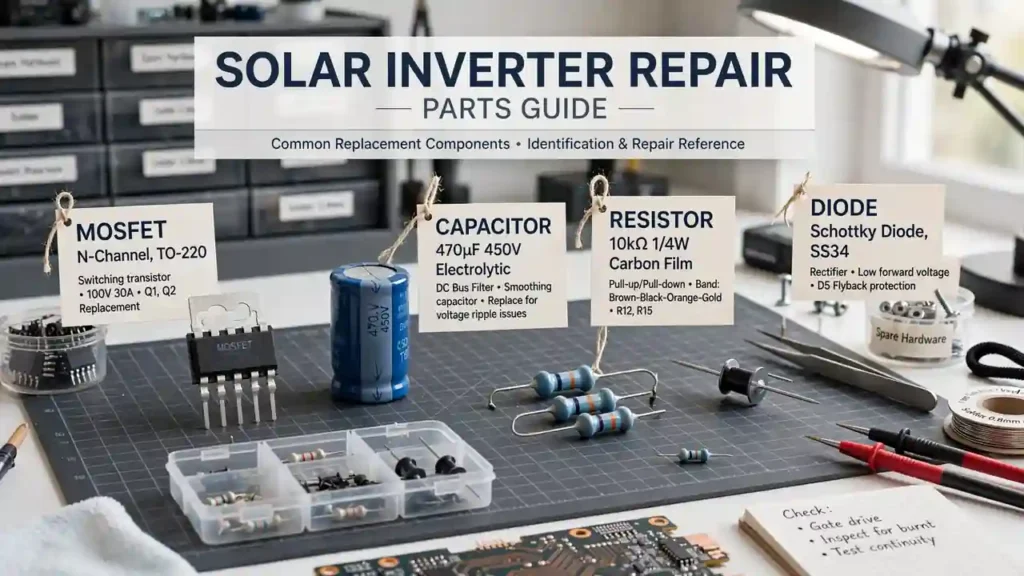
Buy genuine parts: capacitors, identically rated fuses, and exact-part-number MOSFETs. Counterfeits fail fast and can kill the board. SunTech Mall stocks genuine replacement components with nationwide delivery across Pakistan.
Bonus Tip: Photograph the board before removing anything. That photo is worth more than the manual at reassembly time.
Replace a Dead Capacitor Step by Step
The inverter shuts down randomly, and you have found a swollen capacitor with a bulging top. This is the most common inverter repair — and the most satisfying.
Capacitors fail from heat and age. Flat top means healthy. Bulging, leaking, or tilted means dying. Here is the sequence:
- Disconnect everything — panels, grid, batteries. Discharge, then verify zero volts.
- Open the casing. Keep screws in a small tray.
- Locate the suspect. Your manual’s board layout helps. Look for bulging tops.
- Test with your multimeter. In capacitance mode, zero — or a reading far from the printed value — confirms failure.
- Desolder it. Heat one lead at a time, clear the hole with pump or wick. Note polarity: the stripe is negative.
- Solder the new one. Match capacitance exactly; use equal or higher voltage rating. Mind polarity.
- Reassemble, reconnect, power up.
Double-check the stripe before soldering — reversed polarity kills the new capacitor. Genuine inverter capacitors from SunTech Mall carry clear markings.
Replace a Blown Fuse the Right Way
The inverter is completely dead — no display, no lights. After a storm or surge, suspect the fuse that sacrificed itself to save the board.
A blown fuse stops all power flow. That is its job. Replacing it is simple, but one rule matters most:
- Disconnect all power and open the casing.
- Find the fuse — a small glass or ceramic tube near the power input.
- Test continuity with your multimeter. A good fuse beeps; a blown one stays silent.
- Replace with an IDENTICAL rating — same amperage, voltage, and type. No improvising.
- Reassemble and test.
Note: Never fit a higher-rated fuse “to stop it blowing again.” The fuse blew for a reason. A higher rating lets fault current through and can burn the board or start a fire. If the new fuse blows instantly, call a technician.
Fuses are the cheapest part in the inverter — keep spares. Genuine fuses in every common rating ship nationwide from SunTech Mall.
Replace a Faulty MOSFET Without Guessing
The inverter powers on but errors out the moment it tries to produce output. Alive but unable to work — that often means a dead MOSFET in the power stage.
MOSFETs do the actual DC-to-AC switching. They run hot and fail often. Steadier hands needed than the fuse swap:
- Full safety sequence — disconnect, discharge, verify zero volts.
- Identify it. Large three-legged parts bolted to a heatsink. Copy the exact part number.
- Test it. In diode mode, a drain-source short in both directions means it is dead.
- Desolder patiently. The heatsink steals iron heat. Rushing lifts PCB traces.
- Fit the exact replacement — part number matching character for character. “Close enough” fails and can kill neighbors. Use fresh thermal paste on the heatsink.
- Reassemble and power up.
Bonus Tip: Check neighboring MOSFETs too. They share the same stress, and replacing a matched set saves a second teardown.
If heatsink desoldering feels beyond you, that honest call is the skill this guide builds. SunTech Mall stocks genuine MOSFETs with exact part numbers for common inverter brands.
Test Your Repair Before You Trust It
Last joint soldered, cover screwed on, finger over the power button. Do not rush — testing separates the careful from the lucky.
Power on and watch for error codes. Then verify stable output voltage with your multimeter — steady at the rated voltage, no drifting.
Run it under normal load for 30 minutes. Stay nearby. A warm case is normal; too-hot-to-touch is not.
If it holds for 30 minutes, your repair worked. If codes return, recheck: cold solder joints and reversed capacitor polarity are the usual culprits.
Prevent Future Faults With Simple Maintenance
Your inverter runs again. Here is the thing: most failures are preventable, and prevention takes minutes.
Clean the vents regularly. Dust blocks airflow, traps heat, and cooks capacitors. A soft brush or compressed air every month or two does it. Check the fan spins freely while you are there.
Inspect connections once or twice a year with all power off. Tighten and clean battery and AC terminals — loose ones create heat.
Never overload the inverter. Oversized loads mean more heat, stressed MOSFETs, and a shorter life. Leave headroom.
Keep genuine spares on hand — a fuse and a capacitor turn a week of downtime into an afternoon. Stock up at SunTech Mall, Pakistan’s No.1 online store for solar inverters, UPS, and original spare parts, delivering nationwide.
Know When to Stop and Call a Professional
You fitted a new fuse and it blew the instant you powered up. Your stomach drops. Trust that feeling.
DIY has a boundary. Call a professional when:
- Error codes persist after replacing the obvious parts.
- PCB traces are burnt or lifted.
- The transformer hums, overheats, or smells burnt.
- You feel unsure about anything. Confusion is your safety system talking.
Pakistan’s best repair technicians know their limits — that is what keeps them and their customers’ equipment safe. Safety beats savings, every single time.
Frequently Asked Questions
Is it safe to repair a solar inverter at home?
It can be — if you disconnect all power, discharge the capacitors, and verify zero voltage with a multimeter first. Danger comes from skipping steps, not from the repair. Unsure? Hire a technician.
What tools do I actually need?
A multimeter, insulated screwdrivers, and a soldering iron with desoldering pump or wick. Add an anti-static strap, insulated gloves, and safety glasses. Find repair tools at SunTech Mall.
How do I know which component failed?
Match symptoms to suspects: a dead unit points to the fuse, random shutdowns and bulging tops to capacitors, power-on-but-no-output to MOSFETs. Confirm with your multimeter and the manual’s error codes before replacing anything.
Can a beginner replace a MOSFET?
A careful one can, but it is the hardest job here — desoldering takes patience and the part number must match exactly. Practice on a dead board first, or start with fuses and capacitors.
What if the inverter still does not work?
Recheck capacitor polarity, solder joints, and fuse rating. If the new fuse blows instantly or codes persist, the fault runs deeper — call a professional technician.
When should I call a technician?
For persistent error codes, burnt PCB traces, transformer trouble, missing tools, or any real uncertainty. Improvising with the wrong tools destroys boards and risks injury.
Where can I buy genuine parts in Pakistan?
SunTech Mall — Pakistan’s No.1 online store for solar inverters, UPS systems, and original spare parts, with nationwide delivery. info@suntechmall.com, +92 306 2244820.
Final Thoughts
Think back to that dead house — or the dead inverter on your workbench. It felt like a huge, expensive problem. Usually it is one small part, one clear sequence, and the patience to follow it.
You now know how to stay safe, read error codes, replace capacitors, fuses, and MOSFETs, test your work, and hand off to a professional when needed. That is the difference between guessing and knowing.
So congratulations — you think like a technician now. Every inverter you fix keeps a Pakistani home or shop running on solar.
Need genuine parts? SunTech Mall is Pakistan’s No.1 online store for solar inverters, UPS, and original spare parts — serving repair shops for 5 years, delivering nationwide. Visit suntechmall.com or call +92 306 2244820. Happy repairing — and stay safe.
Read More: Introduces Powerful Sungrow 4.8 MW Inverter for a Brighter Future
Follow us on Social Media: Facebook | Twitter (X) | WhatsApp | YouTube | Instagram
2 Comments
[…] Read More: How To Repair Faulty Solar Inverter Components At Home […]
[…] Read More: How To Repair Faulty Solar Inverter Components At Home […]