
Veyron II 6KW Fault Codes 2026: What Your Display Is Telling You and What to Do First
One hot afternoon, a homeowner called our repair centre in a panic. His lights had gone out. His inverter was beeping. A small number was flashing on the screen. He thought the…

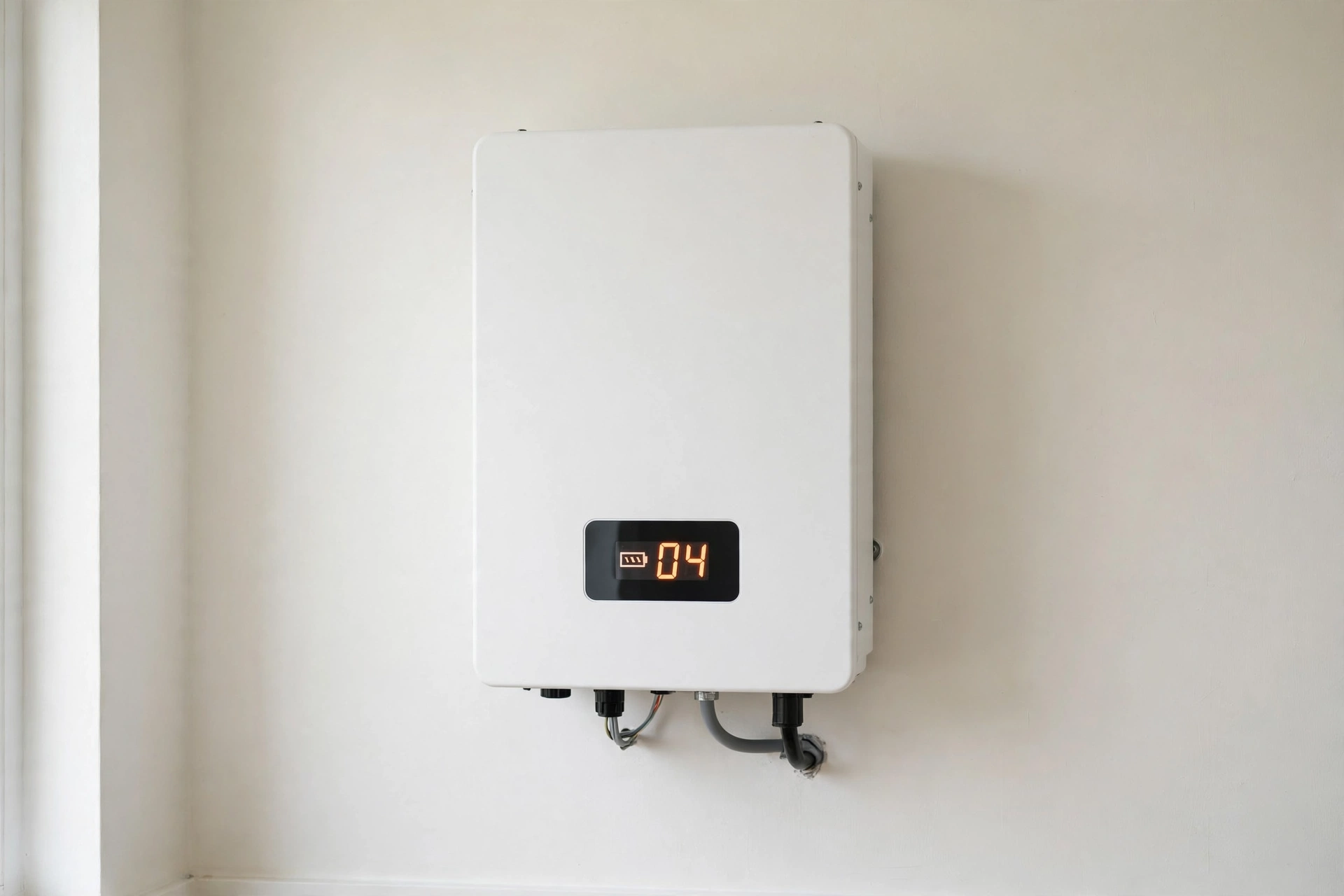
One hot afternoon, a homeowner called our repair centre in a panic. His lights had gone out. His inverter was beeping. A small number was flashing on the screen. He thought the whole inverter was dead. He was ready to buy a new one that same day.
It was not dead. The screen was showing a fault code. That code was a message, not a death sentence. It meant one thing had gone wrong. Once we read the code, the fix was simple. His battery wire was loose. We tightened it. The inverter came back to life.
That is why fault codes matter. Your Veyron II 6KW talks to you through its display. When it shows a code, it is telling you where to look first. This guide will teach you that language in simple words. You will learn every common code, what it means, and what safe step to take first. You will also learn when to stop and call a technician, so a small fault does not turn into a big repair bill.
Trust nudge: SunTech Mall runs its own inverter and UPS repair service centre in Pakistan. We also sell solar inverters and spare parts to technicians and home buyers every day. So this guide comes from real shop and bench experience, and from the manuals linked at the end, not from sales talk.
What You Will Learn in This Guide
- How to read a fault code on your Veyron II 6KW display, step by step
- The full fault code table, in simple words, with the first safe check for each code
- The 5 codes homeowners see most often, and what usually causes them
- How to do a safe restart, without risking your inverter or yourself
- What you must never do when a fault code appears
- When a fault means a part has failed, and which parts fail most often
- What the Veyron II 6KW is, in simple words, for buyers who are still deciding
- Answers to the questions buyers and technicians ask most often
First, Read the Code the Right Way
Do not panic when you see a code. Do not press buttons at random. Follow this order.
- Write the code down. Note the exact number on the display. A photo of the screen helps a technician a lot.
- Note what else you see. Is there a red light? Is the inverter beeping? Did the output stop, or is the inverter still running?
- Note what was running. Was a heavy load on, like an air conditioner or a water motor? Was it a very hot day? Did the power cut just happen?
- Look the code up in the table below. Start with the first safe check for that code.
- If the code comes back after a safe restart, stop. A code that keeps coming back is not a glitch. It is a real fault. It needs a technician.
Note: A fault code is not the same as a warning. A warning may let the inverter keep running. A fault usually stops the output to protect the inverter, your battery, and your home. That stop is a safety feature. Do not try to force the inverter to run through a fault.
An Honest Note About the Codes in This Guide
Read this before you use the table. It matters.
I could not find an official Inverex Veyron II 6KW manual published online in this check. I searched for it. What I did find is the fault reference used across the Veyron family: the Veyron 1.2 to 2.5KW user manual, the Veyron E manual, and the same hybrid-platform manual used for 5 and 6KW hybrid inverters. Those manuals share the same code list. That is why the table below is safe to use as a first guide.
But here is the honest limit. Your exact 6KW unit may label a code a little differently. Before you open anything, or order any part, match the code against your own unit’s manual. If your manual says something different from this guide, your manual wins. If you do not have the manual, ask your seller or installer for it before you act on a code that points inside the inverter.
Bonus Tip: Take a photo of your inverter’s rating label today, while it works fine. The label shows the model, the battery voltage, and the limits. When a fault appears later, that photo saves a lot of guessing.
The Full Veyron II Fault Code Table
Use this table as your first map. The “first safe check” column is only for checks you can do from outside the inverter. Anything marked “technician only” means do not open the cover.
| Code | What it means, in simple words | First safe check |
|---|---|---|
| 01 | A cooling fan is stuck or locked | Check that air can flow around the inverter. Look for dust blocking the fan grill. Do not poke the fan. If the fan never spins, call a technician. |
| 02 | The inverter is too hot inside | Switch off heavy loads. Let the unit cool in shade with air around it. Check that nothing is stacked against it. |
| 03 | Battery voltage is too high | Do not add more charging. Check that the battery bank matches the 48V system. If the voltage stays high, call a technician. |
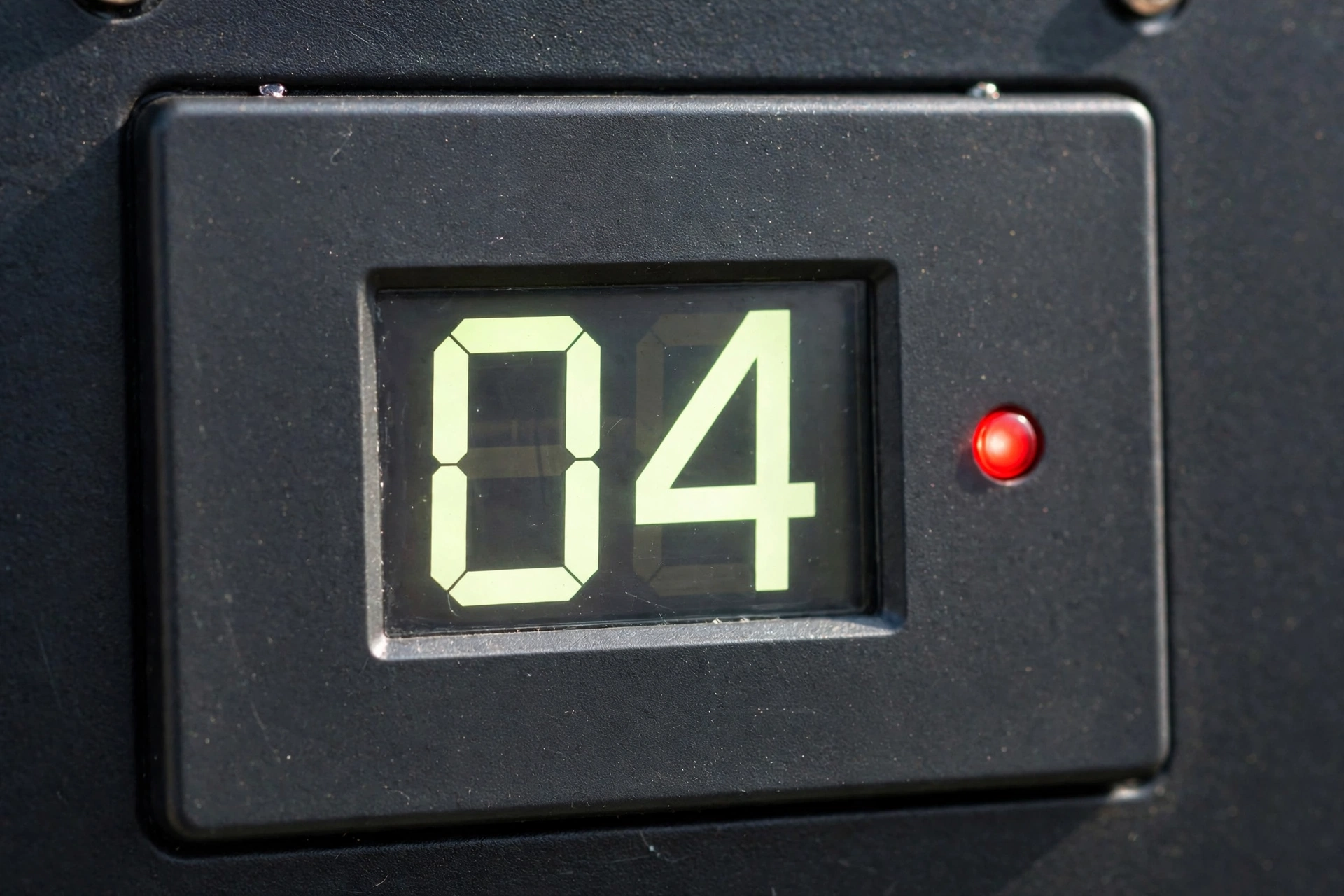
| 04 | Battery voltage is too low | Check battery wires and terminals for looseness. Check that the battery bank is charging. A very old or weak battery bank often causes this code. |
| 05 | The output is shorted, or an inside part is overheating | Switch off all loads at once. Unplug loads one by one. If the code clears with one load removed, that load or its wire is the problem. |
| 06 | Output voltage is not normal | Switch off loads. Restart safely, as shown below. If the code returns with no load, call a technician. |
| 07 | Overload for too long | Switch off heavy appliances. Count your load. A 6KW inverter cannot run more than its limit for long. |
| 08 | Inside bus voltage is too high | Switch off loads and solar input safely, then restart. If it returns, call a technician. Do not open the cover. |
| 09 | Inside bus soft start failed | Restart safely one time. If it returns, call a technician. This is an inside fault. |
| 10 | Solar current is too high | Check that your panel setup matches the inverter’s solar limit on its label. Do not add more panels to fix it. |
| 11 | Solar voltage is too high | Check your panel string setup. Too many panels in one series string push the voltage too high, often on a cold, bright morning. |
| 12 | Solar or DC-side current is too high | Check the panel and DC wiring setup against the label. If the setup is correct and the code stays, call a technician. |
| 13 | Battery is giving too much current | Reduce the load at once. Check that the battery bank size fits the inverter. A bank that is too small is pushed too hard. |
| 51 | Inside over-current fault | Technician only. Switch off loads and call for service. |
| 52 | Inside bus voltage is too low | Technician only. Restart safely one time. If it returns, call for service. |
| 53 | Inside soft start failed | Technician only. Restart safely one time. If it returns, call for service. |
| 55 | Too much DC voltage in the AC output | Technician only. Switch off loads at once and call for service. Do not keep using the output. |
| 57 | Current sensor has failed | Technician only. The inverter cannot measure current correctly, so it cannot protect itself. Call for service. |
| 58 | Output voltage is too low | Switch off loads. Restart safely one time. If it returns with no load, call a technician. |
Note: Some manuals word code 12 as a charge-current fault and some as a DC-side over-current fault. Both point to the same side of the inverter: the solar and DC charging path. The safe first step is the same. Check the setup against the label. Do not guess with panel wiring.
The 5 Codes Homeowners See Most Often
Most calls to a repair shop are about five codes. Learn these five, and you will handle most fault days calmly.
Code 04: Battery Voltage Too Low
This is the most common code after a long power cut, or with an old battery bank. The inverter is saying the battery bank has dropped below its safe level. It stops to protect the batteries from deeper damage.
First, check the simple things. Are the battery wires tight? Is any terminal corroded or green? Is the battery bank actually charging from solar or grid? A loose wire can look fine and still break the connection under load. If the bank is old and one battery in the bank is weak, the whole bank drops fast. That is a battery problem, not an inverter problem.
For battery context, read Lithium Battery vs Tubular Battery 2026. It explains, in simple words, why one weak battery can drag a whole bank down, and why usable energy matters more than the number on the label. Check the live price on the website for any battery model, because prices change.
Bonus Tip: If code 04 appears every evening at the same time, your load is bigger than your bank. You are using the bank down to its limit each day. That daily deep drop shortens battery life. Either reduce the evening load, or talk to your installer about a bigger bank.
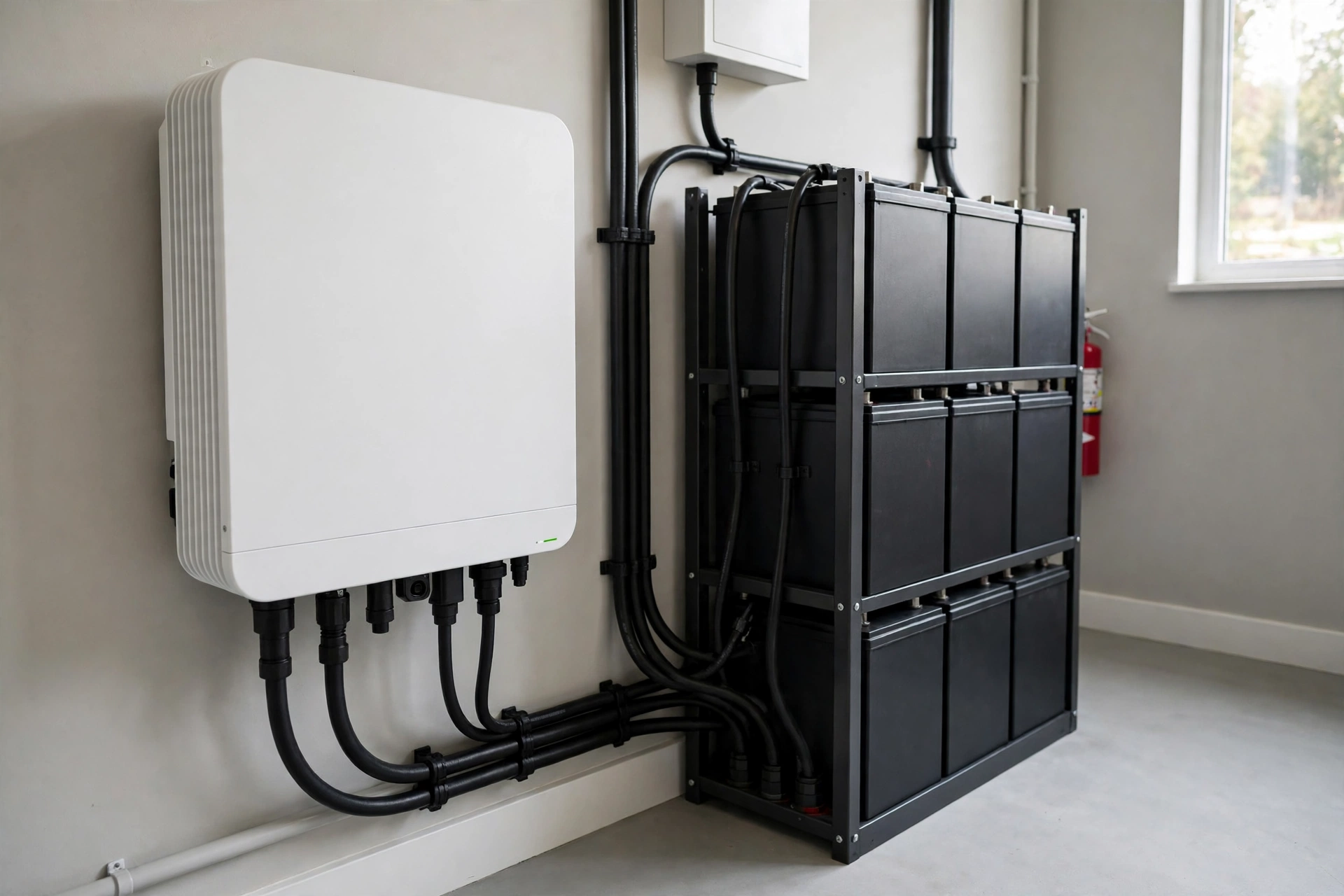
Code 07: Overload
Code 07 means you asked the inverter for more power than it can give, for too long. A 6KW inverter is strong, but it is not unlimited. An air conditioner starting up, a water motor, and a fridge together can cross the limit in one moment.
Switch off the heaviest load first. Then switch loads back on one by one, with a gap between them. Never start two big motors at the same second. If code 07 appears even with a small load, the problem may be inside the inverter, or one load may have a hidden fault. A motor with a failing start part can draw far more current than its label says.
Note: Overload is also the code that most often leads to a parts failure. When an inverter is pushed past its limit again and again, its output parts heat up. Heat is what kills power parts. If you keep seeing code 07, fix the load size. Do not just keep resetting the inverter.
Code 02: Over Temperature
Code 02 means the inside of the inverter got too hot. In Pakistan, this code loves summer afternoons, closed storerooms, and dusty fans. The inverter protects itself by stopping before heat damages its boards.
Check the room first. Is the inverter in direct sun? Is it inside a closed box or cupboard? Is a bag, a box, or clothes stacked against its air vents? Move the blockage. Let air flow. Let the unit cool before you restart. Check that the fans spin when the unit runs. A fan that never spins is a code 01 problem hiding behind code 02.
If the room is cool, the vents are clear, and the code still appears on a normal load, the cooling path inside may be blocked with dust, or a fan may be weak. That needs a service visit. Do not spray water into the inverter to cool it. Water and high voltage together are dangerous.
Code 01: Fan Locked
Code 01 means a cooling fan is stuck. Sometimes dust or a small object stops the blades. Sometimes the fan motor itself has failed. Without its fan, the inverter will soon show code 02 as well, because heat has nowhere to go.
From outside, check the fan grill for dust and blockage. You can clean the outside grill gently when the unit is off. Do not poke a stick or a screwdriver into the fan to force it to spin. A forced fan can break, and a finger near a live fan is a bad idea. If the fan still never spins when the inverter runs, the fan needs replacement by a technician. Fans are a common spare part, and a dead fan is a cheap fix compared to a burnt board.
Code 11: Solar Voltage Too High
Code 11 surprises people because it often appears on a beautiful, cold, bright morning. That is not a coincidence. Solar panels give higher voltage when they are cold. A panel string that is just under the limit on a hot day can cross the limit on a cold morning.
This code almost always means the panel string setup is wrong for the inverter. Too many panels are joined in one series string. The fix is not to cover a panel or to guess. The fix is to have your installer re-check the string voltage against the inverter’s maximum solar voltage on its label. Never add panels to a string that already shows code 11.
Note: Retailer listings for the Veyron II 6KW disagree about its maximum solar input. Some list one number, some list another. That is exactly why this guide does not print a single solar limit as a fact. Your own unit’s label is the only number that counts for your string. Check the label. Match the string to it.
How to Do a Safe Restart
A safe restart clears a one-time glitch. It does not fix a real fault. Use it once, not ten times.
- Switch off all output loads. Unplug or switch off the appliances on the inverter output.
- Note the code again. Write it down before you touch anything else.
- Switch the inverter off. Use its own switch. Wait at least one full minute.
- Check the simple outside things. Load size, vents, fan grill, battery wires you can see without opening the cover.
- Switch the inverter back on with no load. Let it settle. Watch the display.
- Add loads back one by one. Wait a little between each load. Watch for the code.
- If the code returns, stop. Do not restart again and again. Call a technician and tell them the code, what was running, and what you already checked.
Bonus Tip: If the inverter has solar and battery inputs, let your installer show you the safe switch-off order for your exact setup, and write it on a card near the inverter. Different installs have different breakers. A card on the wall beats a memory under stress.
What You Must Never Do
These mistakes turn small faults into burnt boards.
- Never keep resetting a fault code. Each reset under a real fault pushes stressed parts harder. Three fast resets can do more damage than the original fault.
- Never open the inverter cover at home. Inside, there are high DC voltages that stay even after you switch off. A capacitor can hold charge. Only a trained technician with the right tools should open the cover.
- Never bypass a protection or join wires to silence a beep. The beep is the warning. Silencing it does not remove the fault.
- Never pour water on a hot inverter. Water spreads the danger. Air and shade cool it safely.
- Never guess panel wiring. Wrong series or parallel wiring causes code 10, code 11, and burnt parts. Panel work is installer work.
- Never fit a part because a code “sounds like” that part. Code 06 or code 58 can come from a board fault, a sensor fault, or a load fault. Test first, or let a technician test, before you buy a part.
If your inverter shows no display at all, that is a different problem from a fault code. Read Solar Inverter Not Turning On 2026 for that case, step by step, before you assume the inverter is dead.
When a Fault Means a Part Has Failed
Some faults clear with a load change or a cool-down. Some do not. When a code returns with no load, in a cool room, with a healthy battery bank, a part has usually failed. These are the parts that fail most often on hybrid inverters.
Power switches (MOSFETs and IGBTs). These are the parts that turn DC into AC. They fail from heat, overload, and short circuits. Code 05, code 06, and code 07 that keep returning often point here. Before you buy a power part, learn how to test one. Read How to Test a MOSFET With a Multimeter 2026. It shows the three simple tests that find a bad MOSFET before it burns your board. For parts, see the MOSFET category, including the HY3215 MOSFET and the NCEP 85T16 MOSFET. Check the live price on the website for each part, because prices change, and match the exact part number to your board.
Cooling fans. A dead fan causes code 01, then code 02, then heat damage. A fan is a small part with a big job. Replace a dead fan early. Do not run the inverter for weeks on a dead fan and hope for the best.
System cards and control boards. Codes 09, 51, 52, 53, 55, and 57 that return after a safe restart usually mean a board, sensor, or control problem. These are not home repairs. A technician tests the board, finds the failed stage, and then decides if a card or a single part is the fix. For a related example, see Inverex Nitrox Fault Codes 2026, which uses the same idea: read the code, test the stage, then fix the part.
Chopper transformers and small power parts. A dead inverter with no output, or a unit that trips again and again, can hide a failed chopper or driver part. See the Chopper Transformer for Hybrid Solar Inverter as an example of the kind of part a technician checks on the bench. Do not order a chopper because of a guess. Order it because a test pointed to it.
Note: A part that looks the same is not always the same. MOSFETs, IGBTs, and cards have exact part numbers, voltages, and current ratings. A wrong part can fail in minutes and take other parts with it. Match the number on your old part, or ask SunTech Mall with a clear photo of the old part before you order.
The Veyron II 6KW, in Simple Words
If you are still deciding whether this inverter fits your home, here is the simple version. The Veyron II 6KW is a hybrid solar inverter. Hybrid means it can work with solar panels, a battery bank, and the grid together. The “6KW” means it can deliver about 6,000 watts of power. The “48V” means it uses a 48-volt battery bank, which is the normal size for a 6KW home system.
It gives pure sine wave output. That is the smooth, safe power that fridges, fans, motors, and computers like. It has an MPPT solar charger inside. MPPT is the smart control that pulls the best power from your panels as sunlight changes. Retailer listings also say it can run directly on solar without a battery during the day, and that it supports WiFi monitoring on some versions. Check those two points on your exact version before you plan around them, because versions differ.
For the smaller brother in the same family, read Inverex Veyron II Premium 4KW: Why It Is the Best. It explains the Veyron II idea in the same simple words, for a smaller home. For a different Inverex line, see the Inverex Nitrox 6KW-3Ph On-Grid Solar Inverter and the Inverex Yukon II 3500W – 24V Solar Inverter. For the Fronus line, see the Fronus PV 7200 Infineon Reborn Inverter and its error guide, Fronus PV 7200 Error Codes 2026. Check the live price on the website for each model, because prices change, and this article does not fix a price.
If your battery bank is part of the fault story, the battery guides help too. The Fronus LifePo4 Platinum Series 5KWH Battery and the Inverex Power Wall 48V Battery are 48V lithium options that fit a 6KW system class. Check the live price on the website, and confirm the battery voltage and size with your installer before you pair any bank to your inverter.
Get Help From SunTech Mall
SunTech Mall is Pakistan’s online store for original solar inverter and UPS spare parts. We also run our own repair service centre. That means we see both sides: what buyers choose, and what fails on the bench.
If your Veyron II 6KW shows a code that will not clear, do this. Write down the code. Note what was running. Take a photo of the display and of the rating label. Then contact SunTech Mall through the website with those three things. Our team can help you check whether it is a load problem, a battery problem, a wiring problem, or a board problem, before you spend money on a part. You can also reach us on WhatsApp at 0306-2244820 for help with your fault code and part match.
If you are a technician, the same three things help us help you faster. Code, load, and label photo. No guessing. No wrong part ordered twice.
Frequently Asked Questions
What does a fault code on my Veyron II 6KW mean?
It means the inverter found a problem and stopped the output to protect itself, your battery, or your home. The number tells you which problem it found. Look it up in the table above, do the first safe check, and do not keep resetting it.
My inverter shows code 04 every evening. Is the inverter faulty?
Not always. Code 04 means the battery voltage is too low. If it appears every evening at the same time, your evening load is likely bigger than your battery bank. Check loose wires and old batteries first. If the bank is healthy and the code still appears daily, your load or your bank size needs a review by your installer.
Can I reset code 07 and keep using the inverter?
You can restart once, after you switch off heavy loads. But if you keep overloading the inverter, code 07 will keep coming back, and the heat will damage its output parts. Fix the load size. That is the real fix.
Why does code 11 appear on a cold, bright morning?
Solar panels give higher voltage when they are cold. A panel string that is close to the limit on a hot day can cross the limit on a cold morning. This usually means too many panels are joined in one series string. Ask your installer to re-check the string against the label.
My fan never spins. Can I still use the inverter?
No, not safely for long. A dead fan is code 01. Without cooling, the inverter will overheat and show code 02, and heat will damage the board. Get the fan replaced early. It is a small fix that prevents a big one.
Codes 51, 53, and 57 keep coming back. What should I do?
Those are inside faults. Restart safely one time, with no load. If they return, call a technician. Do not open the cover. Inside faults need bench testing, and the high voltages inside stay dangerous after switch-off.
I lost my manual. Can I use this guide instead?
Use this guide for the first steps, but get your own manual before you act on an inside code or order a part. This guide is based on the Veyron family fault list, and your exact 6KW unit may label a code a little differently. Your manual wins over any guide, including this one.
Should I buy a spare part as soon as I see a code?
No. A code points to a stage, not always to one part. Test first. A loose wire, a weak battery, a wrong panel string, or an overloaded load can all look like a part failure. When a test does point to a part, match the exact part number before you order.
Final Thoughts
A fault code is not bad news. It is good news in disguise. It means your inverter caught the problem and stopped before the damage grew. The worst thing you can do is ignore the code, or fight it with repeated resets. The best thing you can do is simple. Write the code down. Do the first safe check. Fix the load, the wire, the air flow, or the battery bank if that is the cause. And when the code points inside the inverter, let a technician take it from there.
Keep this guide saved. The next time your display flashes a number, you will not panic. You will read it, check it, and act in the right order. That calm order is what saves inverters, batteries, and repair bills.
If your code will not clear, contact SunTech Mall through the website, or on WhatsApp at 0306-2244820, with the code, the load that was running, and a photo of the display and the rating label. We will help you find the next right step.
Sources
- Veyron 1.2 to 2.5KW Inverter User Manual, fault reference code section: http://scribd.com/document/580103603/Apt-Veyron-1-2kw-2-5kw-manual-20210224
- Veyron E manual, faults reference code table (via search index; the host was unreachable on direct open during this check): https://cdn4.guidespdf.com/view/1835/1835415-veyron_e_8kw.pdf
- Asterion Hybrid 5 and 6K user manual, faults reference code section: https://energon-group.com/upload/iblock/5bf/0mml5wydjigmvx40bndttiwfycl3pp76/Manual_ASTERION_HYBRID_5_6K_EN.pdf
- Inverex Veyron II 6KW model details, retailer listing: https://sunergyx.com/inverex-veyron-ii-mppt-solar-inverter-6kw-48v-your-energy-solution/
- Inverex Veyron II Premium 6KW specifications, retailer listing: https://mns.com.pk/product/inverex-veyron-ii-premium-6kw-48v-6000-watts-mppt-solar-hybrid-inverter-pv6500-watts/
- Inverex Veyron II 6KW specifications, retailer listing: https://solarpanelprices.pk/product/inverex-veyron-ii-6000-watt-48v-mppt-solar-inverter/
Published: 29 October 2026. Updated: 29 October 2026.