
IGBT Jal Kyun Jata Hai 2026: 7 Reasons It Burns and How to Stop It Burning Again
An IGBT burns when heat or current passes its limit. In most inverter repairs, seven causes explain it: weak cooling, weak gate drive, overload or a short circuit, voltage spikes, a wrong…

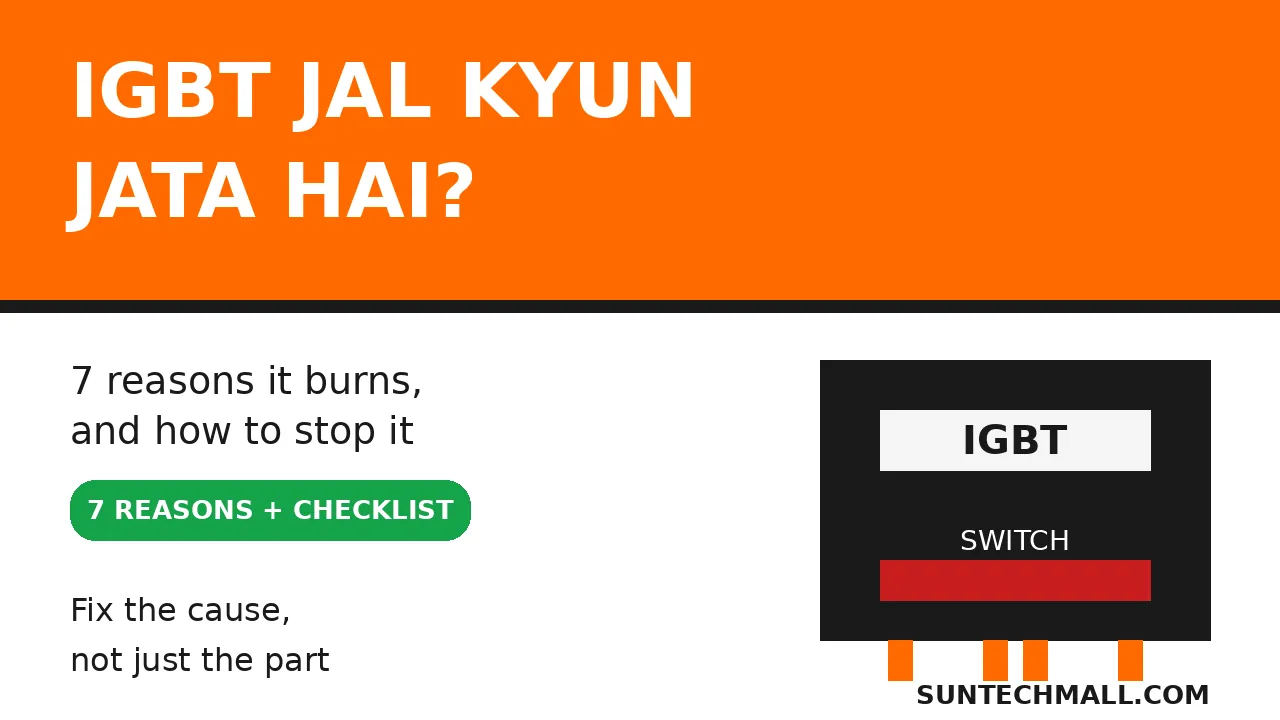
An IGBT burns when heat or current passes its limit. In most inverter repairs, seven causes explain it: weak cooling, weak gate drive, overload or a short circuit, voltage spikes, a wrong part, a fake part, or weak parts nearby.
In our repair centre, we see the same sad story again and again. A technician fits a new IGBT. The inverter runs for a day, a week, or sometimes only a few minutes. Then there is a smell, a pop, and silence. The owner blames the new part. The technician blames the brand. In most cases, neither is the full story. The first IGBT did not die alone. Something else killed it, and that something is still in the inverter, waiting for the new part.
This guide will help you find that something. You will learn what an IGBT does in simple words, the seven reasons it burns, how the burn marks and symptoms point to the cause, and a short checklist to use before you fit a replacement. You do not need an engineering degree. You only need to check in the right order.
Trust nudge: SunTech Mall runs its own inverter and UPS repair service centre in Pakistan. We also sell solar inverters and spare parts to technicians and home buyers every day. So this guide comes from real shop and bench experience, and from the IGBT failure guides linked at the end, not from sales talk.
What You Will Learn in This Guide
- What an IGBT does inside your inverter, in simple words
- The 7 reasons an IGBT burns, one by one
- What the symptoms tell you about the cause
- How to test an IGBT before you fit a new one
- A 5-step checklist to use before every replacement
- How to stop the new IGBT burning again
- When repair is worth it, and when to stop and ask a technician
What Does an IGBT Do Inside an Inverter?
An IGBT is a fast electronic switch. Its full name is Insulated Gate Bipolar Transistor. That name is long, but its job is simple. It turns power on and off, thousands of times per second, to change DC power from batteries or solar panels into AC power for your home.
Think of it like a tap that can open and close very fast. When it is on, current flows. When it is off, current stops. By switching in a careful pattern, the inverter builds the smooth AC wave your fans, lights, and fridge need.
IGBTs are used in the high-power output stage of larger inverters. Smaller inverters often use MOSFETs for the same kind of job. IGBTs handle high voltage and high current well, which is why they sit where the power is heaviest. That is also why they suffer most when something goes wrong. When the power stage fails, the whole inverter stops, even if the control board is fine.
Note: An IGBT is not a fuse. A fuse is made to break and protect the circuit. An IGBT is made to switch power. When it burns, it is a victim of a fault, not a protector that did its job. That is why replacing it alone so often fails. You must find the fault that made it a victim.
Why Does an IGBT Burn? The 7 Reasons
Most burns come down to one simple fact: too much heat, in too little time, in one small piece of silicon. Heat comes from current, from voltage, or from switching losses. The seven reasons below are the ways that heat gets out of control. Read them in order. One of them is almost always your cause.
### Reason 1: Weak cooling — the fan stopped, the dust stayed, the heat had nowhere to go
An IGBT makes heat every time it switches. A heatsink pulls that heat away, and a fan blows it out of the case. If the fan slows down, stops, or gets blocked by dust, heat builds up inside. On a hot Pakistani summer day, with the inverter in a closed corner, that build-up is even faster.
Failure guides agree on this point: poor heat dissipation can push the junction temperature inside the IGBT past its safe limit, often around 150 degrees Celsius, and the material inside starts to break down. The IGBT may not die on the hottest day. It may weaken a little each hot day, then fail on an ordinary day.
Bonus Tip: Before you open anything, listen. A fan that is noisy, slow, or silent is a warning, not background noise. Clean vents and a working fan cost far less than a new power stage.
### Reason 2: Weak gate drive — the switch never fully turns on
An IGBT is controlled by its gate. The gate driver circuit sends the signal that tells it to turn on fully and turn off cleanly. If that driver voltage is too low, the IGBT stays half-on. A half-on switch has high resistance. High resistance with high current means high heat. It is like driving with the handbrake half on: the car moves, but everything gets hot.
Guides describe this clearly. Low gate voltage, or a noisy gate signal, causes partial conduction. Power loss rises, and heat builds up in one spot. One source notes that when drive voltage drops from a normal level near 15 volts down toward 10 volts, an IGBT can burn out quickly because it stays in a half-on state.
The driver circuit can go weak for many reasons: a tired driver IC, a bad optocoupler, a dry capacitor in the driver supply, or a damaged gate resistor. That is why a good technician checks the driver before fitting a new IGBT. If the driver is weak, the new IGBT will live the same short life as the old one.
### Reason 3: Overload or a short circuit — too much current, too fast
This is the fastest killer. If the output is shorted, or a motor stalls, or a load suddenly draws far more current than normal, the IGBT may face several times its rated current. In a short circuit, the IGBT can leave its safe low-loss state in microseconds. Voltage across it jumps to near the full DC bus voltage while current is still very high. Heat in that moment is huge.
Manufacturers give IGBTs a short-circuit withstand time, often only about 5 to 10 microseconds. That is not a typo. It is millionths of a second. If protection does not switch the IGBT off inside that tiny window, the silicon melts, bond wires break, and the part shorts or cracks. Fuji Electric lists short-circuit destruction as a core failure mode, and the fix is fast protection, not a stronger part alone.
Note: A short circuit does not have to be a visible wire touching another wire. A failed motor winding, a damaged output cable, or a short inside another part can do the same thing. Always check the load before you blame the IGBT.
### Reason 4: Voltage spikes — one spike can punch through the limit
Every IGBT has a maximum voltage rating. Go past it, even for a fraction of a second, and the insulation inside can break down. Spikes come from grid voltage jumps, lightning, load switching, and the sudden release of energy stored in wires and coils when the inverter switches off.
Pakistan makes this worse. Load shedding ends, power returns with a flicker, and every connected inverter takes a hit. Our own guide on grid voltage fluctuation explains how that return-of-power moment stresses inverters. A spike that is too small to see can still weaken an IGBT. A bigger spike can kill it at once.
Protection parts help here: snubber circuits and surge parts absorb spikes before they reach the IGBT. When those parts age or fail, spikes reach the IGBT unprotected. That is one reason a burn can look sudden, even though the protection had been weakening for months.
### Reason 5: The wrong part — right shape, wrong rating
An IGBT that looks the same is not always the same. Voltage rating, current rating, switching speed, and package all matter. A part with a lower voltage rating than the original will live on the edge every day. A part with a slower switching speed will make more heat at the same job. A part in the wrong package will not sit flat on the heatsink, so it cannot shed heat.
This mistake is common when a technician buys by shape or by a short number on the body, without checking the full part number and datasheet. The inverter may run. It may even run well for a week. Then a hot day, a heavy load, or a small spike finishes a part that was already too close to its limit.
Bonus Tip: Photograph the old part before you remove it. Photograph the full number, the package, and its position. That photo is your best defence against a wrong replacement. If the number is burnt off, do not guess. Ask with the inverter model and a board photo instead.
### Reason 6: A fake part — it works, until real load arrives
Counterfeit power parts are a real problem in repair markets. A fake IGBT may look perfect. It may even test fine on a meter with no load. Under real load, its silicon is smaller, weaker, or simply not the part printed on it. It heats faster, handles less current, and fails early, sometimes taking the driver and nearby parts with it.
Our spare-parts guides warn about this for IGBTs in particular: they are expensive, and fakes are common. A fake that works for a week and then fails is not a bargain. It is a second repair, a second part, and often a bigger board repair, because the second failure can damage more around it.
Buy from a supplier who publishes full specifications and stands behind original parts. If a deal looks far cheaper than every other seller for the same number, treat that as a warning, not a win. Check the live price on the website for the part you need, and compare like with like, not a short number with a full number.
### Reason 7: Weak parts nearby — the neighbours that kill the new IGBT
An IGBT never works alone. Around it sit gate resistors, driver parts, DC bus capacitors, snubber parts, and PCB tracks. When one of those weakens, the IGBT pays the price.
Aged DC bus capacitors filter less well, so voltage ripple and spikes grow. A cracked solder joint or a loose screw raises contact resistance, and resistance makes heat at that spot. A damaged snubber lets switching spikes through. A weak gate resistor changes switching speed and heat. Any one of these can turn a healthy new IGBT into the next burn.
This is the reason experienced technicians do not stop at the burnt part. They look around it. Burn marks, swollen capacitors, cracked joints, and discoloured board areas are clues, not decoration. Fix the neighbourhood, and the new IGBT gets a fair chance.
Which Cause Is Behind Your Burn? Read the Signs
You cannot always be sure from the outside, and only proper testing gives a final answer. But the signs below point you toward the most likely cause, so you check in the right order first.
| What you see or hear | Most likely cause to check first | First check before a new part |
|---|---|---|
| Fan slow, noisy, or stopped; case very hot; dust blocked vents | Reason 1: weak cooling | Fan, vents, heatsink contact, and airflow around the unit |
| New IGBT burns again in minutes or days, same spot | Reason 2 or 7: weak gate drive or weak parts nearby | Gate drive voltage, gate resistor, driver parts, and nearby capacitors |
| Burn right after a heavy load, motor start, or output fault | Reason 3: overload or short circuit | Load, output wiring, motor, and output short test |
| Burn after load shedding return, storm, or grid flicker | Reason 4: voltage spike | Surge and snubber parts, and grid protection |
| Inverter ran for a week after repair, then failed on load | Reason 5 or 6: wrong or fake part | Full part number, datasheet match, and supplier |
| Burn marks spread to driver parts, tracks, or capacitors | Reason 7: weak parts nearby | Full power-stage inspection, not just the IGBT |
| No burn marks, but inverter shuts down under load | Reason 1, 2, or 7: heat or drive weakness | Cooling first, then driver and nearby parts |
Use this table as a map, not a verdict. A meter test and, where needed, a technician's bench check are still required. The table only stops you from fitting a new part blind and hoping.
How to Test an IGBT Before You Fit a New One
Do not fit a new IGBT into an untested board. The steps below are for technicians and for home users who already know safe testing. If you are not sure about high-voltage safety, stop here and take the unit to a technician. Capacitors inside an inverter can hold dangerous charge even after it is unplugged.
First, disconnect all power: solar input, battery, and AC mains. Wait, and discharge capacitors only if you know the safe method for that unit. Never work on a live board.
Next, look before you measure. Check the heatsink screws, the fan, the vents, and the board around the burnt part. Look for swollen capacitors, cracked joints, burnt tracks, and damaged gate resistors. A visual check finds many causes that a meter cannot.
Then test the IGBT itself with a multimeter, out of circuit where possible. A short between collector and emitter, with near-zero resistance, is a classic sign of a burnt IGBT. Our guide on How to Test a MOSFET With a Multimeter 2026 explains the same careful, step-by-step testing habit for power switches, and that habit applies here too: test, do not guess.
After that, test the neighbourhood. Check the gate resistor value. Check the driver supply voltage where the board allows safe measurement. Check DC bus capacitors for swelling or leakage. Check the output for a short before power is restored. If any of those checks fail, fix that fault first. A new IGBT fitted over an unfixed fault is not a repair. It is a repeat.
Note: A meter test can show a short, but it cannot prove a part is fully healthy under load. A part that passes a meter test can still fail under real current if it is fake or wrongly rated. Testing narrows the fault. It does not replace matching the right part.
The 5-Step Checklist Before Every Replacement
Use this list every time, without skipping a step. It takes a few minutes, and it saves repeat burns.
- Find the cause, not just the corpse. Match the symptoms to the table above, and check cooling, driver, load, and nearby parts before you order.
- Match the full part number. Voltage, current, speed, and package must match the original or its datasheet-approved equivalent. A similar shape is not a match.
- Check the driver and the neighbours. Gate resistor, driver parts, DC bus capacitors, snubber parts, solder joints, and heatsink contact all get checked, not just the IGBT.
- Check the load and the wiring. Output wiring, motor, and load must be tested for a short. A healthy inverter on a shorted load will burn again.
- Buy original, and test on light load first. Buy from a trusted supplier, check the live price on the website, fit carefully with clean heatsink contact, and run first on a light load while you watch heat, fan, and sound. If anything feels hot or wrong, stop and recheck.
If any step fails, stop. Do not fit the part and hope. A one-minute check with a photo of the old part number and the inverter model, sent to your supplier or technician, is cheaper than a second burnt board.
Can a New IGBT Burn on the First Day?
Yes, and it happens more often than people admit. A new IGBT burns on day one when the old fault is still alive. The most common day-one killers are a weak gate drive, a shorted load, and a shorted part nearby that was not checked.
There is another day-one risk: fitting. An IGBT that is not flat on the heatsink cannot shed heat. A screw that is too loose leaves an air gap. A screw that is too tight can crack the part or the board. Old thermal paste that is dry and cracked insulates instead of conducting. Clean the heatsink face, use fresh thermal material where the design calls for it, tighten evenly, and check that the part sits flat before power returns.
Bonus Tip: After a repair, do not load the inverter to full power at once. Run it on a light load first. Watch the fan. Listen for strange sounds. Feel for unusual heat on the case, without opening a live unit. A repair that survives a careful first hour has a far better chance than one thrown straight onto full load.
How to Stop It Burning Again
Prevention is mostly boring work, and boring work is what keeps power parts alive. Keep the inverter in shade with clear air around it. Clean dust from vents and fans every few months, more often in dusty areas. Do not block the fan side with boxes or cloth. Respect the rated load, and do not run a small inverter on a load it was never made for.
Protect the input side too. Grid spikes are a real cause in Pakistan, so surge protection and a healthy input stage matter. If your area has daily load shedding and flicker, read Grid Voltage Fluctuation Damages Solar Inverters and check your protection before the next storm season, not after it.
Service on time. A yearly technician check can catch a slow fan, a swollen capacitor, or a loose connection before any of them kills an IGBT. Those three small faults are cheap when found early. They are expensive when found as burn marks.
Finally, keep a simple repair record. Write the date, the part number fitted, and what else was checked. When the same inverter fails again, that record tells the next technician where to look first, instead of starting blind.
When Repair Is Worth It, and When to Stop
Repair is worth it when the fault is limited: one power stage, a driver fault, a fan, or a few nearby parts, and the board tracks and control section are still sound. In that case, a careful repair with original parts can give the inverter years of extra service for a fraction of a new unit.
Stop and get a full assessment when burn damage is wide, PCB tracks are lifted or burnt through, the control board is also damaged, or the same stage has burnt three times despite careful checks. At that point, the honest question is not which part to fit next. It is whether the board itself can still be trusted. A good technician will tell you that plainly, even if it means a smaller sale.
Related SunTech Mall Guides
If your inverter shows a fault code, read Inverex Nitrox Fault Codes 2026. For Fronus codes, read Fronus PV 7200 Error Codes 2026. If your inverter will not turn on at all, read Solar Inverter Not Turning On 2026. To test power switches before you replace them, read How to Test a MOSFET With a Multimeter 2026. For Veyron fault codes, read Veyron II 6KW Fault Codes 2026.
For IGBTs themselves, see the IGBT category, including the YGW 80N65HP IGBT TO-247 and the CR Micro G75T65 650V 75A IGBT TO-247, both listed on the shop at the time of writing. For the power parts around an IGBT, see the MOSFET category, the HY3215 N Channel MOSFET, the NCEP 85T16 MOSFET, and the Chopper Transformer for Hybrid Solar Inverter. For complete inverters, see the Inverex Nitrox 6KW-3Ph On-Grid Solar Inverter and the Inverex Yukon II 3500W 24V Solar Inverter.
Frequently Asked Questions
Why does my inverter IGBT burn again and again?
Because the first fault was never fixed. The most common repeat killers are a weak gate drive, weak cooling, a shorted load, and weak capacitors or resistors near the IGBT. Replace the cause with the part, test the driver and the load, and run first on a light load. If the same stage burns a third time despite careful checks, ask a technician to assess the whole board before fitting another part.
Can I replace an IGBT with any IGBT that looks the same?
No. Shape is not a match. Voltage rating, current rating, switching speed, and package must match the original or its datasheet-approved equivalent. A lower-rated or slower part may run for a week, then fail under load or heat. Photograph the full old part number before removal, and do not guess if the number is burnt off.
How do I know if my IGBT is shorted?
A common sign is near-zero resistance between collector and emitter on a multimeter test, out of circuit where possible. That test shows a short, but it cannot prove a part is fully healthy under load. Always disconnect all power first, solar, battery, and AC, and remember capacitors can hold charge. If you are not sure about safe testing, take the unit to a technician.
Does a bigger IGBT last longer?
Not on its own. A higher-rated part can help only if its voltage, current, speed, and package truly suit the circuit and it sits flat on the heatsink with good cooling. A bigger part on a weak driver, a blocked fan, or a shorted load will still burn. Fix cooling, driver, and load first, then match the part correctly.
Can heat alone burn an IGBT, with no other fault?
Yes, over time. A slow fan, blocked vents, dust on the heatsink, or a hot closed corner can push the inside temperature past its safe limit, day after day. The part weakens gradually, then fails on an ordinary day. That is why cleaning vents and checking the fan is part of every IGBT repair, not an extra.
Should I keep running an inverter after an IGBT burns?
No. Switch it off, disconnect solar, battery, and AC power, and do not keep trying to restart it. Repeated starts can spread damage to the driver, nearby parts, and board tracks. Note what happened just before the failure, heavy load, storm, or load-shedding return, and share that detail with your technician. It points to the cause.
Final Thoughts
An IGBT does not burn for no reason. Heat, current, voltage, or a weak neighbour pushed it past its limit. The burnt part is the clue, not the whole story. Check cooling first. Check the gate drive next. Check the load, the spikes, the part match, and the parts around it. Then, and only then, fit a replacement.
That order is what separates a repair that lasts from a repair that repeats. A technician who checks in that order may take a little longer on day one. But the inverter stays alive, the customer does not come back angry, and the shop does not pay for the same job twice.
One clear next step: Before you buy any replacement, photograph the full number on your old IGBT and your inverter model plate. Then start with the IGBT category and check the live price on the website for the matching part, for example the YGW 80N65HP IGBT TO-247. Still unsure which number matches your board? Contact SunTech Mall through the website, or reach us on WhatsApp at 0306-2244820 with those photos, and our team will help you match the part before you buy. Do not fit a part on shape alone.
Published: 31 October 2026 | Updated: 31 October 2026 | SunTech Mall — Charsadda/Tangi Office, Tangi, Charsadda, Khyber Pakhtunkhwa
Sources: Failure Modes of IGBTs and How to Prevent Them ; IGBT Explosions in Solar Inverters: Causes, Impacts, and Prevention Strategies ; What Causes Solar Pump Inverter IGBT Modules to Suddenly Blow Up? ; Why Does IGBT Desaturation Occur? ; What are the Core Uses of IGBT in Photovoltaic Inverter?