



SUOER Battery Charger Not Charging 2026: 5 Checks That Fix It
Published on 12 November 2026. Updated on 12 November 2026. Your SUOER charger is on but the battery stays flat because the wall power, the leads, the settings, the battery, or the…

Published on 12 November 2026. Updated on 12 November 2026.
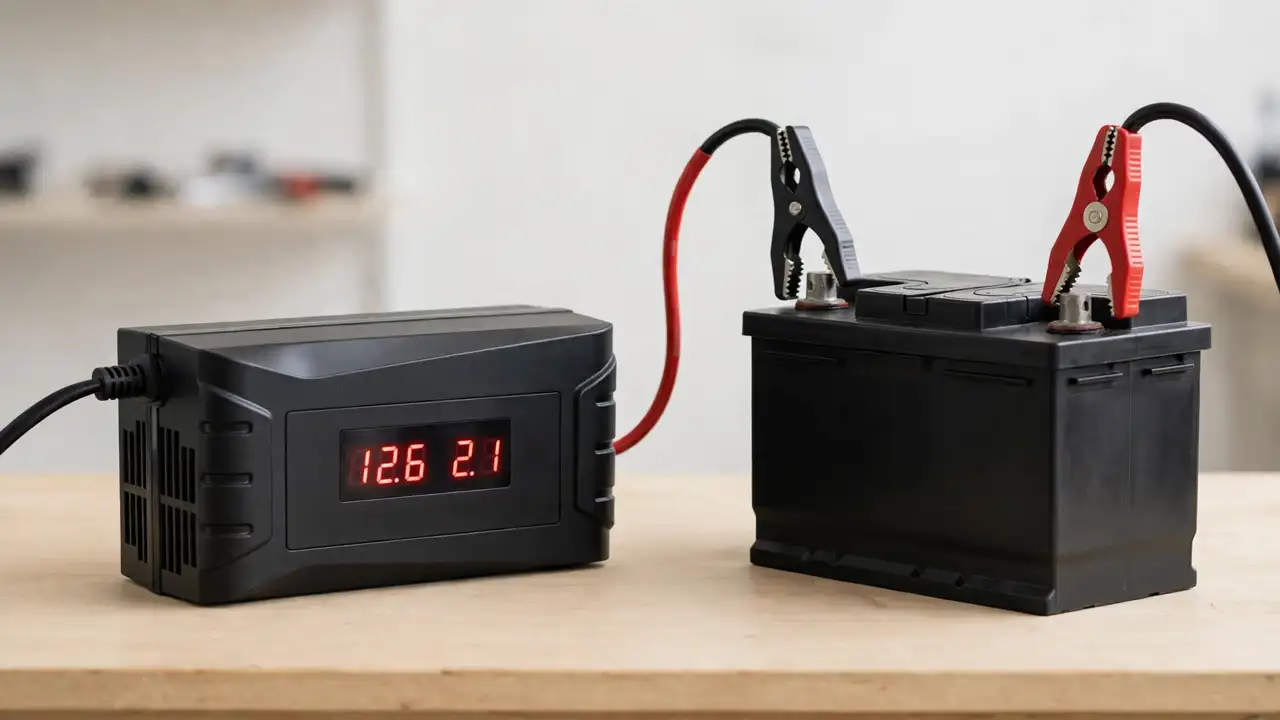
Your SUOER charger is on but the battery stays flat because the wall power, the leads, the settings, the battery, or the charger itself is at fault. Work through five checks in order: power, leads, settings, battery voltage, and the charger. Most cases end at one of these five checks.
In This Guide
Last month, a man came to our repair centre with a SUOER charger and a battery. The charger light was on, but after a full night the battery was still flat. We checked the clamps first. The black clamp looked tight, but it sat on thick white crust on the terminal, not on clean metal. We cleaned it, put the clamp back, and it worked at once.
This story is common in Pakistan. A charger that is on is not the same as a charger that is charging. Power must travel a full chain: socket, charger, leads, clamps, terminals, battery. A break at any point stops the charge, even while the light stays on. This guide walks you through that chain in plain words, with the five checks our repair team uses.
Trust nudge: This guide comes from SunTech Mall, a solar inverter spare parts store in Pakistan that also repairs inverters and UPS systems every day. The checks below are the same ones our repair team uses on the bench.
Why Is My SUOER Charger On but the Battery Not Charging? — the light is on, but no charge is going in How Does a SUOER Smart Charger Actually Charge a Battery? — the three stages, in plain words The 5 Checks That Fix Most SUOER Charging Problems — power, leads, settings, battery, charger What Do the Symptoms Mean? — match what you see to the likely cause Is My Charger Too Small for My Battery? — the 10 percent rule What Should the Battery Voltage Read? — the multimeter test What Do the Charger Lights and Display Tell Me? — read the charger like a technician When Is the Charger Itself the Fault? — the charger has failed When Should I Take the Charger and Battery to a Repair Shop? — know when to stop
Why Is My SUOER Charger On but the Battery Not Charging?
A charger that is on only tells you mains power is reaching the charger. It does not tell you that power is reaching the battery. A loose clamp, a corroded terminal, a wrong setting, a dead battery, or a failed part inside the charger can each stop the charge, while the light stays on.
Think of filling a water tank with a hose. The tap is open, but no water reaches the tank. You would check along the hose, not buy a new tap. A charger needs the same walk: socket, leads, settings, battery, charger. Most faults are found in the first three checks, and most cost nothing to fix.
People watch the charger for ten minutes, see no change, and call it dead. But a big battery charges slowly. A 100Ah battery on a 10A charger needs about 10 to 12 hours from empty, as our guide on how many amperes your battery charger should be explains. Judge the charger by the battery voltage over hours. If your inverter will not start at all, read our guide on why a solar inverter does not turn on before you blame the charger.
Note: Never open the charger case. It works on mains power, and parts inside can hold a dangerous charge even after you unplug it. There is nothing inside for a home user to fix, and opening it can end the warranty. Every check here is done from outside the charger.
How Does a SUOER Smart Charger Actually Charge a Battery?
A smart charger does not push the same current from start to finish. It works in stages, and each stage has a different job. Knowing the stages stops you from calling a healthy charger faulty.
The first stage is bulk. The charger gives its full current while the battery voltage climbs. SUOER's own 12V 40A page describes bulk as 40A at 14.4V, filling the battery to about 80 percent. You can read that on the SUOER official page for the 12V 40A fully auto digital battery charger.
The second stage is called absorption. Once the battery voltage reaches the set level, the charger holds it steady and lets the current fall away as the battery tops up. SUOER's page gives 13.8V as the absorption voltage for its 12V 40A charger. A general charging guide puts the absorption voltage for 12V at about 14.4 to 14.8 volts, and says this stage completes the last 20 to 30 percent of the charge, as explained in the EngineerFix guide to the proper lead-acid charging profile. This stage is slow on purpose. A charger that sits here a long time is not stuck.
The third stage is called float. Once the battery is full, the charger drops to a low maintenance voltage and gives only a tiny trickle current. SUOER's page gives 13.2V as the float voltage, and the EngineerFix guide puts the float range at about 13.2 to 13.8 volts. A charger that drops to a very low current reading after hours of charging has often reached float, which means the battery is full.
The SUOER MA-1240A 40A Battery Charger is a four-phase smart charger for 12V batteries, with adjustable current control and reverse polarity protection. The SUOER 10A BATTERY CHARGER MA-1210A is a 10A charger that fits the smaller end of the 100 to 150Ah home UPS battery range. For the MA-1210A, check your charger manual for its display, steps, and protections. One honest point: the SunTech Mall page lists the MA-1240A as a four-phase charger, while SUOER's own page describes three phases. No source names a fourth phase, so this guide does not invent one.
The 5 Checks That Fix Most SUOER Charging Problems
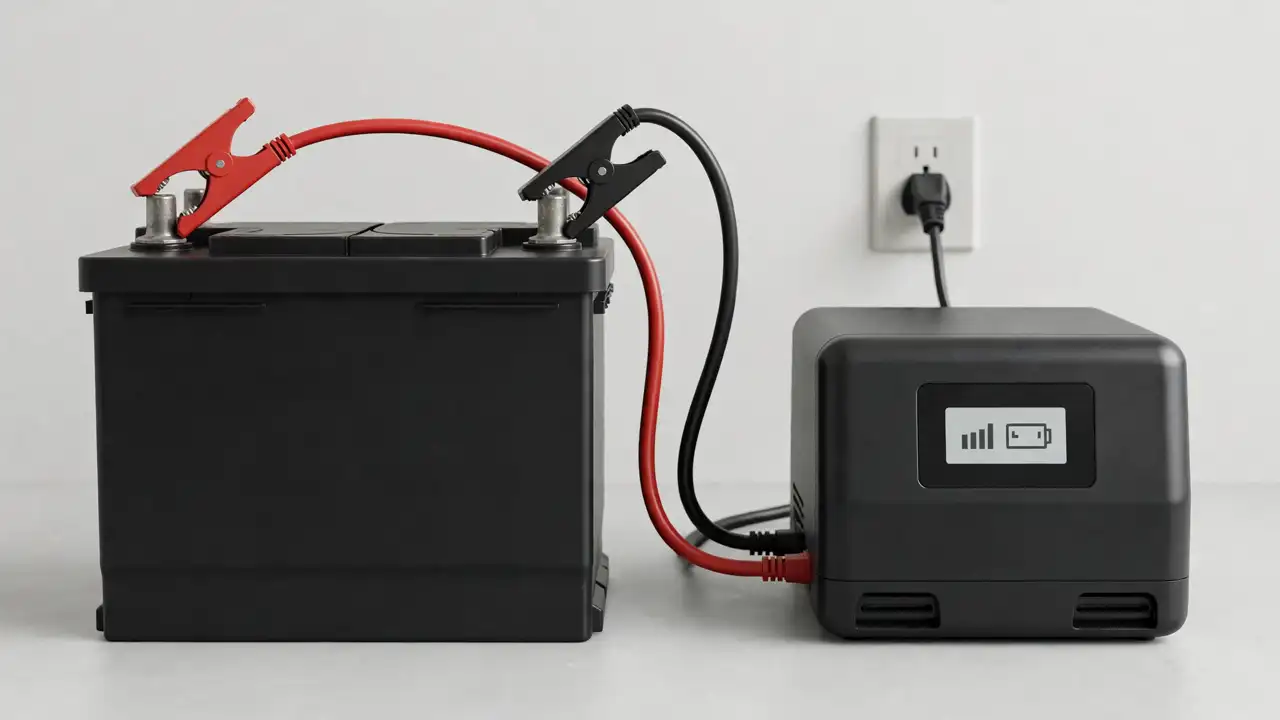
Work through these five checks before you order a new charger. Each check takes only a few minutes.
- Check the wall power and the charger plug. Plug in a phone charger and see if it gets power. Push the charger plug fully in and switch the socket on. If the socket is dead, try another one in the house. If the charger works in one socket and not in another, the socket is the fault, not the charger.
- Check the leads, clamps, and terminals. Switch the charger off and unplug it first. Red goes to the positive terminal, marked with a plus sign. Black goes to the negative terminal, marked with a minus sign. If the clamps are reversed, the charger will not charge, even though the MA-1240A lists reverse polarity protection. That protection stops damage, but it does not make a reversed connection work. Take each clamp off and clean any white or green crust off the terminals. A clamp on crust is not touching clean metal, and no current can pass through crust. Put the clamps back on clean metal and squeeze them until they grip tight. Also check the cables for cuts or melted spots. A damaged cable must be replaced by a technician.
- Check the charger settings: voltage and battery type. A charger set for the wrong voltage or the wrong battery type will not charge your battery properly, even with perfect leads. Read the battery label first: it says 12V or 24V, and the type: flooded, AGM, gel, or lithium. Your charger must match both. The MA-1240A is a 12V charger, so it suits a 12V battery or bank, not a 24V bank. For any other charger, check your manual for its voltage and battery types. If your charger has a battery-type switch, set it to your battery type before you connect. On the MA-1240A, also check the adjustable current control. Too low, and charging crawls. Too high, and the battery heats up. Set the current to the level your battery manual allows.
- Check the battery itself with a multimeter. A very old, badly sulphated, or dead-cell battery will stay flat no matter which charger you use. Let the battery rest with no charger and no load for a few hours, then measure the voltage with a multimeter set to DC volts. A healthy 12V lead-acid battery at rest reads about 12.6 to 12.8 volts when full, 12.1 to 12.3 volts at half charge, and below 11.8 volts when deeply discharged, as shown in the BatterySkills lead-acid battery voltage chart.
- Check the charger itself: display, fan, heat, and smell. Many smart chargers show the charging current on a display. On a flat battery, the current should start high and fall slowly as the battery fills. If the display shows no current at all while the battery is connected and flat, and the first four checks are all good, the charger is the suspect. Listen for the cooling fan. SUOER's own page says its 12V 40A charger has a dual cooling fan system. A fan that never runs on a hot charger, or a case that feels very hot to touch, needs a technician's look. If you smell burning or see smoke, switch the charger off at the wall at once and unplug it. Do not use it again.
If all five checks pass and the battery still does not charge, the fault is the battery or the charger. The next sections help you tell which one it is.
What Do the Symptoms Mean?
| Symptom | Likely cause | What to check first |
|---|---|---|
| Charger light is on, display shows no current | No connection to the battery, or clamps reversed | Leads, clamps, terminals, and polarity from check 2 |
| Charger shows full within minutes on a big empty battery | Battery cannot hold charge, or the charger is reading a surface charge | Resting voltage with a multimeter, then a load test |
| Charger runs for hours but the battery never fills | Charger too small for the battery, or the battery is old and sulphated | Charger size against the 10 percent rule, then battery age |
| Charger or battery gets very hot, or smells strange | Current set too high, poor ventilation, or a failing part | Current setting, air flow around the charger, then stop and call a technician |
Find your symptom, then follow the check in the right column. Work down the list: the cheap, simple checks first, and the repair-shop checks last. A charger that shows full in minutes is the symptom people trust the most, and it is the one that lies the most. A battery with damaged plates can show full voltage at rest and still die in minutes under load. Our guide on why a UPS battery drains fast explains this gap in full.
Is My Charger Too Small for My Battery?
A charger that is too small kills a battery slowly, over weeks and months, by never letting it get full. A lead-acid battery that stays half charged grows a hard layer on its plates. Technicians call it sulphation.
The rule is simple: for a normal lead-acid battery, pick a charger rated at about 10 percent of your battery size in Ah. A 100Ah battery needs about a 10A charger, and a 200Ah battery needs about a 20A charger. The SUOER 10A BATTERY CHARGER MA-1210A fits the smaller end of home use: a 100Ah battery on a 10A charger takes about 10 to 12 hours from empty. The SUOER MA-1240A 40A Battery Charger fits bigger banks, because its adjustable current control lets you set the current your bank needs. SUOER's own page for its 12V 40A charger says it suits 80 to 250Ah 12V batteries.
Power cuts make a small charger worse. In many areas, power comes back for only a few hours between cuts. A 5A charger on a 200Ah battery needs about 40 hours to fill it from empty in simple maths. If power is back for only three hours, the battery gains only a small part of its charge, then the next cut drains it again. Each day it sinks lower, until the owner blames the battery. The battery was never charged.
Bonus Tip: Take a clear photo of your battery label today, while everything works, showing the Ah number, the voltage, and the battery type. Keep it on your phone. When you buy a charger or ask a shop for help, show that photo.
Battery type changes the answer too. The 10 percent rule is the starting point for lead-acid batteries. Gel batteries are more sensitive and need a lower current and gentler voltage. Lithium batteries can often take a much higher current, but only in lithium mode and inside the limit the battery manual gives. If you are choosing between battery types, read our guide on lithium battery vs tubular battery. For a bigger lithium setup, read our guide on the 48V lithium battery setup. Never copy lead-acid charger settings onto a lithium battery.
What Should the Battery Voltage Read?
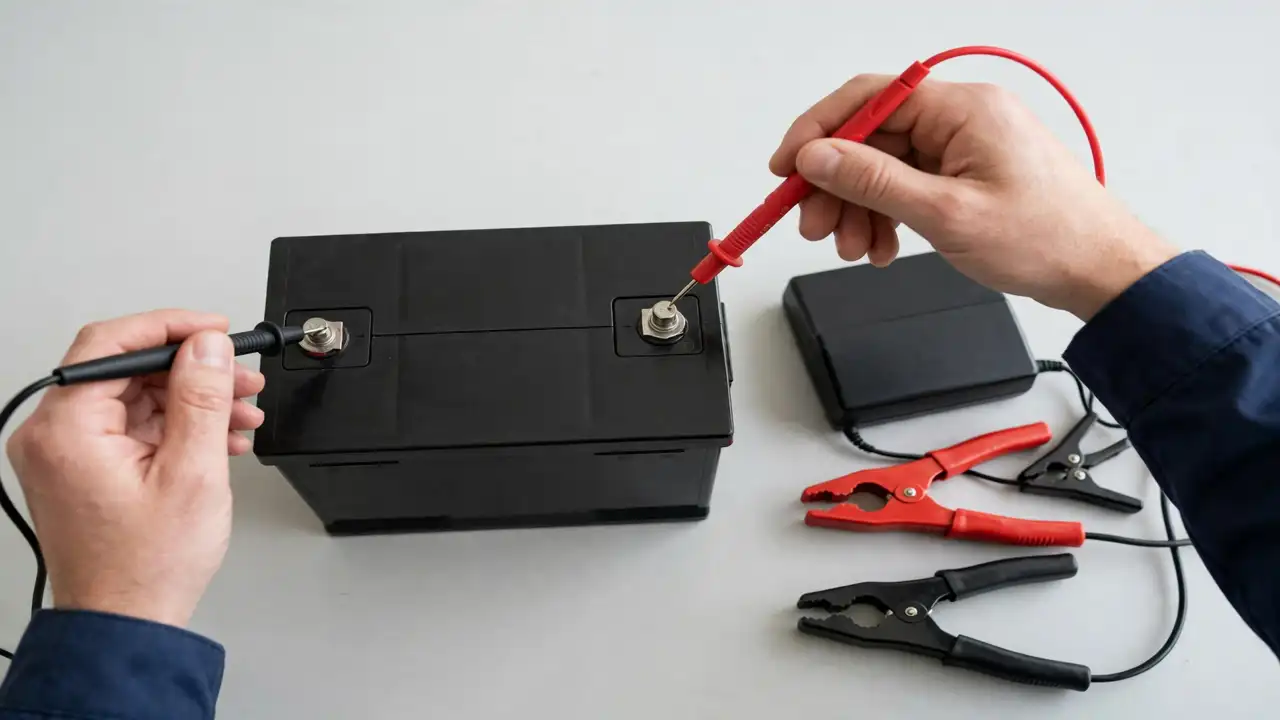
A multimeter turns guessing into knowing. It costs little, and it answers the main question in one minute: is the battery flat, half full, or full? You need a digital multimeter set to DC volts, on the 20V range. Red lead to the positive terminal, black lead to the negative terminal. If the number shows a minus sign, swap the leads and read again.
Let the battery rest first. A reading taken right after charging or a load will lie to you. Disconnect the charger and switch off the load, then let the battery sit for a few hours with nothing connected. Then read the resting voltage. A fully charged 12V lead-acid battery at rest reads about 12.6 to 12.8 volts. At 75 percent, about 12.4 to 12.5 volts. At half charge, about 12.1 to 12.3 volts. At a quarter charge, about 11.8 to 12.0 volts. Below 11.8 volts, the battery is deeply discharged and needs charging at once. These numbers come from the BatterySkills lead-acid battery voltage chart, for a resting battery at room temperature.
These numbers describe a flooded lead-acid battery at rest. AGM batteries read a little higher, and lithium batteries read far higher, near 13.3 to 13.6 volts when full. Always use the chart for your own battery type. Your battery manual is the final word. Voltage also shows charge level, not battery health. A worn battery can rest at 12.6 volts and still collapse under load. If your battery reads full at rest but dies in minutes under load, the charger is probably fine and the battery needs a load test at a repair centre.
Note: Lead-acid batteries can give off gas while charging, so always charge where fresh air moves around the battery, never in a sealed box or a closed cupboard. Keep the battery away from flames and sparks, and keep the charger in the open air too, so its fan can cool it. When you disconnect, switch the charger off and unplug it first, then take the black clamp off first, then the red clamp.
What Do the Charger Lights and Display Tell Me?
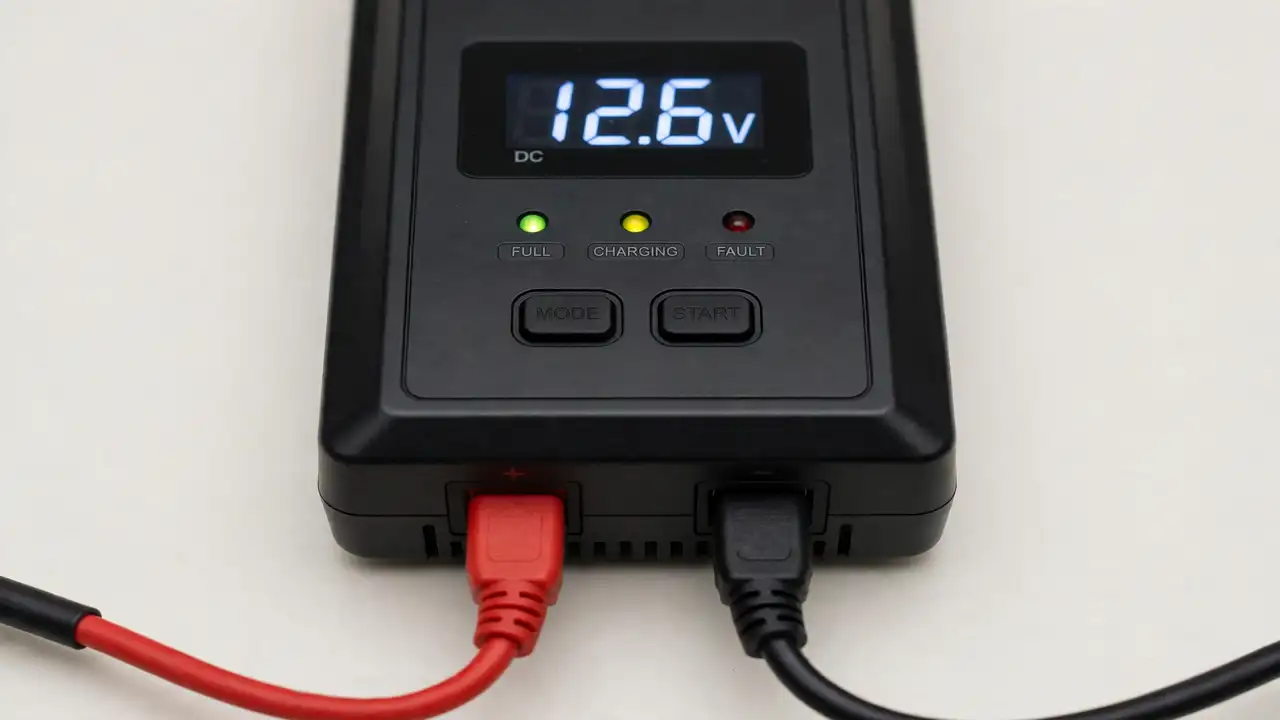
The charger display is a small window into what the charger is doing. The number shows the charging current. On a flat battery, that current should start high and fall slowly over hours as the battery fills. A current that stays at zero from the start, on a flat battery, is a broken chain: check the leads, the settings, and the socket again before you blame the charger.
A "full" light within minutes is the reading people trust too much. On a big, empty battery, a full reading in minutes is almost never real. It usually means the charger is reading a surface charge that fades fast, or the battery has lost so much capacity that it cannot take more charge. Let the battery rest, measure the voltage, then put a real load on it. If the voltage falls fast, the battery is the fault.
The charger also protects itself, and those protections can look like faults. SUOER's own page for its 12V 40A charger lists full protections: over-charge, short-circuit, reverse polarity, over-temperature, and over-current. If the charger shuts itself off, it may be protecting itself from heat or from a short, not failing. Check the air flow first. Is it buried under cloth or boxes? Is the fan blocked? Move it into open air, let it cool, and try again.
SUOER's page says the dual cooling fan system on its 12V 40A charger starts when the temperature climbs, and it names 50 degrees as the point where the fan steps in. A fan that never runs while the charger case gets very hot is a warning. A charger that is hot to touch or smells of burning must be switched off at once and never used again until a technician has checked it.
When Is the Charger Itself the Fault?
After the five checks, the charger is the suspect only when everything else is ruled out: the socket is live, the leads are clean and tight, the polarity is right, and the settings match the battery. If a known-good battery still does not charge on your charger, and the display shows no current or the charger shuts off again and again, the fault is inside the charger.
A repair centre can swap-test both on the bench in minutes: whichever part fails is the faulty part. Do not try this swap at home unless voltage, battery type, and current setting all match.
Do not try to repair the charger yourself. There are no user-serviceable parts inside, and the mains side is dangerous even when unplugged. A charger that has failed is a job for a trained technician with bench tools, or a replacement. When you buy a replacement, buy an original charger from a seller who stands behind it. A fake charger may carry the right brand name and still be the wrong part inside. Our guide on original vs fake inverter spare parts shows how to spot a fake before you buy.
When Should I Take the Charger and Battery to a Repair Shop?
Some jobs belong on a bench, in trained hands.
If the battery case looks swollen, cracked, or bent, stop. Do not keep charging it. Ask a technician to remove it safely. If the battery leaks, smells strongly, or gets very hot during charging, switch the system off and get help right away.
If the charger smells of burning, shows melted plastic, or trips the house breaker, stop. Unplug it and do not use it again.
If the battery reads full at rest but dies in minutes under load, stop guessing. The battery needs a load test, and only a repair centre can run it properly. The same applies if a correct charger still shows no current on a battery another charger fills: the charger needs a bench test.
And if you are unsure about safety at any point, stop. A shop visit costs far less than a battery ruined by a wrong guess. For the year-round care routine, read our solar inverter maintenance guide.
Frequently Asked Questions
Why does my SUOER charger show full but the battery dies fast?
The charger is reading voltage, not stored energy. A battery with damaged plates can show a full voltage at rest and still hold very little energy. Let the battery rest, measure the voltage, then put a real load on it. If the voltage falls fast under load, the battery has lost capacity.
Can I use the SUOER MA-1240A 40A charger on a 100Ah battery?
Yes, because the MA-1240A has adjustable current control. Set the current near the 10 percent rule, about 10A for a 100Ah lead-acid battery. Do not run it at full 40A on a small battery every day.
How long does it take to charge a 100Ah battery with a 10A charger?
About 10 to 12 hours from empty, in real life. Simple maths gives 10 hours, plus time for losses, because charging is not 100 percent efficient and the last part is slow by design. A battery that is only half empty takes about half that time.
Can I leave the SUOER charger connected overnight?
A smart charger in float stage keeps a full battery topped up at a low voltage. But never leave it running overnight if the charger or the battery gets hot, smells strange, or shows damage. Charge in a place with fresh air and follow your charger manual. If anything looks or smells wrong, switch it off and ask a technician.
Why does my SUOER charger get hot during charging?
A charger gets warm during charging, and that is normal, because it is moving a lot of power. It gets too hot when the current is set too high for the battery, when the air flow is blocked, or when the room is very hot. Check the current setting, move the charger into open air, and make sure the fan is not blocked. If the case is very hot or you smell burning, switch it off at once.
Where can I buy an original SUOER battery charger?
SunTech Mall stocks both models in this guide. The SUOER 10A BATTERY CHARGER MA-1210A suits smaller batteries near 100Ah, and the SUOER MA-1240A 40A Battery Charger suits bigger banks with its adjustable current. Check the live price on the product page before you order.
Final Thoughts
A charger that is on but not charging is a puzzle with only five pieces: power, leads, settings, battery, and charger. Work through them in order. Most of the time, the fault is a loose clamp, a corroded terminal, a wrong setting, or a charger that is too small for the battery.
Read the battery label, match the charger to it, keep the terminals clean and tight, and watch the voltage over hours, not minutes.
Ready to fix the charge? The SUOER 10A BATTERY CHARGER MA-1210A suits smaller batteries near 100Ah, and the SUOER MA-1240A 40A Battery Charger suits bigger banks with its adjustable current — check the live price on the product page and order the right charger the first time. Questions about the match? Message SunTech Mall on WhatsApp at 0306-2244820 with a photo of your battery label, and we will help you check the match before you buy.
Sources: SUOER 12V 40A Fully Auto Digital Battery Charger ; What Is the Proper Lead-Acid Battery Charging Profile? ; Lead Acid Battery Voltage Chart
Related Technical Guides
 Category:
General
Inverter Fan 12V vs 24V 2026: Wrong Voltage Burns the Board (and How to Match the Right Fan)
Published on 11 November 2026. Updated on 11 November 2026. A 12V fan and a 24V fan are not interchangeable. A 12V…
 Category:
General
Gate Driver IC TLP350H Failure 2026: 7 Signs Your Gate Driver Is Bad
Published on 10 November 2026. Updated on 10 November 2026. A bad TLP350H gate driver IC is a common cause when an…
 Category:
General
Lithium Battery 48V Setup 2026: Pair It With Your Inverter the Right Way
Published on 9 November 2026. Updated on 9 November 2026. A 48V lithium battery setup works when three things match: your inverter…