
Inverter Display Blank 2026: Why Your Screen Goes Dark and How to Fix It
Your inverter display is blank because it has lost power, or the display itself has failed. Check the status lights. If the lights are off, the DC or AC supply is likely…

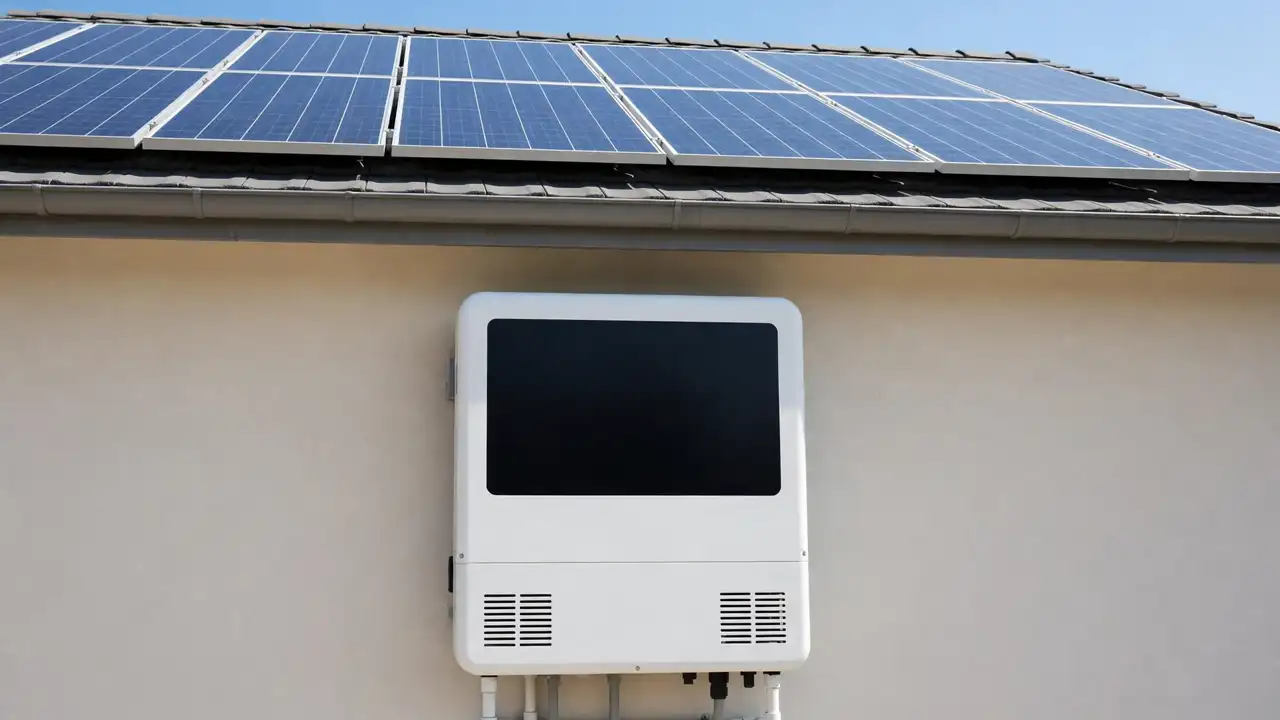
Your inverter display is blank because it has lost power, or the display itself has failed. Check the status lights. If the lights are off, the DC or AC supply is likely off. If the lights are on, only the screen or its cable is dead. Never open the inverter.
In This Guide
Last week, a shop owner in Charsadda called our repair centre in the morning. His fans were running, his lights were on, and his solar system was working. But the inverter screen was dark. He could not see the battery level or any fault code. He thought the whole inverter had died.
It had not. On the bench, we found the cause in minutes: the inverter was alive and charging, and only the small display screen had failed. A new display brought the numbers back the same day.
This guide explains why an inverter display goes blank, in simple words. You will learn the difference between a dead display and a dead inverter, the safe checks you can do from outside the box, and when the job belongs to a technician. If your inverter stopped after a storm, read our SPD and Voltage Protection 2026 guide first, because a surge can kill the display and the power stage together.
Trust nudge: This guide comes from SunTech Mall, a solar inverter spare parts store in Pakistan whose repair team fixes blank displays on the bench every week.
Why Is My Inverter Display Blank? Is a Blank Display Normal at Night? How Do I Tell If Only the Display Is Dead? What Causes a Blank Inverter Display? What Is the Display Ribbon Cable, and Can It Cause a Blank Screen? What Is the Internal Power Supply, and Why Does It Kill the Screen? Can a Surge, Heat, or Water Damage Make the Display Go Blank? How Do I Check a Blank Inverter Display Safely? When Should I Call a Technician?
Why Is My Inverter Display Blank?
The display is the face of your inverter: it shows the battery level, the solar input, the load, and any fault code. But a blank screen does not always mean a dead inverter.
Two problems hide behind one dark screen. In the first, only the display is dead: the inverter keeps working, the panels keep charging, and the loads keep running, but you cannot see the numbers. In the second, the whole inverter has lost power, so nothing works and the screen stays dark.
On our bench, the second problem is the more common one. Most blank screens are power problems, not display problems: the screen needs low-voltage power, and if that power never arrives, the screen stays dark.
Note: A blank screen is a symptom, not a diagnosis. It tells you something is wrong, but it does not tell you what. The lights, the app, and the switches tell you the rest.
If your inverter display is not working, first work out which of the two problems you have. If the inverter will not turn on at all, our guide on Solar Inverter Not Turning On 2026 walks through the first checks.
Is a Blank Display Normal at Night?
Yes, very often. A blank display at night is normal for many grid-tied string inverters: after sunset, the panels make no power, the DC voltage falls below the start level, and the inverter sleeps until morning.
A grid-tied string inverter needs a set DC voltage to start, often between 80V and 150V DC, and the exact number depends on the maker. Solar Battery Fix explains that when the sun is gone, the solar voltage drops to zero and the inverter naturally powers off. That is not a fault.
Hybrid and off-grid inverters can draw power from the battery or the grid. If your hybrid screen is dark at night, check the battery first: a flat battery, or a battery isolator that is off, cuts power to the screen. Some models sleep only the backlight, and a press of any button wakes it, as Techfine notes.
Note: Never judge a blank screen at dawn. Check the inverter in full daylight, after 30 to 60 minutes of usable sunlight, as Sun Power Systems advises. Heavy cloud or shade can delay the start.
If the screen is still dark at midday, with sun on the panels, that is a real fault, not sleep.
How Do I Tell If Only the Display Is Dead?
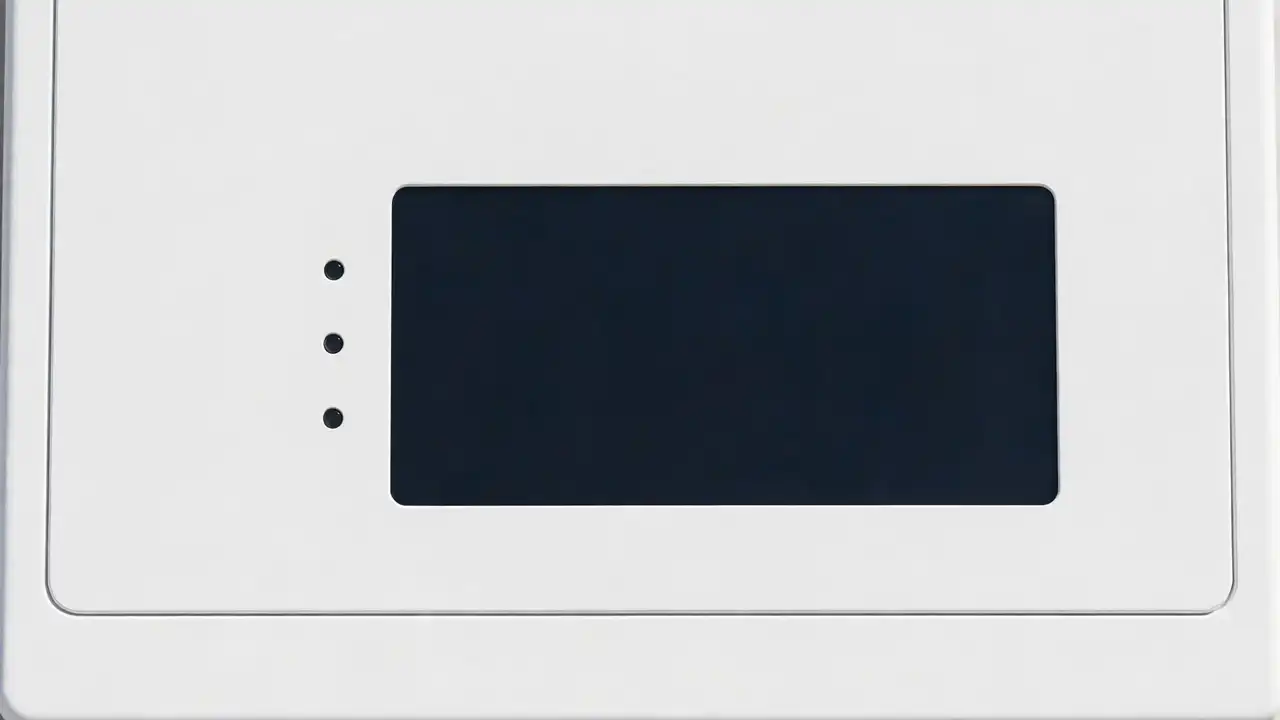
Two clues tell you whether the display alone has failed: the status lights and the monitoring app. No need to open the inverter.
First, look at the small status lights near the screen. If the display is dark but a green or blue light is on or pulsing, the core of the inverter has power: the brain is awake, and only the face is dark. If there are no lights at all, the whole logic section has lost power.
Second, open the monitoring app. If it shows live production or battery level with a fresh time stamp, the inverter is working: its processor and communication board are alive. When an inverter makes power and sends data while its screen stays dark, the fault sits in the display ribbon cable, the LCD panel, or the display driver, as Solar Battery Fix explains.
| What you see | Likely cause | First check |
|---|---|---|
| Screen dark, lights on, app shows live data | Dead LCD, failed backlight, or loose ribbon cable | Note the LED pattern and call a technician |
| Screen dark, no lights, no app data | No DC or AC supply, or a blown fuse | Check the isolators, breaker, and battery |
| Screen dark at night only | Normal sleep mode | Check again in bright daylight |
| Screen dark, with a burning smell | Surge damage or main board failure | Switch off and call a technician at once |
Bonus Tip: Photograph the screen, the lights, and the model label before you touch any switch: a photo helps the technician more than a long description.
What Causes a Blank Inverter Display?
A blank display has a short list of common causes. Work through them from the outside in.
The most common cause is low DC voltage: shaded, dusty, or disconnected panels may never reach the start level. On a hybrid system, a battery that has hit its low-voltage cut-off does the same thing: it cuts the DC bus, and the screen goes dark with it.
The next cause is a switch or a fuse. The rotary DC isolator under or beside the inverter may be off, or the AC breaker may have tripped. A fuse on the DC input can blow after a short circuit or a current spike, and when it blows, power cannot reach the boards inside.
Reversed PV polarity is another cause: if the positive and negative wires from the panels are swapped, the inverter will not start, and the screen stays dark. This usually shows up right after a new install or a rewiring job.
Grid loss can blank the screen too: a grid-tied inverter shuts down during a utility outage so it cannot send power back into dead lines. If the grid is down, the inverter will wake when the grid returns.
On a hybrid system, a battery isolator in the wrong position, a depleted battery, or a backup gateway fault can all blank the screen. Battery systems need the maker's own restart order.
If the inverter will not start at all, our guide on Solar Inverter Not Turning On 2026 covers the same first checks. If it stopped after a storm, read our SPD and Voltage Protection 2026 guide, because surge damage often hides behind a blank screen.
What Is the Display Ribbon Cable, and Can It Cause a Blank Screen?
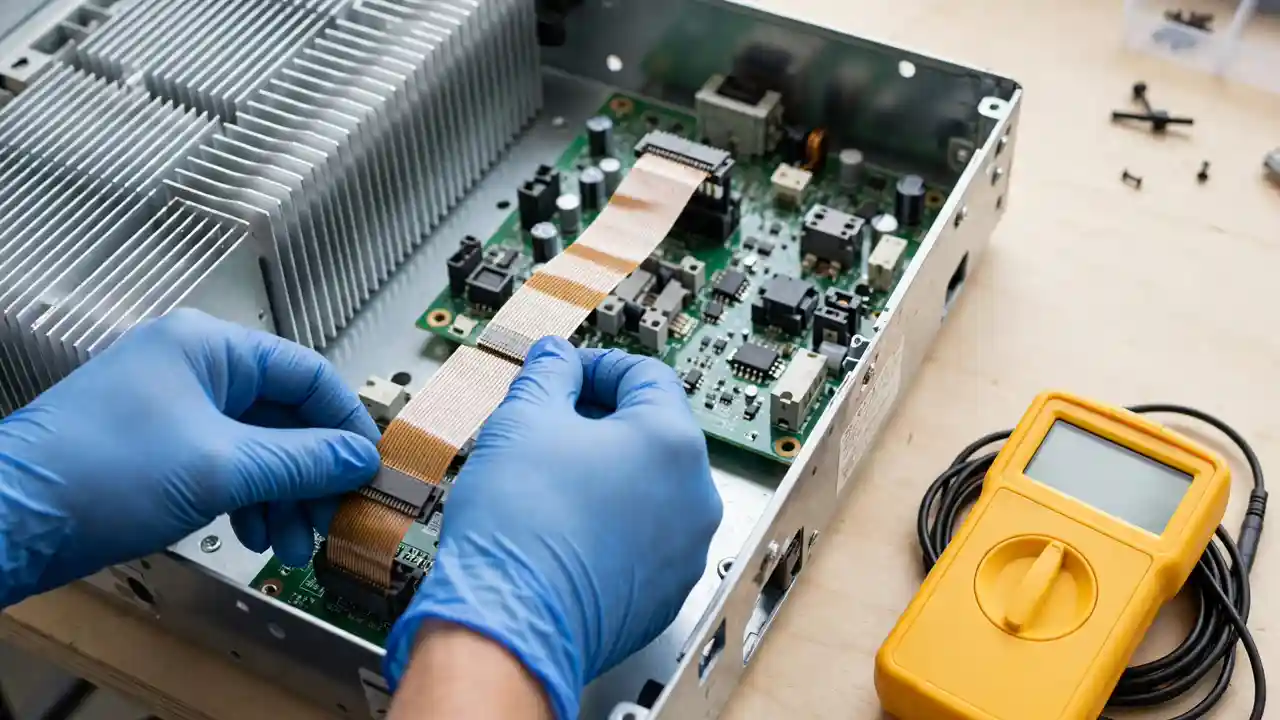
Inside the inverter, a flat ribbon cable carries power and data from the main board to the LCD screen on the door. Heat and vibration can loosen its small plastic latch over the years. When the cable slips, the screen goes dark.
On the bench, this is common: Solar Battery Fix notes that vibration or heat cycling can loosen the plastic latch, and the cable must be seated firmly in its socket. Techfine gives the same test: LEDs on with a dark screen points to the display module or its ribbon connection.
The backlight can fail on its own too. An LCD screen has a small light behind it, and when that light dies, the screen looks dead. Hold a torch at a sharp angle to the glass: if you can see faint numbers, the backlight has failed. That is a display-only fault.
The control board is the third part in this chain: it links the display to the main board. A service manual for a common 6 kW hybrid inverter says it plainly: if the LCD will not light up with battery, solar, or AC input, replace the MAIN board and the control board. A bench test finds which board failed.
Note: Reseating a ribbon cable means opening the inverter cover, and the DC inside stays live in daylight. That job belongs to a qualified technician only.
When the display itself is the fault, the fix is a new display. One original part we carry is the Hybrid Inverter Display 126-00123-01 for hybrid inverters — you can check the live price on the product page. A technician fits it and tests the new screen.
What Is the Internal Power Supply, and Why Does It Kill the Screen?
Deep inside the inverter sits a small circuit called the switched-mode power supply, or SPS. It turns the high DC voltage from the panels or battery into the low voltages the inverter's brains need. Solar Battery Fix explains that the SPS turns high-voltage DC into three low-voltage rails: 12V DC for relays and fans, 5V DC for general logic, and 3.3V DC for the processor and the display.
If the SPS fails, the screen dies with everything else: the panels can sit in full sun, and the inverter still cannot make the low-voltage power its own boards need. A surge can damage the SPS transformer, its switching MOSFET, or its start-up resistors. Our guides on why an IGBT burns and how to test a MOSFET with a multimeter explain how surge and heat kill power parts, and how a technician tests them.
A blown internal fuse does the same thing. Most inverters have fast-acting fuses on the DC input bus, and a short circuit or a current spike blows the fuse in an instant to save the power transistors.
The worst case is a dead main board: shorted IGBT power modules, scorched tracks, or heavy surge damage can trip the safety circuits, and the inverter latches itself off to stop a fire. A burning smell, or black marks near the vents, points to this damage. Switch the system off and call a technician at once.
Can a Surge, Heat, or Water Damage Make the Display Go Blank?
Yes: a display that was fine yesterday and dead today took a hit from one of them.
A surge is the fastest killer. Lightning does not need to hit your roof: a strike kilometres away can push a spike through the long DC cables from the panels and kill the SPS, the control board, or the display itself. Our SPD and Voltage Protection 2026 guide explains how a surge protection device takes that hit instead. If your inverter went blank the morning after a storm, surge damage is the first thing a technician will look for.
Heat is the slow killer. An inverter in direct sun, with blocked vents or a dead fan, can shut itself down on high temperature. But repeated overheating wears out the capacitors and power parts inside. Our guide on solar inverter overheating explains how to keep an inverter cool in a Pakistani summer.
Water and damp do quiet damage too. Moisture can rust the boards and relay contacts inside: a service manual for a common hybrid inverter blames rust from dust and moisture for relay check failures. Look from outside for water marks, rust, or insect nests in the vents. Never spray or wash an inverter.
Firmware can freeze the screen too. A blank screen is usually a power problem, but a frozen screen — numbers stop moving, buttons do nothing — is usually a firmware or communication problem. Techfine notes that one power cycle clears most freezes, but a freeze that keeps coming back needs a service update, not another restart.
Note: A display that returns after the inverter cools down is not fixed: it is warning you. Get the unit checked before the next hot day or the next storm.
How Do I Check a Blank Inverter Display Safely?
Checking a blank display is safe only from outside the box: the DC side stays live in daylight, because the panels make power whenever the sun shines. Never open a live inverter. The steps below are what a safe check looks like.
- Check the time of day and the status lights from outside the box.
- Open the monitoring app and check for live data.
- Check the labeled DC isolator and AC breaker positions. Move a tripped breaker fully to Off before you switch it back On.
- Photograph the screen, the lights, and the model label.
- Do one approved restart in the maker's order: AC off, DC off, wait five minutes, DC on, AC on — only if the manual allows it.
- If the screen stays dark, or a breaker trips again, leave it off and call a technician.
A restart can clear a temporary software lock or a fault from a short grid dip. But it cannot repair a failed capacitor, a blown fuse, or a damaged control board. If the screen returns but shows a fault code that will not clear, the repair is not done.
Note: DC stays live in daylight: panels make power whenever the sun shines, so the DC side is never safe to touch. That check belongs to a qualified technician only.
Never repeat the restart without technical advice. If a breaker trips again the moment you switch it on, leave it off: repeated resetting can feed more current into a short circuit. A technician must test the circuit first.
When Should I Call a Technician?
Call a technician when the screen stays dark after one correct restart in daylight, or when there is a burning smell, a hot case, water inside the unit, or visible arcing. Switch the system off at the labeled isolators and keep it off.
Call a technician when the lights are on but the screen is dark. That pattern points at the display, the ribbon cable, or the control board, and all three are bench jobs. The technician will test the low-voltage rails and fit a tested display to find the failed part. Our Day Solar Inverter Spare Parts 2026 guide shows the parts that fail most often.
Call a technician when the same fault keeps coming back: a display that dies again a week after a new one was fitted means something else is wrong, such as a weak power supply or a surge path that was never fixed. Only a meter can find it.
Our solar inverter repair cost guide shows what a technician visit usually covers. If the screen is dead but the inverter works, keep using the monitoring app while you wait for the part.
Frequently Asked Questions
Why is my inverter display blank at night?
A blank screen at night is normal for many grid-tied string inverters: after sunset, the panels make no power and the inverter sleeps until morning. Hybrid and off-grid inverters often stay lit from the battery. A screen still dark at midday is a fault, not sleep.
My inverter display is blank but the app shows power. Is my inverter still working?
Yes. An inverter display not working while the app shows live production means only the display has failed: the fault is in the LCD, the backlight, the ribbon cable, or the display driver. Keep using the app, and get the display fixed by a technician.
Can I fix a blank inverter display myself?
You can do the outside checks: the status lights, the app, the labeled isolators, and one approved restart. You cannot do the inside work: opening the cover or testing a board means working with live DC. Never open a live inverter.
Why is my inverter display blank after a storm?
A storm surge can kill the internal power supply, the control board, or the display itself. Lightning does not need to hit your roof: a strike kilometres away can push a spike through the panel cables. Call a technician.
What does it mean if the display is blank and there are no lights at all?
No lights means the inverter has no control power. The cause is usually outside the box: a DC isolator off, an AC breaker tripped, a blown fuse, or a flat battery. If the supply is fine and the lights stay off, the fault is inside.
Will a new display fix my blank screen?
Only if the display is the fault: a new display cannot fix a dead power supply, a blown fuse, or a failed control board. That is why a technician tests first. Fitting a new display without that test wastes a good part on a bad board.
Final Thoughts
A blank inverter display is a clue, not a verdict: the sun has set, a switch is off, a fuse has blown, a small screen has died — or the power supply or the control board has failed. The lights, the app, and the switches tell you which one it is, without opening the box.
Check the lights, then the app, then the labeled switches. Do one approved restart, and only one. If the screen stays dark, stop there: the inside of an inverter holds live DC in daylight, and the display, the ribbon cable, and the control board are all technician jobs. Fix the cause, not the symptom. That is the lesson of an inverter display not working: the screen is the messenger, and the power behind it is the message.
Ready to fix your blank inverter display? See the Hybrid Inverter Display 126-00123-01 for hybrid inverters, and browse the full range at SunTech Mall. Questions? Message SunTech Mall on WhatsApp at 0306-2244820 with your inverter model and a photo of the screen.
Published on 23 November 2026. Updated on 23 November 2026.
Sources: Solar Battery Fix — Inverter Display Blank: Power Supply vs. Total Failure (startup threshold, SPS rails) ; Sun Power Systems — Solar Inverter Screen Went Black (night sleep, restart order, DC hazard) ; Techfine — How to Read a Solar Inverter Display (blank screen is a power problem, frozen screen is firmware) ; Hybrid LV 6KW Solar Inverter Owner's Manual / Service Manual (no LCD means replace MAIN and control board)
Related Technical Guides
 Category:
General
SPD and Voltage Protection 2026: Save Your Solar Inverter From Power Surges
An SPD, or surge protection device, guards your solar inverter from voltage spikes caused by lightning and grid switching. It sends the…
 Category:
General
Day Solar Inverter Repair 2026: 7 Common Faults and the Real Parts That Fix Them
A Day Solar inverter fails in seven common ways: no output, repeated restarts, heat shutdown, no solar input, blown fuses, strange noise,…
 Category:
General
Lithium Battery Lifespan 2026: 7 Mistakes That Kill Your Battery Early — A Technician’s Guide
Published on 20 November 2026. Updated on 20 November 2026. A lithium battery lasts years longer when you avoid seven mistakes: draining…