
Inverter Relay Clicking Sound 2026: What That Click-Click Means and How to Fix It
A repeated click-click from your inverter usually means the transfer relay is trying to switch between grid, battery, and solar power but cannot settle. The most common cause is a disconnected or…

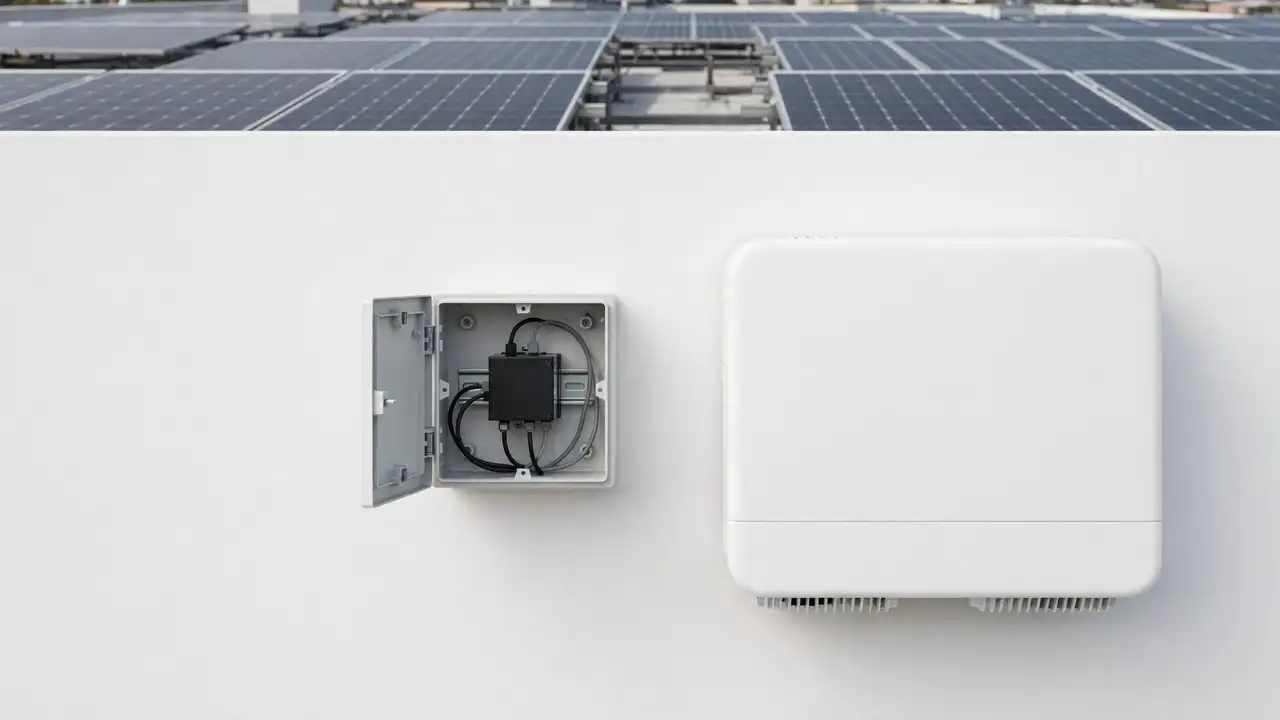
A repeated click-click from your inverter usually means the transfer relay is trying to switch between grid, battery, and solar power but cannot settle. The most common cause is a disconnected or very low battery. Check the battery connections and voltage first, then read the fault code on the screen.
In This Guide
A shop owner in Rawalpindi called our repair centre. His inverter had started to click, click, click, and he thought it was about to catch fire. It was not. On the bench, we found the cause in minutes: one battery cable had worked loose. A tight connection and a charged battery ended it.
This guide explains what an inverter relay clicking sound means, in simple words. You will learn when a click is normal, why a relay clicks again and again, the safe checks you can do, and when the job belongs to a technician. If your inverter screen has also gone dark, read our Inverter Display Blank 2026 guide, because a dead screen and a clicking relay often share one cause.
Trust nudge: This guide comes from SunTech Mall, a solar inverter spare parts store in Pakistan whose repair team fixes clicking inverters on the bench every week.
What Does an Inverter Relay Clicking Sound Mean? Is One Click Normal, or Is Every Click a Fault? What Is a Relay, and What Does It Do Inside an Inverter? Why Does the Relay Click Again and Again? What Do the Fault Codes on the Screen Mean? How Do Loose Battery Connections Make the Relay Click? Can the Grid, the Load, or the Settings Make the Relay Click? How Do I Check a Clicking Inverter Relay Safely? When Should I Call a Technician?
What Does an Inverter Relay Clicking Sound Mean?
A clicking sound from your inverter is the sound of a small electric switch working. Inside the inverter sits a part called a relay. Every time the relay connects or disconnects power, it makes a click.
One click is the relay doing its job. Repeated clicking is the relay trying and failing. SolarNevs explains it plainly: a repeated click usually means the internal transfer relay is trying to switch between grid power, battery power, and solar power, but it cannot settle into a stable mode.
The most likely cause is the battery. SolarNevs names a disconnected or critically low battery as the most likely cause of repeated clicking, and says your first check should always be the battery connections and the battery voltage. If the inverter will not start at all, see our guide on Solar Inverter Not Turning On 2026.
Note: The click itself is not the fault. It is the sound of the inverter trying again. The fault is whatever keeps the power from staying steady.
Is One Click Normal, or Is Every Click a Fault?
One click is normal. Every click is not a fault on its own. The difference is timing and repetition.
A few relay clicks at start-up or shutdown are usually normal. GES Energy says the internal relay connects or disconnects the inverter from the grid, so a short sequence at either change does not automatically mean a fault.
ElectronixLab makes the same point for relays in general: a single click at switch-on and one at switch-off can be normal. Repeated audible cycling is different. That is the sound of a relay losing its stable state, or being told to change too fast. The click alone does not prove the relay is worn out.
When does it happen: once at start-up, or again and again while it runs? And what comes with it: flickering lights or falling output? Clicking that repeats during operation, with an error code, or with falling output deserves attention, as GES Energy notes.
Note: A click at start-up is the inverter waking up. A click every few seconds while the inverter runs is the inverter failing to wake up, again and again.
What Is a Relay, and What Does It Do Inside an Inverter?
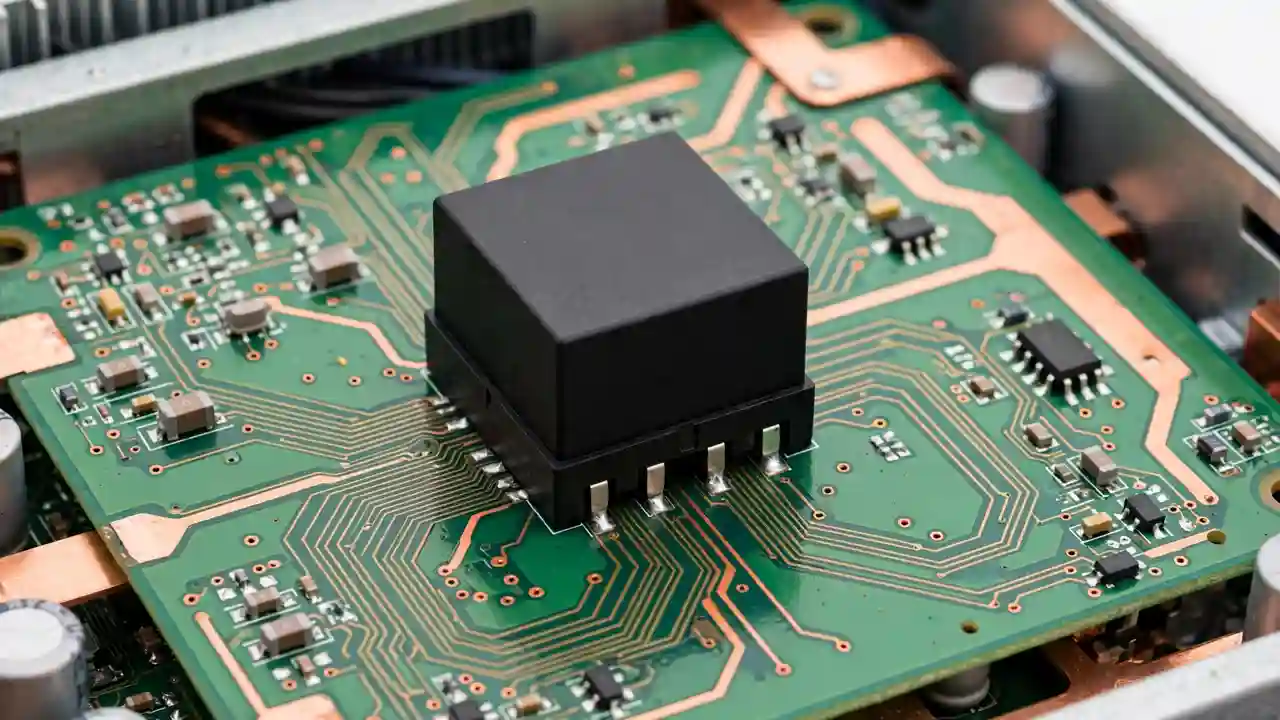
A relay is a small electric switch that a small signal can control. A low-power signal from the control board tells the relay to close, and the relay connects a much larger power path: grid to load, battery to inverter, or solar to charger. When the signal stops, the relay opens. Each close and each open makes a click.
Inside an inverter, the most important relay is the transfer relay. It chooses where your power comes from. When the grid is on, it connects your home to the grid; when the grid fails, it moves your home to battery and solar. PowerInverters.net describes this as the automatic transfer switch changing between grid and inverter power: you should hear one soft click when it changes, not repeated clicks.
The relay has two parts you should know: the coil, a small electromagnet that pulls the switch shut, and the contacts, the metal faces that carry the power. The coil needs a steady voltage to hold the switch shut. If that voltage sags, the coil lets go and you hear a click. When the voltage recovers, the coil pulls in again. ElectronixLab explains the cycle: a large load starting on the same supply can pull the voltage down, the relay releases, and it pulls in again when the voltage recovers.
Note: A relay's printed current number is not a full rating on its own: a contact rating depends on voltage, current, load type, and switching frequency, so a replacement must match the exact part.
One relay we carry is the S12H-PAS-12 12VDC Power Relay 40A 277VAC — a 12VDC coil relay rated 40A at 277VAC, as its title states. You can check the live price on the product page. A technician fits it only after testing proves the relay itself has failed.
Why Does the Relay Click Again and Again?
A relay clicks again and again when the inverter tries to start, fails, and tries again. Each click is one failed try. The table below lists the most common causes.
| What you hear and see | Likely cause | First check |
|---|---|---|
| Clicking with flashing screen and lights | Battery disconnected | Check battery cables and fuse |
| Clicking, then the inverter shuts down | Battery voltage too low | Measure the battery voltage |
| Clicking while switching grid and battery | Unstable grid or generator | Check the grid and the screen |
| Clicking when a big load starts | Overload or a large motor | Switch off heavy loads |
| Clicking with a fault code | Wrong battery type or setting | Check the settings |
| Clicking with a burning smell | Internal part failure | Switch off, call a technician |
For Growatt SPF 3500 ES and SPF 5000 ES inverters, and for Axpert VM III inverters, clicking with flashing LCD and LEDs is explicitly linked to a disconnected battery, as SolarNevs reports. The Axpert VM III manual says the same: with the battery disconnected, the relay switches on and off repeatedly.
A low battery does the same thing in a slower way. The inverter starts, the relay pulls in, the load pulls the weak battery down, and the relay lets go. A battery far too low may give no response at all: for Growatt SPF 3500 ES and SPF 5000 ES inverters, below 1.4V per cell means no response after power on, as SolarNevs notes.
The cold start voltage is the lowest battery voltage at which the inverter can start: 23.0Vdc for Axpert VM III 1.5KW and 3KW models, 46.0Vdc for the 5KW model, and 46.0Vdc in lead-acid mode for Growatt SPF 3500 ES and SPF 5000 ES inverters, with a cold start SOC of 30% in lithium mode. These numbers are for the named models only, so check your own manual.
Bonus Tip: Watch the screen while the clicking happens, and write down the code and the time before you switch anything off.
The grid can cause the same cycling when its voltage or frequency is unstable: the relay disconnects and tries to connect again. After a power cut, a grid-tied inverter waits minutes for the grid to stabilise, as GES Energy explains.
An overload can also make the relay cycle. For the Solis S5-EH1P-L series, an overload fault means the backup load power is too large, or some inductive load startup power is too large, as SolarNevs reports.
An inverter relay fault is rarely one single cause. Work from the outside in: battery, grid, load, settings, then the parts inside the box.
What Do the Fault Codes on the Screen Mean?
The screen is the inverter's voice. When the relay clicks, read the screen before you touch anything.
Fault codes differ by brand and model. The codes below are brand-specific examples, never universal codes. Your inverter's own manual is the authority.
On Growatt SPF 3500 ES and SPF 5000 ES inverters, error 56 means "Battery is not connected well or fuse is burnt", as SolarNevs reports. If you see error 56 with clicking, the battery path is broken: a loose terminal, a blown fuse, or a tripped breaker. Check the battery fuse too: the Axpert VM III has a 150A fuse for battery over-current protection. Our fuses category lists the fuse types used in solar systems.
On Deye SUN-SG03LP1-EU inverters, error F24 means "Working mode change", as SolarNevs reports. Frequent F24 errors with clicking point to an unstable grid or a wrong working mode setting.
On Axpert VM III inverters, error 53 means "Inverter soft start failed", and on Growatt SPF 3500 ES and SPF 5000 ES inverters, errors 09, 53, and 57 mean "Internal components failed", as SolarNevs reports. These codes point inside the box, at the relay or the control circuit. They are professional service jobs, not home repairs.
Note: Never clear a fault code by restarting again and again. A code that keeps coming back is the inverter telling you the cause is still there. Write the code down and give it to the technician.
How Do Loose Battery Connections Make the Relay Click?
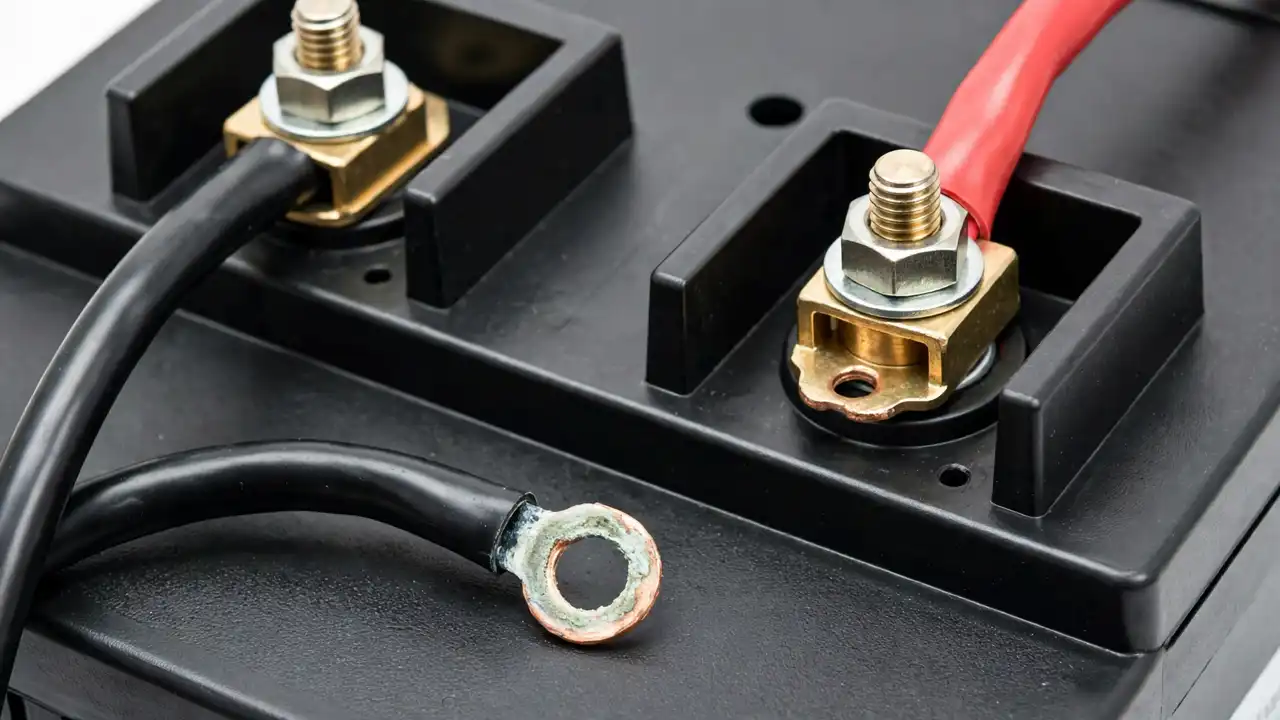
A loose battery connection is one of the most common causes of a clicking relay. Power must flow from the battery to the inverter through the cables and the terminals. A loose or corroded terminal adds resistance to that path, and resistance drops voltage.
When the inverter tries to start, it draws current through the loose terminal. The voltage at the inverter falls, the relay coil loses its hold voltage, and the relay lets go with a click. With the load gone, the voltage recovers and the relay pulls in again. SolarNevs notes that loose connections create resistance, leading to voltage drops and intermittent power, which can cause the inverter's relay to cycle.
Corrosion does the same thing as looseness, and heat makes it worse: a terminal that runs hot loosens as the metal expands and contracts.
ElectronixLab adds a point that matters here: measure the voltage at the coil terminals, not only at the power supply. A meter on the battery may read healthy voltage while the voltage at the inverter is far lower.
Never work on battery terminals while the system is live. Disconnect the PV, grid, and battery breakers first, and use insulated tools. A dropped metal tool across battery terminals can spark and short the battery, as the Growatt manual warns.
Can the Grid, the Load, or the Settings Make the Relay Click?
Yes, all three can. The relay listens to the grid, the load, and the settings.
The grid is the first suspect when the clicking follows the grid supply. If the grid voltage swings or the frequency wanders, the inverter cannot hold a stable sync, so the relay disconnects and retries. SolarNevs notes that for Growatt SPF 3500 ES and SPF 5000 ES inverters, mains power can be present while the unit still works in battery mode with a flashing green LED, when the AC power is of insufficient quality.
The load is the second suspect. A load that is too large, or a motor that draws a big starting current, can pull the supply down for a moment. If the clicking starts the moment a pump or fridge starts, the load is the likely trigger. Our kW-size guide helps you check whether your inverter size matches your load.
The settings are the third suspect, and the easiest to get wrong after a battery change. The battery type setting must match the battery you actually have: AGM, Flooded, Lithium, or User-Defined, as SolarNevs notes for Growatt and Axpert inverters. A lithium battery on a lead-acid setting, or the other way round, charges wrong and cuts off at the wrong voltage. The output source priority matters too: on Axpert VM III inverters, "SUB" means solar first, then utility, then battery, and frequent switching when solar or grid power is insufficient can cause clicking.
A surge can also damage the parts that drive the relay: our SPD and Voltage Protection 2026 guide explains how a surge protection device takes the hit instead.
How Do I Check a Clicking Inverter Relay Safely?
Checking a clicking relay is safe only from outside the box. The DC side stays live in daylight, because the panels make power whenever the sun shines. Never open a live inverter.
- Stand clear and listen from outside the box. Note when the clicking starts and how often it repeats.
- Read the screen and write down the fault code and the LED pattern. Photograph the screen and the model label.
- Check the battery terminals from outside: look for looseness, white or green corrosion, or a hot smell. Do not touch a terminal while the system is live.
- Check the labeled DC isolator, AC breaker, and battery breaker positions. Move a tripped breaker fully to Off before you switch it back On.
- Switch off heavy loads, then do one approved restart in the maker's order: AC off, DC off, wait five minutes, DC on, AC on.
- If the clicking continues, or a breaker trips again, leave the system off and call a technician.
A restart can clear a temporary fault from a short grid dip or a one-time overload, but it cannot repair a loose terminal, a flat battery, a blown fuse, or a damaged relay.
Note: Never repeat the restart without technical advice. If a breaker trips again the moment you switch it on, leave it off: repeated resetting can feed more current into a short circuit.
Never bypass protection to stop the clicking: a bypassed fuse or breaker stops protecting the inverter, the battery, and your home.
Wait five minutes after disconnection before anyone touches inner parts: capacitors inside hold stored energy. For the Solis S5-EH1P-L series, the manual says to wait five minutes after disconnection from the grid and the PV input, as SolarNevs reports. Never charge a frozen battery, as the Growatt, Axpert, and Deye manuals all warn. Many inverters have no user-serviceable parts inside: opening the unit without authorisation may void the warranty.
When Should I Call a Technician?
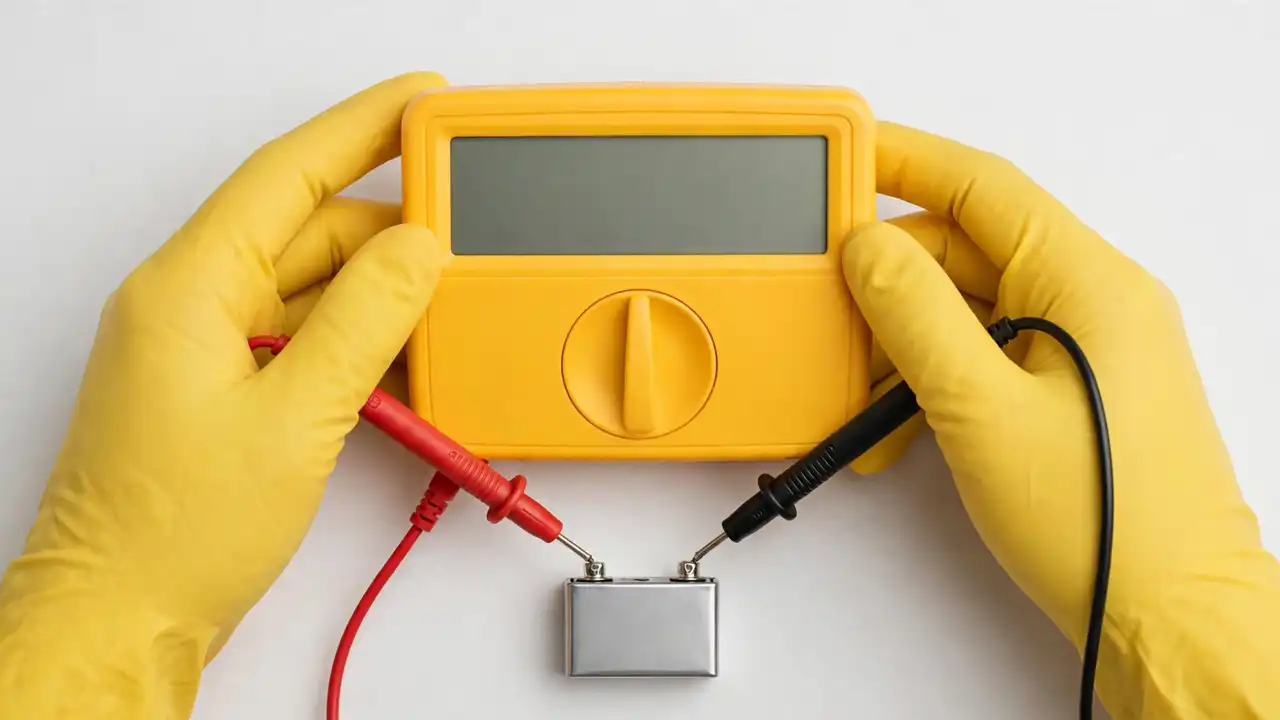
Call a technician when the clicking continues after one correct restart, or when there is a burning smell, a hot case, water inside, or visible arcing. Switch the system off at the labeled isolators and keep it off.
Call a technician when the screen shows error 09, 53, or 57 on a Growatt inverter, or error 53 on an Axpert inverter. These codes mean an internal part has failed, and the relay or the control board needs bench testing. A technician will measure the voltage at the relay coil terminals and check the driver circuit.
Call a technician when the same clicking keeps coming back after the battery and the cables have been checked. A relay that clicks with a healthy battery and steady grid voltage points at the relay, its driver, or the control board. If a known-good relay behaves the same way, replacing another relay will not solve the fault, as ElectronixLab notes.
Our day solar inverter spare parts guide shows the parts that fail most often, and our solar inverter repair cost guide shows what a technician visit usually covers. Bring the fault code and the photos.
Frequently Asked Questions
Why is my inverter relay clicking again and again?
Repeated clicking usually means the transfer relay is trying to switch between grid, battery, and solar power but cannot settle. The most likely cause is a disconnected or very low battery. Check the battery connections and voltage first.
Is a single click from my inverter normal?
Yes. A single click at start-up or shutdown is normal. Only repeated clicking during operation, with an error code, or with falling output is a fault sign.
Can a loose battery cable make the relay click?
Yes. A loose or corroded terminal adds resistance, drops the voltage, and makes the relay coil let go and pull in again, over and over. Tightening a terminal is a technician's job once the breakers are off.
What does Growatt error 56 mean?
On Growatt SPF 3500 ES and SPF 5000 ES inverters, error 56 means the battery is not connected well or the fuse is burnt. Check the battery terminals, the wiring, and the fuse.
Can I replace the inverter relay myself?
No. A relay replacement is a technician's job: the DC side stays live in daylight, and the wrong part can damage the board. A technician tests the coil voltage and the driver first.
Will a new relay stop the clicking?
Only if the relay is the fault. A new relay on a flat battery, a loose cable, or an unstable grid will click in the same way. That is why a technician tests the battery and the supply before fitting a part.
Final Thoughts
A clicking inverter relay is a message, not a mystery: the relay is trying to connect a power source that will not stay steady. Most of the time, the cause is outside the box: a loose battery cable, a flat battery, a swinging grid supply, or a load that is too large. The screen, the lights, and the timing tell you which one it is.
Listen first, read the screen, and check the battery from outside. Do one approved restart, and only one. If the clicking continues, stop there: the inside of an inverter holds live DC in daylight, and the relay and board work belongs to a qualified technician. Fix the cause, not the sound. That is the lesson of an inverter relay fault: the click is the messenger, and the steady power behind it is the message.
Ready to fix your clicking inverter relay? See the S12H-PAS-12 12VDC Power Relay 40A 277VAC for a matching replacement part, and browse the full range at SunTech Mall. Questions? Message SunTech Mall on WhatsApp at 0306-2244820 with your inverter model and a photo of the screen.
Published on 24 November 2026. Updated on 24 November 2026.
Sources: SolarNevs ; ElectronixLab ; GES Energy ; PowerInverters.net
Related Technical Guides
 Category:
General
Inverter Display Blank 2026: Why Your Screen Goes Dark and How to Fix It
Your inverter display is blank because it has lost power, or the display itself has failed. Check the status lights. If the…
 Category:
General
SPD and Voltage Protection 2026: Save Your Solar Inverter From Power Surges
An SPD, or surge protection device, guards your solar inverter from voltage spikes caused by lightning and grid switching. It sends the…
 Category:
General
Day Solar Inverter Repair 2026: 7 Common Faults and the Real Parts That Fix Them
A Day Solar inverter fails in seven common ways: no output, repeated restarts, heat shutdown, no solar input, blown fuses, strange noise,…